创建工作小组
背景
作业现场的工人被分成称为工作小组的组,以便更轻松地进行组织。每个工作小组由执行一个或多个工作范围的工人组成(例如混凝土工人工作小组),并由负责工作小组工作的工头或领班领导。
需要考虑的事项
Each crew requires a Crew Lead and one cre
To create a crew, you must select one employee as the crew lead and at least one employee or worker as a crew member.
先决条件
将你想要的员工添加到工作小组。请参阅将用户账户添加到项目目录。
将想要使用的工人添加到工作小组。请参阅添加工人。
步骤
导航到项目的工作小组工具。
点击 +创建。然后从下拉菜单中选择创建工作小组。
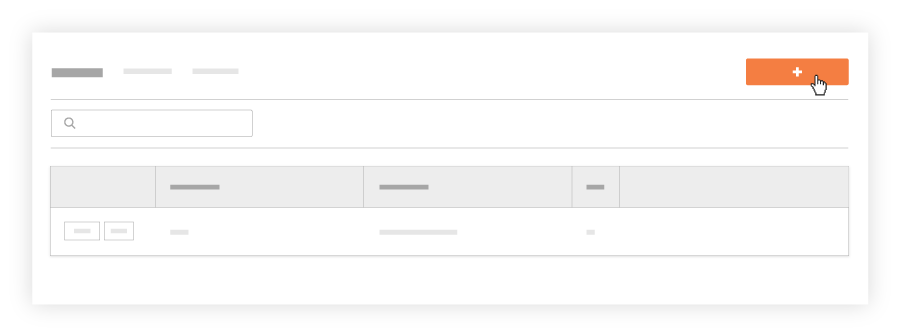
在"选择工作小组成员和工头"窗口中,执行以下操作:
勾选你希望将其加入工作小组的每个员工和工人旁边的复选框。你可以选择多个工作小组成员。
注意如果你希望员工 ID 显示在员工和工人姓名下,你必须按照先决条件中的说明进行输入。
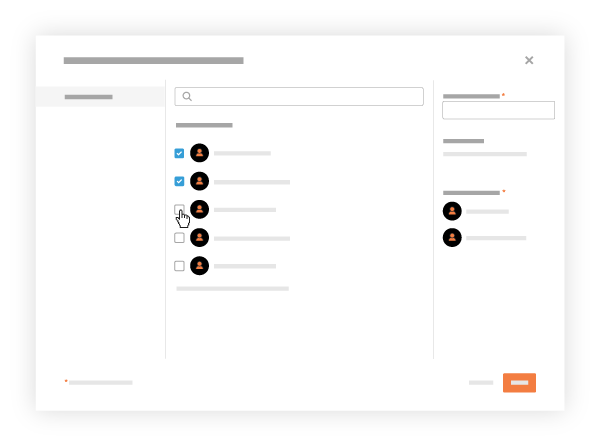
可选:勾选将成为工头的一(1)名员工对应的复选框。然后点击设置为工头。 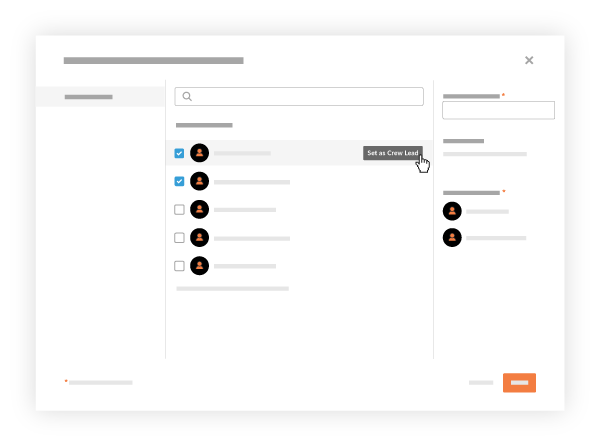
在命名工作小组框中输入工作小组名称。你必须命名工作小组。
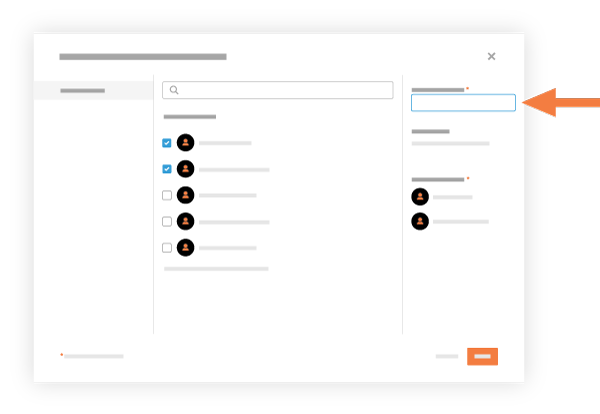
点击创建。
Procore 将新工作小组添加到工作小组列表中。