Configure Default Invoicing Methods for Commitments
Background
Project administrators can set a default invoicing method either Simplified Invoicing or Construction Progress Invoicing for new subcontracts and purchase orders. This ensures that new contracts will automatically use the preferred invoicing style for your project.
Things to Consider
Required User Permissions:
'Admin' level permissions on the project's Invoicing tool.
Steps
Navigate to the project's Invoicing tool.
Click the Settings icon.
Under Defaults, locate the Subcontract Invoices or Purchase Order Invoices section.
Select Simplified Invoicing from the Default Invoicing Method drop-down menu.
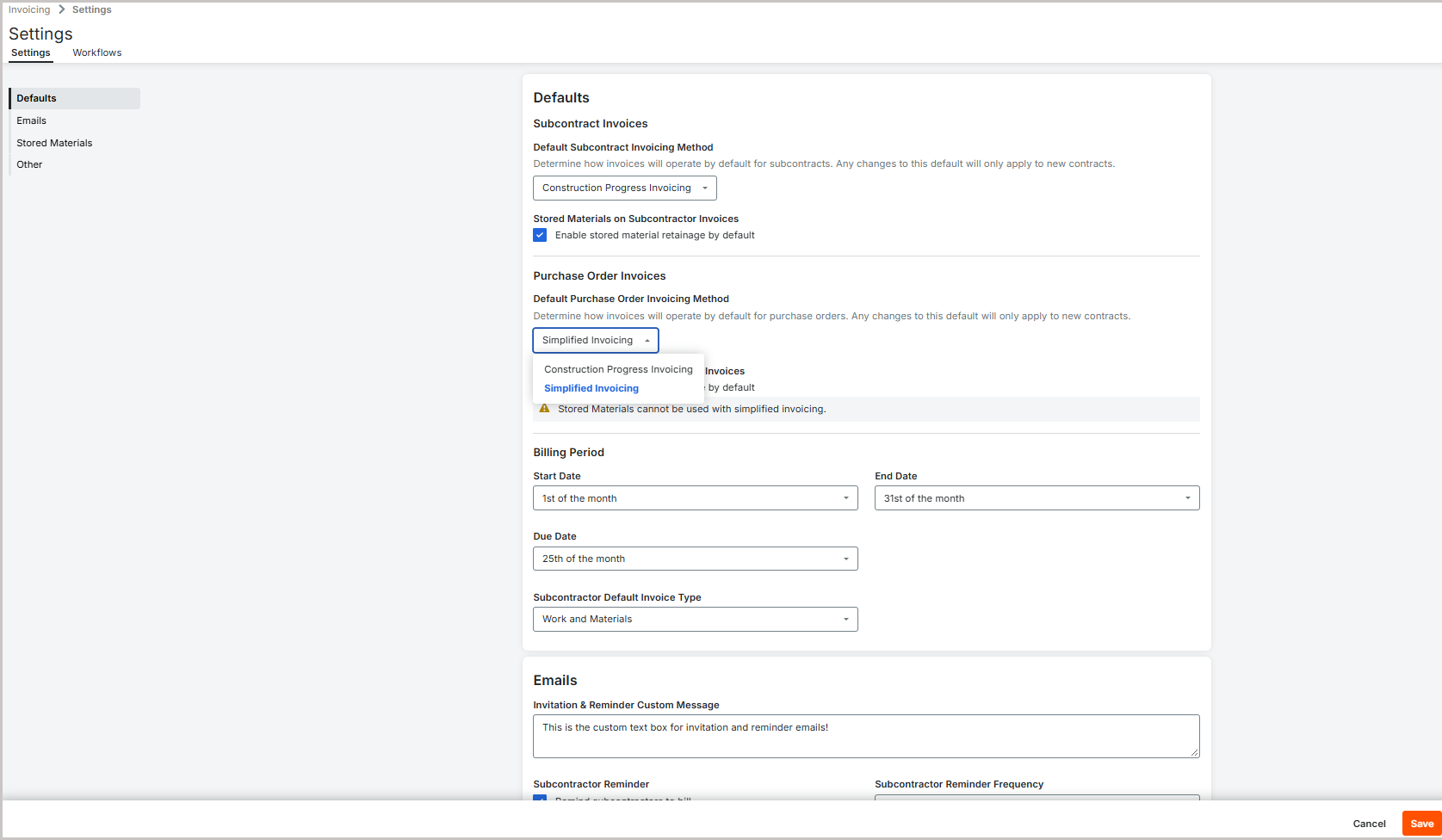
Click Save.

Note
Changes to these defaults only apply to new contracts created after the setting is updated.