Preview a Subcontractor Invoice

Using Owner or Specialty Contractor Terminology?

Procore can be configured to use terminology specific to General Contractors, Owners, or Specialty Contractors. Learn how to apply the dictionary options.

  • To learn the differences: Show/Hide

    • This table shows the differences in tool names (bold) and terms across the point-of-view dictionaries for Project Financials.

      总承包商英语(美国)- 默认

      业主英语(业主术语第 2 版)

      专业承包商英语(专业承包商术语)

      开发票

      开发票

      进度账单

      业主

      资金

      业主

      业主/客户

      业主/客户

      总承包商/客户

      主合同变更通知单

      资金变更通知单

      客户合同变更通知单

      主合同

      资金

      客户合同

      营收

      资金

      营收

      分包合同

      合约

      分包合同

      分包商

      承包商

      分包商

      分包商分项价格表(SSOV)

      承包商分项价格表(CSOV)

      分包商分项价格表(SSOV)

      About These Dictionaries
      • Default Setting: The 'General Contractor' dictionary is enabled by default for all accounts.

      • Availability: These alternate dictionaries in italics are available in US English only.

      How to Switch Your Dictionary

      To change your company's terminology to the Owner or Specialty Contractor dictionary, contact your company's . They will work with your Procore Point of Contact to make the change.

Background

After you create a new subcontractor invoice, you can preview what it will look like in its final format by expanding the 'Summary Preview' container in the invoice.

Things to Consider

  • Required User Permissions:

    • You must be an invoice contact on a commitment.

    • You must submit your invoice before the 'Due Date' on the invoice.

Prerequisites

Steps

  1. Navigate to the project's Invoicing tool.

  2. Click the Subcontractor Invoice tab.

  3. Locate the invoice that you want to preview and click to open it.

  4. Click the arrow next to 'Summary Preview' to expand the section.
    This gives you a preview of what the invoice will look like in its final format.
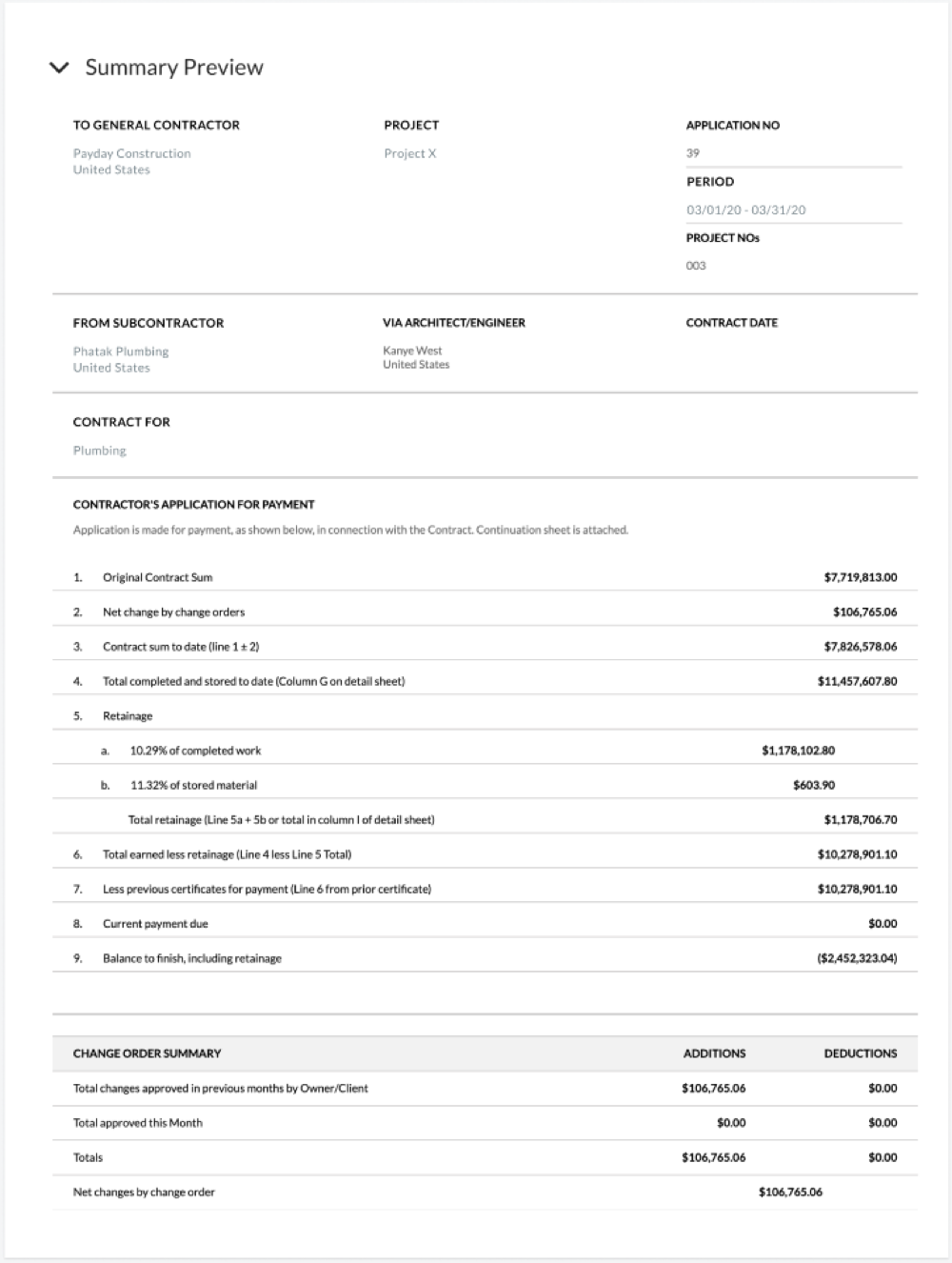
    Summary Preview

See Also

Loading related articles...