Search the Company Portfolio for Projects
New Version Available 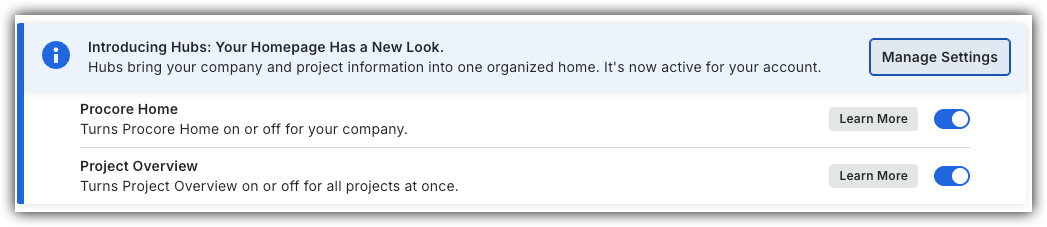
Procore Home has replaced the legacy Company Portfolio page and is enabled by default. Learn more about the difference between the legacy Company Portfolio page and the new Procore Home.
Company Administrators can switch between the new Procore Home and legacy Company Portfolio by following the below steps:
Open the Procore Home or Company Portfolio tool.
Locate the Introducing Hubs banner.
Select Manage Settings on the banner.
Toggle Procore Home ON
 or OFF
 to switch between the new view and the legacy view.
However, later this year Company Portfolio will be sunset and will no longer be available.
