Can multiple users work on estimates and takeoffs at the same time in the Estimating tool?
Background
If your organization has more than one estimator for a project, they may need to work on estimates and takeoffs for a project at the same time.
Answer
Yes, multiple users can edit and view take-offs or estimates simultaneously without refreshing the page. These real-time updates sync across all devices and tabs, ensuring everyone sees the same data at once. Changes also bridge the two tools; for instance, updating a takeoff’s square footage instantly adjusts the estimate table. This seamless syncing drives efficient team collaboration and allows individuals to work across multiple monitors or windows without delay.
To collaborate while keeping work distinct, you can create separate estimates for individual users. These appear as tabs at the bottom of the Estimating and Take-Off pages. You can keep these estimates independent for different scopes of work or merge them into the Primary Estimate when ready.
Create a Separate Estimate For individual Users
Multiple users can make and view changes within a single estimate; however, you can create separate estimates for additional users and scopes of work as needed. Users can also work on different estimates in the project at the same time, and these estimates can be combined into one primary estimate to send out.
Click the add
 icon at the bottom of the page to add a new estimate.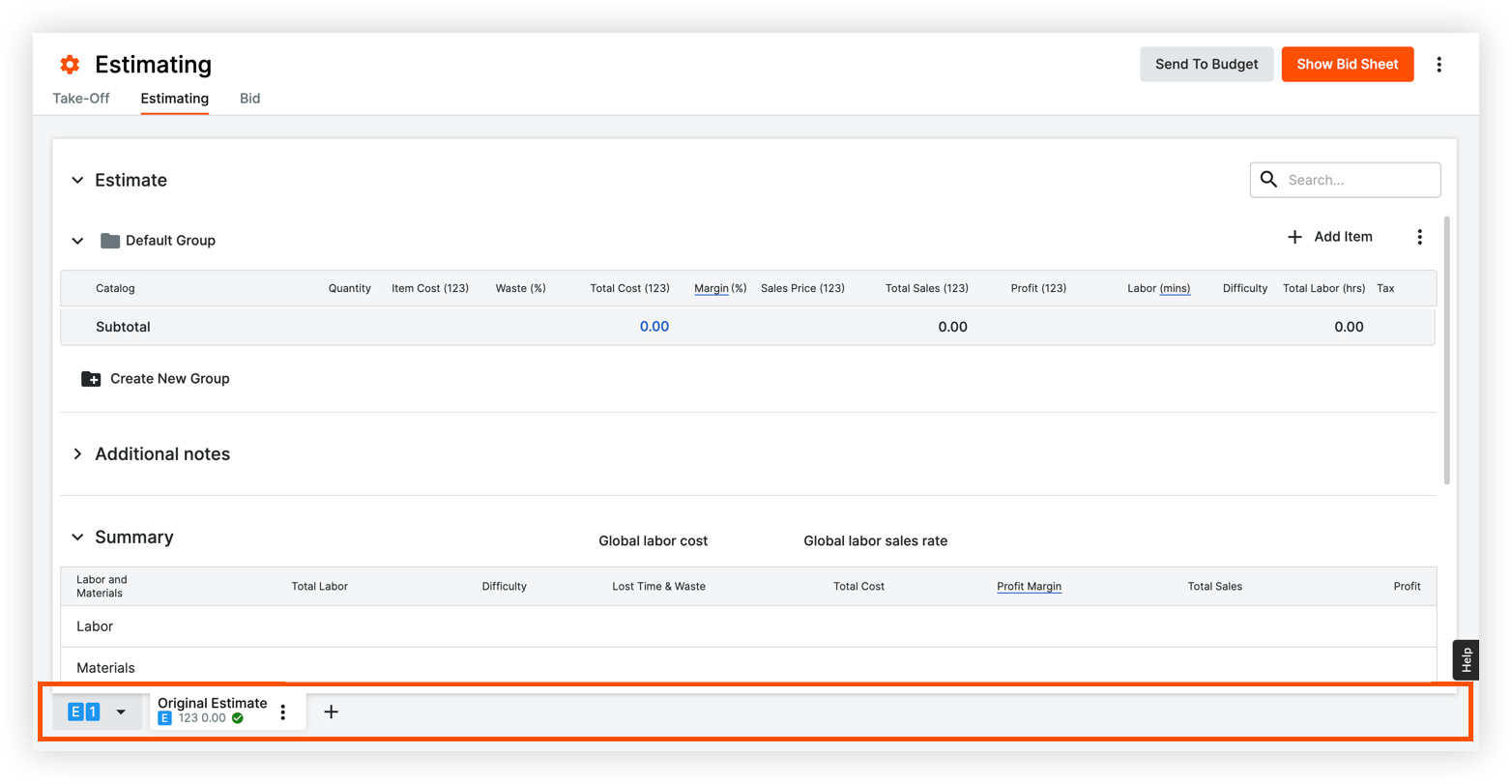
Choose one of the following options for the new estimate:
Copy Selected Estimate:Select if you want to copy the data from the original estimate to the new estimate.
Create Empty Estimate: Select if you want to create a new estimate with no existing data.
If you want this estimate to be combined with the total estimate, click the Include in Primary Estimate toggle
 ON.
ON. 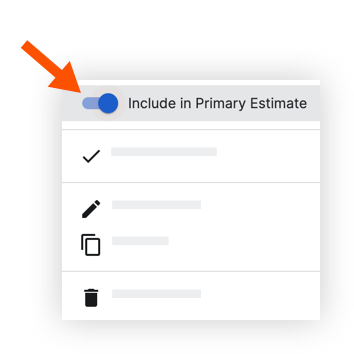
See Also
Loading related articles...