What is the 'Enable Always Editable Bill of Quantities' setting?
Your project is configured to use one of Procore's ERP Integrations tools.
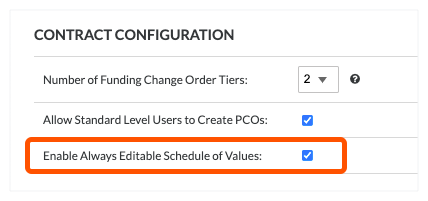
The 'Enable Always Editable Schedule of Values' check box is a configuration setting in the supported Project Financials tools (see Which Procore tools support this setting? below). It providers users who have been granted the required user permissions to a tool with the ability to update the line items on a Schedule of Values (SOV) and Subcontractor Schedule of Values (SSOV), regardless of its status.
The 'Enable always editable Bill of Quantities' setting is available to turn ON and OFF in the 'Contract configuration' section of the client contracts, funding and main contracts tools.
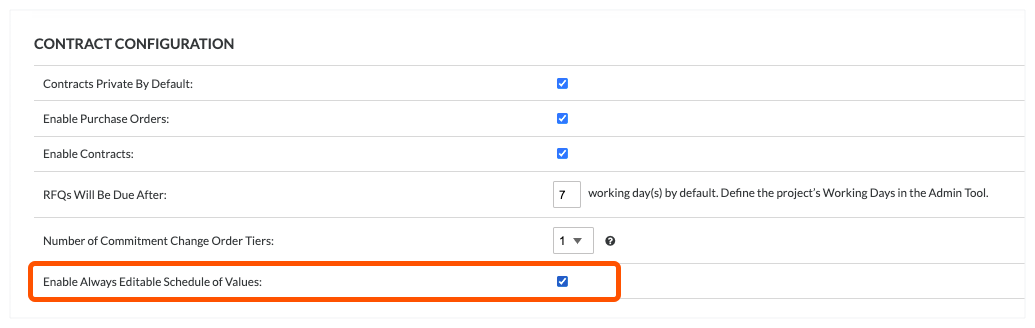
The setting is also available in the 'Contract configuration' section of the Commitment tool. In the Commitment tool, users can adjust line items on both the Bill of Quantities and the Subcontractor Bill of Quantities. However, please be aware of these limitations:
You cannot adjust the value of BOQ or Subcontractor Bill of Quantities line items below the amount that has been payment application against that line item.
While adjustments are being made, Procore changes the Subcontractor Bill of Quantities status to 'Revise and Submit'. Users must manually change the status back to 'Approved' in order to create payment applications against the commitment contract.
You cannot adjust the value of BOQ or Subcontractor Bill of Quantities line items on contracts synced with the Company level ERP Integration tool.
You cannot delete line items from the BOQ or Subcontractor Bill of Quantities.
You cannot turn the Subcontractor Bill of Quantities tab ON or OFF in a commitment after the BOQ line items have been billed against with a payment application. See Enable or disable the subcontractor BOQ tab on the commitment tool.
To learn more:
What does this setting do?
Which Procore Tools support this setting?
Why turn this setting ON or OFF?
How do I turn this setting ON or OFF?
What does this setting do?
The table below describes how this setting works when turned ON or OFF in the 'Configure Settings' page of a supported Project Financials tool. See Which Procore tools support this setting?
When the setting is... | Users with editing permissions can perform these tasks when the contract, funding or commitment is in any status... | Users with editing permissions can edit these values (except when a payment application for the line item has been created) |
|---|---|---|
ON |
|
|
OFF |
|
|
Which Procore Tools support this setting?
This setting is supported in these tools:
Commitments
Why turn this setting ON or OFF?
In Procore, this setting is turned OFF by default. However, a user with 'Admin' level permissions on a supported tool can choose to turn this setting ON and OFF at any time. Reasons for turning the setting ON and OFF include:
ON. Turn this setting ON when project users need to update a contract's or funding's SOV after change orders or invoices have been placed in the 'Approved' status. This allows users to refine a contract's or funding's value, without having to issue a new change order against the contract or funding.
OFF. Turn this setting OFF when they want to restrict users from updating a contract's or funding's SOV after change orders and invoices are approved. This prevents users from refining a contract's or funding's value and requires users to issue a new change order against a contract or funding.
Procore recommends turning this setting ON and OFF before your team begins creating payment applications. Although you can change this setting at any time, it is important to note that Procore will NOT retroactively apply the update setting to your existing payment applications. A setting change is only applied to new payment applications.