Invite from your Directory
Click the tender form name.
Click the Tenderers tab.
Click Add Tenderers .
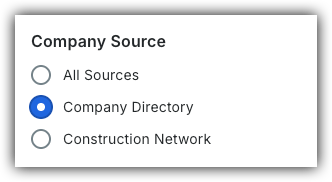
Under 'Company source', select company Directory.
To narrow the list of companies, use the following search and filter tools: Show / hide details
Search: Search by email address, vendor name, address or company details.
If you are searching for a specific user, they must be designated as a tender contact to show in the search results.
Filter:
Click the All filters
 icon.
Select one or more filters to apply:
Show selected only: Move the toggle ON
 to show your selected tenderers.
Previous tenderers: Select a previous tender package or tender form to show all tenderers associated with that item.
Company source: Choose where to find tenderers: your Procore company Directory, the Procore Construction Network or both (all sources).
Service area: Enter city, state or zip file code.
Select a distance parameter from the mileage drop-down menu to define your search radius.
Search by office address only: Move the toggle ON
to only show companies that have offices within the area searched.
Trade: Select all trade that apply.
Cost codes: Select one or more cost codes to filter for tenderers associated with specific types of work.
Business classifications: Select all business classifications that apply.
Company types: Select all company types that apply.
Union member: Move the toggle ON
to filter for vendor who are members of a labour union.Authorised tenderers only: Move the toggle ON
to to display only those vendors officially authorised to tender by your organisation.Minimum average rating: Select a star rating to filter for tenderers who meet your company's minimum performance standards.
Market sectors: Select all market sectors that apply.
Project types: Select all project types that apply.
Average contract value: Select an option from the drop-down menu to filter vendor by financial capacity.
To remove filters:
Click the x on an individual filter to clear it.
Click Clear all filters to clear all filters.
Optional: Click the company name to view it's details.
Mark the tickbox for the companies you want to add to the tender form.
Decide when to invite tenderers:
To add the tenderers without sending an invitation, click Add tenderers.
To invite the tenderers now:
Click Send Invitations .
Click Send invitations again to confirm sending the tender invitation email.
