Details
Key features for managing holds in Procore Pay include the ability to:
Configure Procore Pay to prevent payment application payments until holds are released
Create payment application holds or vendor holds on subcontractor payment applications
Alert users when holds are applied on subcontractor payment applications
Manage holds on subcontractor payment applications from the Payment tool
Manage holds on subcontractor payment applications from the Commitment tool
Manage holds on subcontractor payment applications from the Payment Applications tool
Configure Procore Pay to prevent payment application payments until holds are released
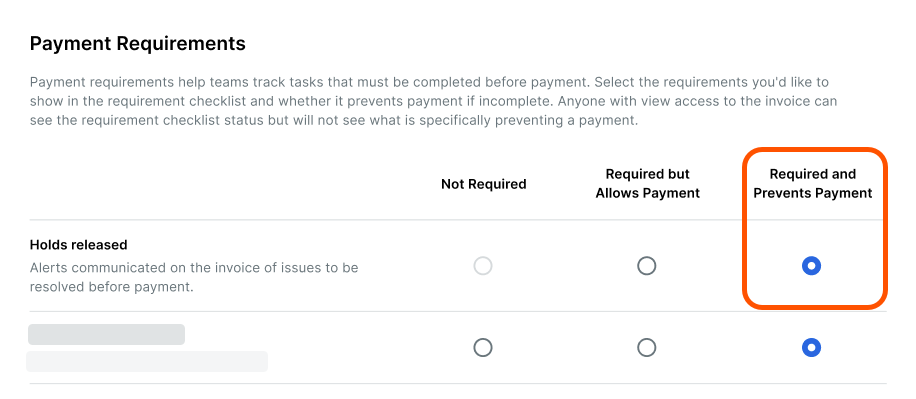
Users have the option to configure the payment tool to prevent Procore Pay from paying subcontractor payment applications when holds are applied. To do this, a payment admin or Procore administrator can choose from these configurations:
Required and prevents payment. Alerts users when holds are applied to subcontractor payment applications and prevents users from creating disbursements to pay those payment applications until holds are released.
Required but allows payment. Alerts users when holds are applied to subcontractor payment application and allows users to create disbursements to pay those payment applications when holds are active.
Not required. Turns the alert feature OFF and doesn't notify users of holds or prevent payments for subcontractor payment applications.
Create payment application holds or vendor holds on subcontractor payment applications
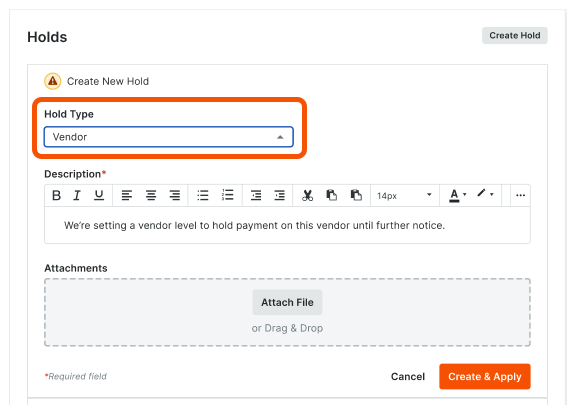
With Procore Pay, authorised users can create and apply different hold types subcontractor payment applications:
Payment application. Payment admins, payment disbursers and payment application administrators can apply a payment application hold to notify users to pause payment for a specific subcontractor payment application.
Vendor. Payment admins and payment disbursers can apply a vendor hold to a subcontractor payment application to notify users to pause payments for all subcontractor payment applications associated with a specific vendor ID.
Alert users when holds are applied on subcontractor payment applications
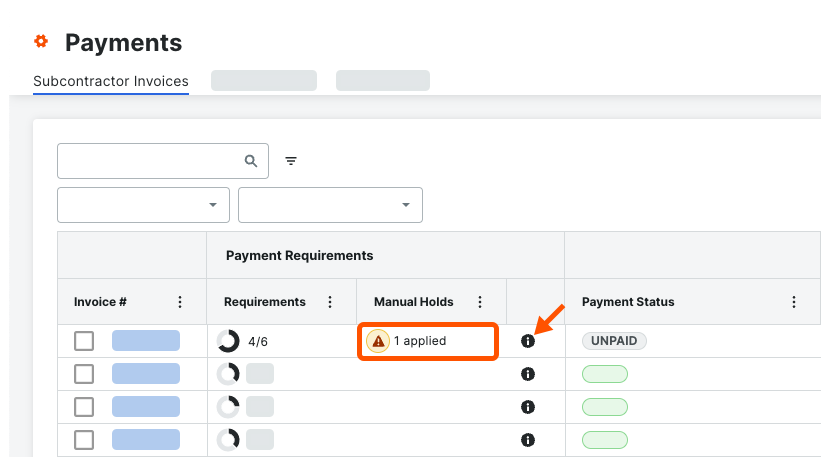
Procore Pay alerts users about holds with an alert icon in the Manual holds column of the Subcontractor payment applications tab of the Payment tool. It also alerts users by displaying a banner for users viewing the impacted payment applications.
When holds are applied, Procore Pay shows an alert icon in the Manual holds column on the Subcontractor payment applications tab of the Payment tool. Users can click the information icon to view the Payment requirements panel for the payment application.
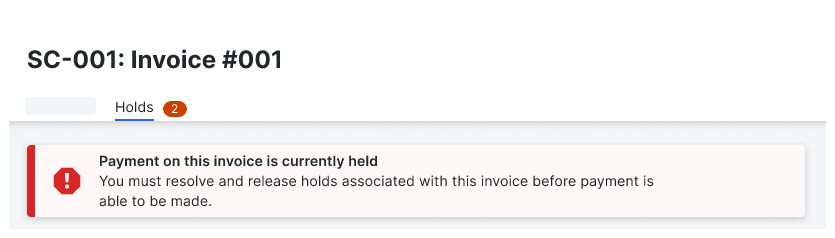
In the Payment requirements panel on a subcontractor payment application, a Holds tab shows any active or historical holds on the payment application.
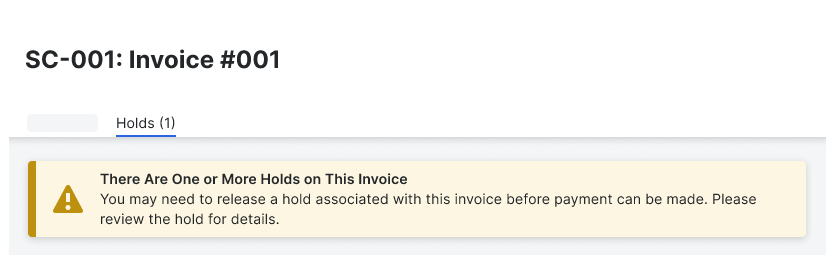
When configured to use the 'Required and prevents payment' setting, a RED information banner appears to notify users about the hold. With this option, Procore Pay requires users to release the hold before allowing payment application payment.
When configured to use the 'Required but allows payments' setting, a YELLOW information banner appears to notify users about the hold. With this option, Procore Pay only alerts users. It doesn't prevent users from paying payment applications.
Manage holds on subcontractor payment applications from the Payment tool
Payment admins and Payment disbursers can create, edit, view and release payment application or vendor holds on subcontractor payment applications from the payment tool. They can also manage both types of holds on subcontractor payment applications from the commitment or Payment Applications tool.
In the payment requirements panel on the payment tool, you can do the following:
To create and apply a payment application or vendor hold, click Create hold. See Create and apply a manual hold on a payment application.
To edit an existing hold, click Edit. See Edit a manual hold on a payment application.
To release a hold, find the hold to release and click Release. Release a manual hold on a payment application.
Manage holds on subcontractor payment applications from the Commitment tool
Payment admins and Payment disbursers who have also been granted payment application administrator permissions can create, edit, view and release payment application or vendor holds on subcontractor payment applications from the Commitments tool. They can also manage both types of holds on subcontractor payment applications from the Payment Applications or Payments tool. See Create and apply a manual hold on a payment application.
Users granted only payment application administrator permissions are limited to creating, editing and releasing payment application holds. They are limited to only viewing vendor holds on subcontractor payment applications using a project's commitment or Payment Applications tool.