Add a custom trade
Background
Adding trade names to your company allows you to associate company in the company or project Directory with specific trade. Once you do this, you can filter your company record when creating and managing a tender in the project's Tendering tool. A company record can have as many trade association as needed.
Things to Consider
Required User Permissions:
'Admin' level permissions on the Company level Admin tool.
Additional Information: Trades interact with these Procore tools:
Tendering : If you've enabled the Tendering tool on a project, you can set trade information for a vendor in the Directory tool. See Set tenderer information at the Company level.
Site Diary :
Daily construction report log. See daily construction report log.
Manpower log. See manpower log.
Directory: After a trade is deleted, the selection will no longer be visible in the trade list in the Filter Records By area. See Search and filter the company Directory and Search and filter the project Directory.
Inspection: inspection template. See Create a Company level inspection template.
Observations: Observation. See Create an observation and Edit an observation.
Photos: You can set trade information for photos from the photos viewer. See Set a photo trade.
Snag list: Snag list items. See Create a snag list item and Edit a snag list item.
Steps
Navigate to the Company level Admin tool.
Under 'Company settings' in the sidebar, click Trade.
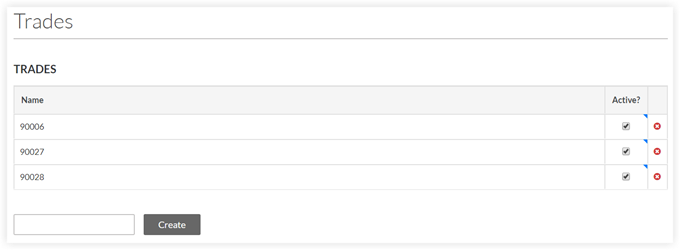
On the 'trade' page, complete the following:
Trade. Enter a name for the new trade in the box provided.
Create. Click this button to add the new trade to the list.
Active. Place a tick in this box to mark the trade as active.
See Also
Loading related articles...