Send bulk Correspondence (legacy)
Legacy Content
Bulk actions are not currently available in the Tender Management enhanced experience. See Send a new correspondence in the Tendering tool.
Required User Permissions:
'Admin' level permissions on the project's Tendering tool.
Additional Information:
Invited tenderers who have indicated that they "Will Not Tender" will not be sent Correspondence.
Correspondence containing more than 2,000 tenderers may lead to a degraded application performance.
Recipients must be invited to tender and added to the tender package in order to send bulk Correspondence.
Navigate to the project's Tendering tool.
Select the tender package for which you want to send a new Correspondence.
Select which companies you want to send Correspondence to by marking the tickbox at the beginning of the row.
In the Bulk actions menu, select Send correspondence from the drop-down list.
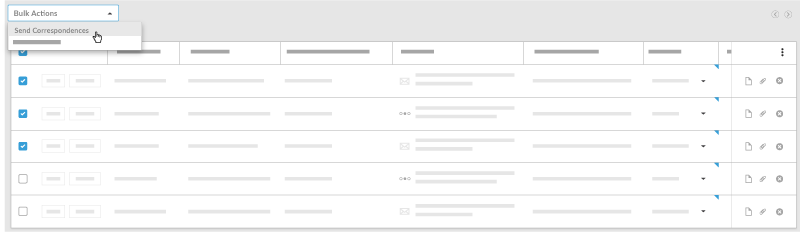
On the New Correspondence page, enter the following:
Subject: Enter the subject of the correspondence.
Attachments: Select any relevant attachments.
Note: Tender documents will be automatically attached to each Correspondence.
Message: Enter any text for the Correspondence.
Click Send.
Loading related articles...