Add a change event line item to an unapproved commitment VAR
Background
If the commitment tool is configured with the 2-tier variation setting, you can add a change event line item to a commitment potential variation when the potential variation is in an unapproved status. You can then create a commitment variation using the commitment tool. To learn more about variation tiers, see What are the different variation tier setting in Project Financials?
You can add a change event line item to a commitment variation either before or after the request for quote has been responded to. If you wait until the RFQ has been responded to, the bill of quantities on the commitment variation populates with amounts from the RFQ.
Things to Consider
Required User Permissions:
'admin' level permissions on the project's change events tool.
AND'admin' level permission on the project's commitment tool.
Additional Information:
You can only add change event line items to commitment variations that do not have the status of 'Approved.'
Prerequisites
Steps
Navigate to the project's change event tool.
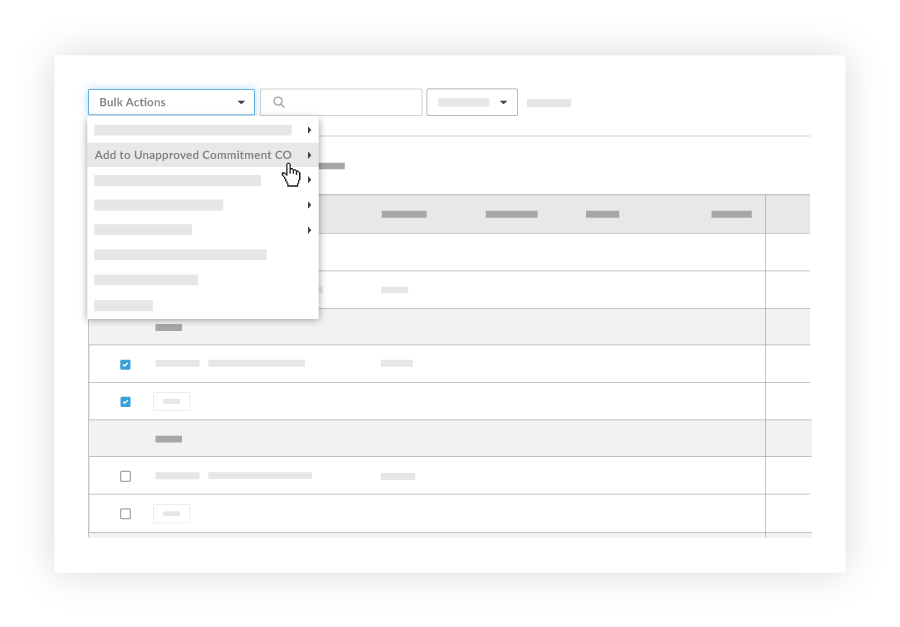
Select the change event line item you want to add to an unapproved commitment variation.
Note: You can select line item across multiple change event. You can also use the Filter drop-down to filter by vendor.From the bulk actions drop-down menu, select Add to unapproved commitment VAR.
Note: If your project is integrated with enterprise resource planning, you will not see this option in the drop-down menu. See Link a bill of quantities item to a change event line item.Select the unapproved commitment variation you want to add the change event line item to.
Note: Additional Bill of Quantities line item will be created from change event line item.
See Also
Loading related articles...