Create a Payment Programme (Legacy)
Legacy Content
This page details the legacy experience for the Project level commitment tool.
Construction businesses operating in Australia and New Zealand are creating Payment Programmes to facilitate the payment application approval process, as well as claims of work performed by downstream collaborators. In a typical Payment Programme workflow, downstream collaborators submit payment applications for work performed. The upstream collaborator reviews the payment application and approves the amounts on the claim.
 The Payment Programme feature is designed for Procore users in Australia and New Zealand to satisfy the legal requirement to provide claimants with a Payment Programme. However, this feature is available for use by all payment application management users.
A Payment Programme is then created for the payment application to show the following information:
Claimed amounts
All 'Approved' amounts
Reasons for 'Rejected' amounts
Additional Information:
To automatically notify a payment application contact by email when a payment application's status changes to 'Approved', see Configure settings: Commitments.
To define custom text for the footer on the Payment Programme's PDF export file, see Configure settings: Commitments.
Turn the 'Show amounts subcontractors claim' setting ON. See Configure settings: Payment Applications.
Complete the steps in Create a subcontractor payment application.
For amounts to show on a Payment Programme, amounts must be entered in the 'Work Completed This Period' and 'Materials Presently Stored' columns on the payment application's Bill of Quantities. To learn how to enter these amounts, see:
Navigate to the Project level commitment tool.
Click the Contracts tab.
Locate the commitment associated with the payment application that you want to create the Payment Programme for.
Click the commitment's Number link to open it.
Click the Payment applications tab.
Choose from these options:
Locate the payment application line item in the table. Then click the PDF  icon on the right side of the line item.
OR
Locate the payment application line item in the table, then click its View button. Click the Export button and choose PDF from the drop-down menu.
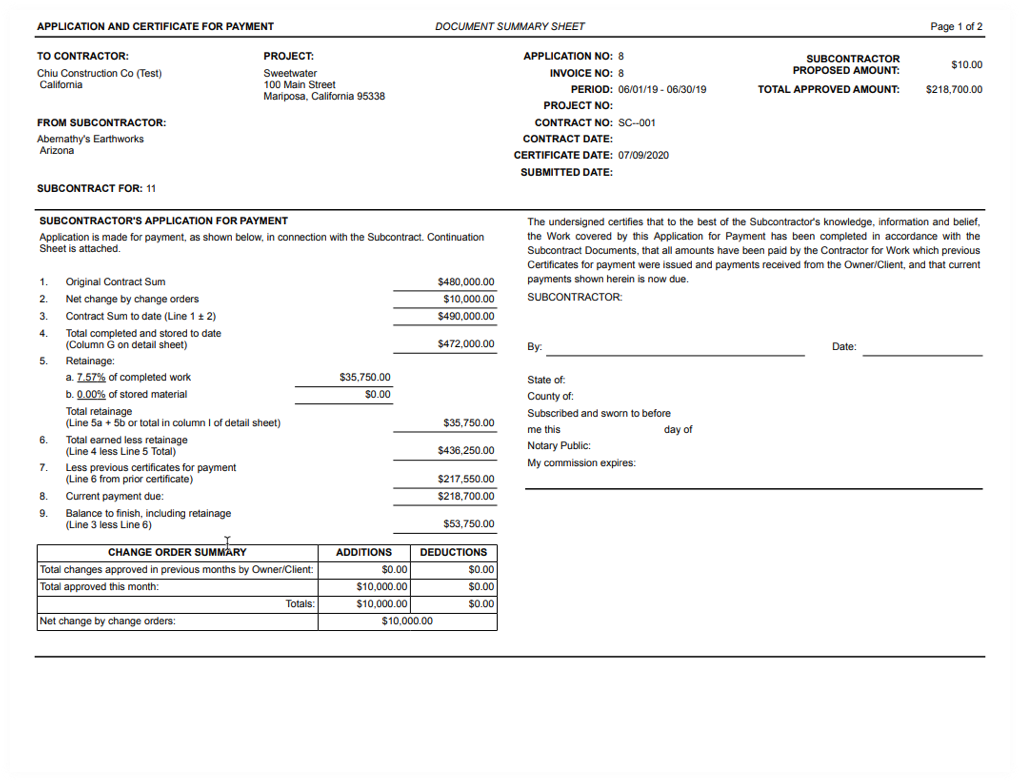
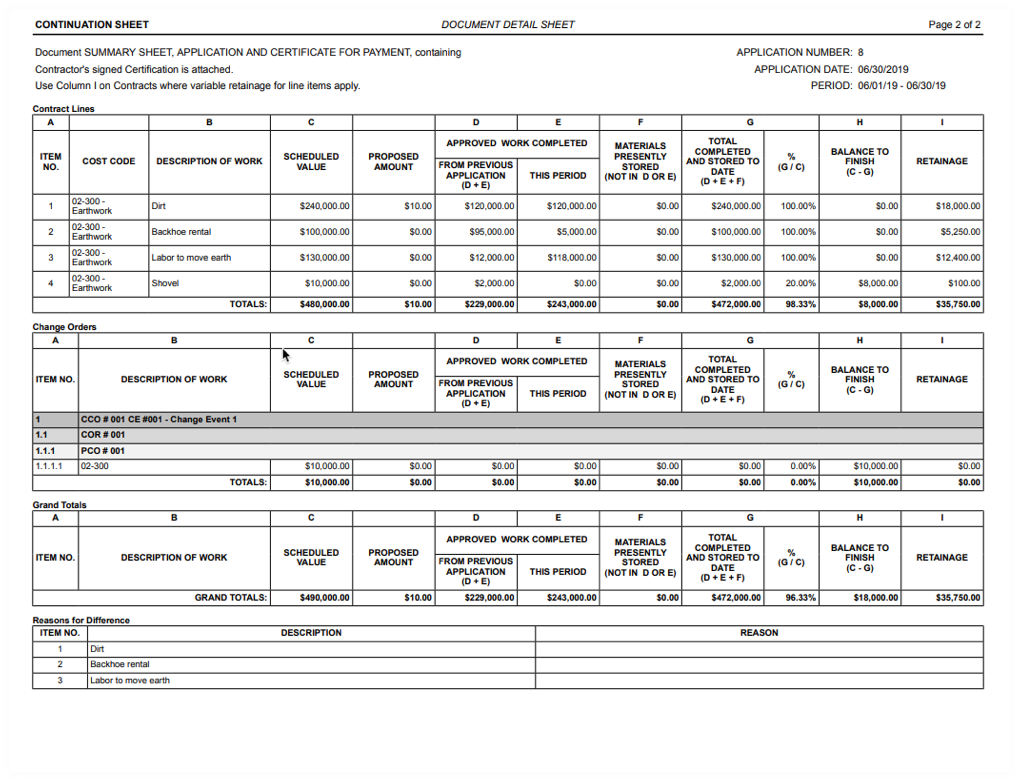
The example below shows you a sample Payment Programme.
The illustration below shows you an example of a payment programme.
Loading related articles...