Open payment applications in the Payment tool

 General availability in select markets (United States)

Flag Us Procore Pay is available in the United States. It is designed for main contractors and owner-builders who act as their own main contractors on a job. Procore Pay extends the payment application management functionality in the Procore web application to handle the payment process between main and specialty contractors.
Background

Procore's Company level payment tool provides users with the ability to open and view payment applications in your company's projects.

Things to Consider

Prerequisites

Steps

  1. Navigate to the Company level Payment tool.

  2. Click the Subcontractor payment applications tab.

  3. In the table, locate the payment application to open.

     Tip

    Too many payment applications in the list? To find the right payment application, perform a search or apply filters to narrow the data showing in the table. See Search for and apply filters on the subcontractor payment applications tab. You can also click the 'Payment application #' column heading to change the sort order.

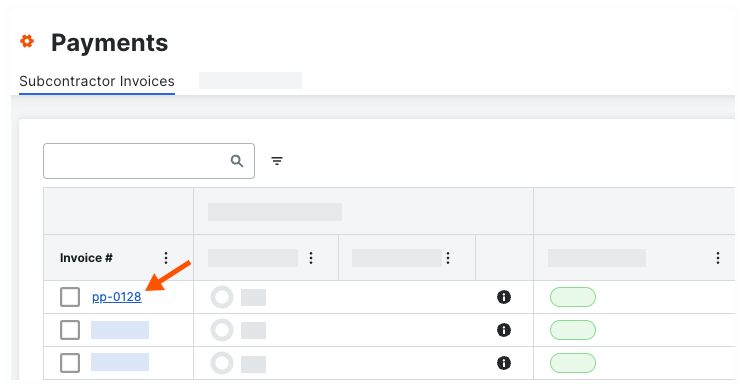
  4. Click its payment application # link.
    Open A Project Invoice

    This launches the Project level Commitment tool and opens the payment application with the General tab showing by default.

     Tip

    Want to learn more about payment applications? See About subcontractor payment applications.

See Also

Loading related articles...