Submittal builder: Configure submittal titles
Things to Consider
Prerequisites
Submittal builder: Generate submittals from specifications
An AI-powered submittal builder is available in English to Enhanced and Premier Procore accounts in the United States, Canada and Australia.
Steps
Navigate to the project's Specifications tool.
Click Items to review.
Hover over the item you want to create and click
 Review.
Note: If you don't see the submittal item in the 'Items to review' window at the bottom of your screen, you may need to generate the submittal first. Or, the item was already reviewed or deleted.Select a specification section to review.
Click Configure title.
Mark the tickbox next to the options you want to use for the submittal titles.
Optional: Enter your own custom option and click Add title option. You can add multiple custom options, but they can only be added one at a time.
Reorder the selected options and review the text under 'Preview title example'.
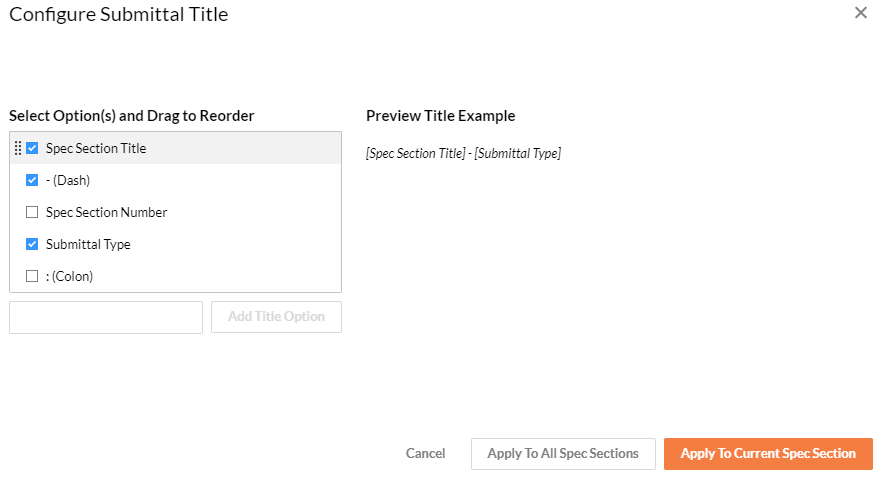
Click Apply to all spec sections or Apply to current spec section.
Notes:Applying the configured title will replace any existing titles on submittal not yet confirmed.
Changing the 'Type' of a submittal manually after configuring the titles will not automatically update the submittal's 'Title'.
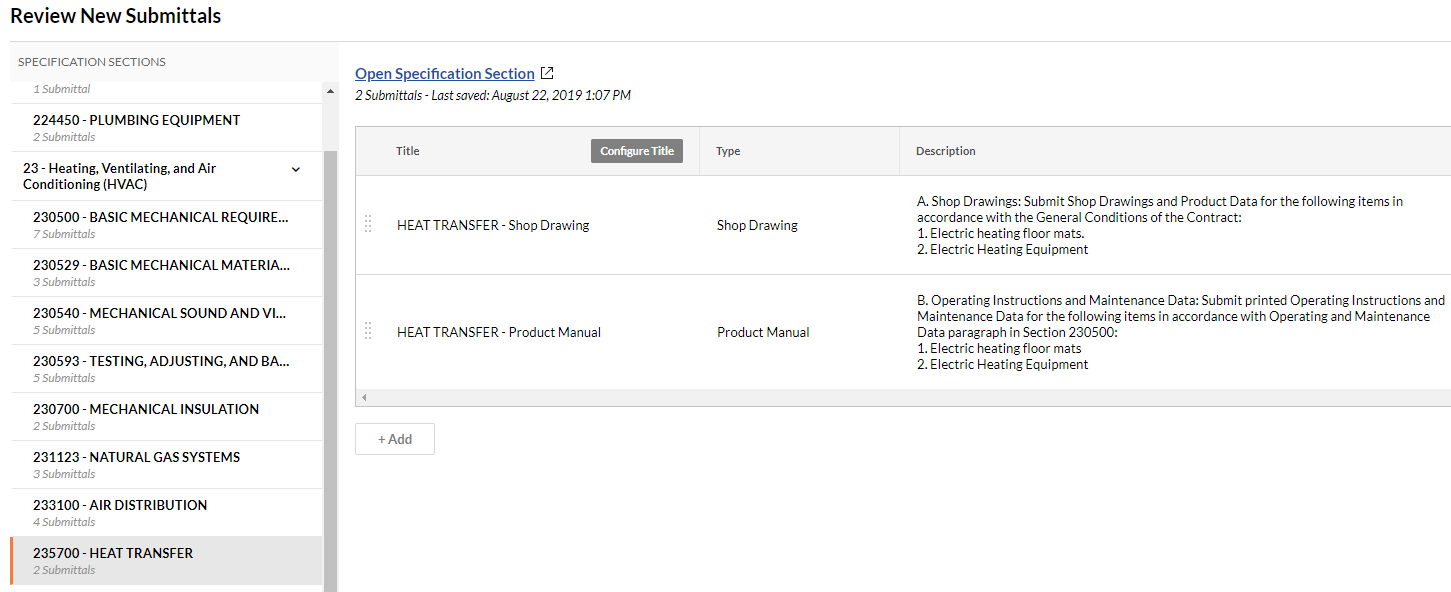
Click Confirm to create submittal from the current specification section


Next Steps
Fill in the remaining information on your submittal:
Create and edit submittal packages (recommended). See Create a submittal package and Bulk edit submittal in a package.
ORBulk edit the submittal. See Use bulk actions > Edit in the Submittal tool.
See Also
Loading related articles...