Review Sub-Tier Lien Waivers as an Invoice Administrator
Navigate to the project's Invoicing tool.
Click the Subcontractor tab.
Locate the invoice to open in the table.
Click the Lien Rights tab.
Depending on the lien waivers that your team collects, you will see one or more of the following cards on the invoice:
Propina¿Cómo decidimos qué tipo de renuncia de derecho de retención cobrar? Su equipo del proyecto toma esa decisión. Su equipo puede mostrar u ocultar estas tarjetas en las facturas del proyecto en la página Ajustes de facturación. Para obtener más información, consulte Configurar ajustes: factura.
Unconditional Sub-Tier Waivers for the Previous Invoice. When you see this card, your team collects signed unconditional sub-tier waivers for the previous billing period. An invoice contact must first upload the signed sub-tier waivers with their subcontractor invoice for the current Open billing period. See Upload Sub-Tier Waivers to a Subcontractor Invoice as an Invoice Contact.
Unconditional Sub-Tier Waivers for this Invoice. When you see this card, your team collects signed unconditional sub-tier waivers for the current Open billing period. An invoice contact must first upload the signed sub-tier waivers with their subcontractor invoice for the current Open billing period. See Upload Sub-Tier Waivers to a Subcontractor Invoice as an Invoice Contact.
Conditional Sub Tier Waivers for this Invoice. When you see this card, your team collects signed conditional sub-tier waivers for the current Open billing period. An invoice contact must first upload signed sub-tier waivers with their subcontractor invoice for the current Open billing period. See Upload Sub-Tier Waivers to a Subcontractor Invoice as an Invoice Contact.
Sub-Tier Information for this Invoice. When you see this card, sub-tier waivers aren't being collected. There will be no waivers to review in this card.
Scroll to the card that contains the sub-tier waivers to review. Once sent by an invoice contact, the waivers are placed in the Review Pending status.
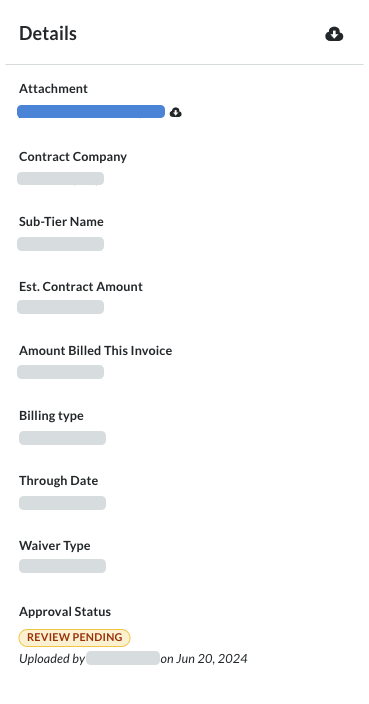
In the Waivers column, click Review. 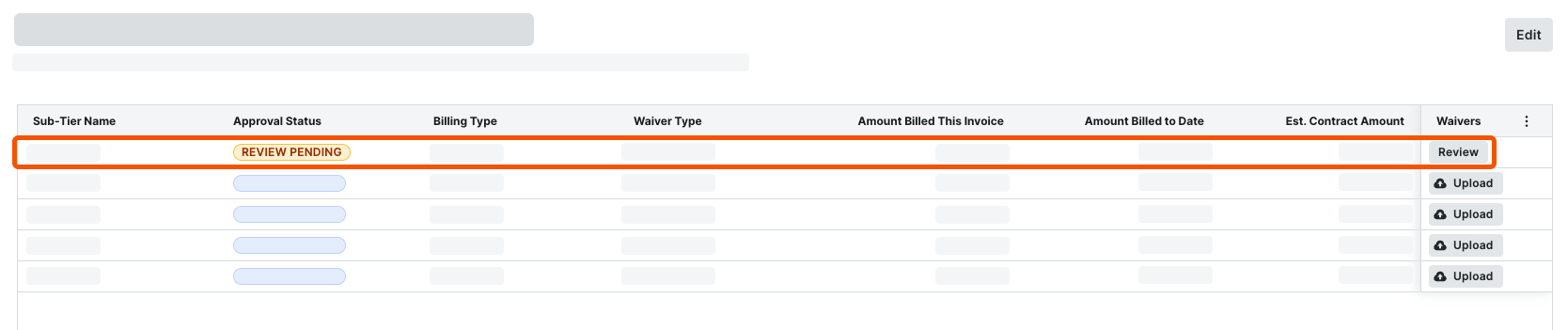 This opens the waiver in the attachment viewer. The Details pane is active.
En el panel Detalles , también puede:
Haga clic en el icono Descargar
 para descargar una copia del archivo.
Edite el valor en el campo Importe facturado en esta factura y el ajuste del Tipo de facturación.
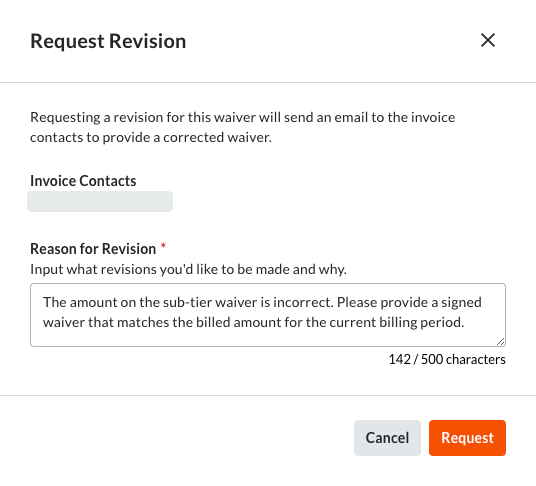
 This opens the Request Revision window.