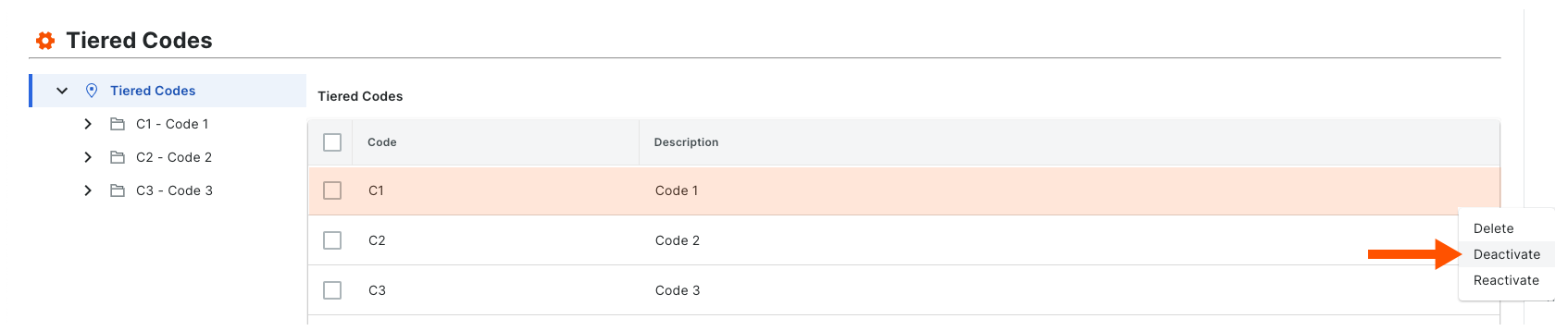
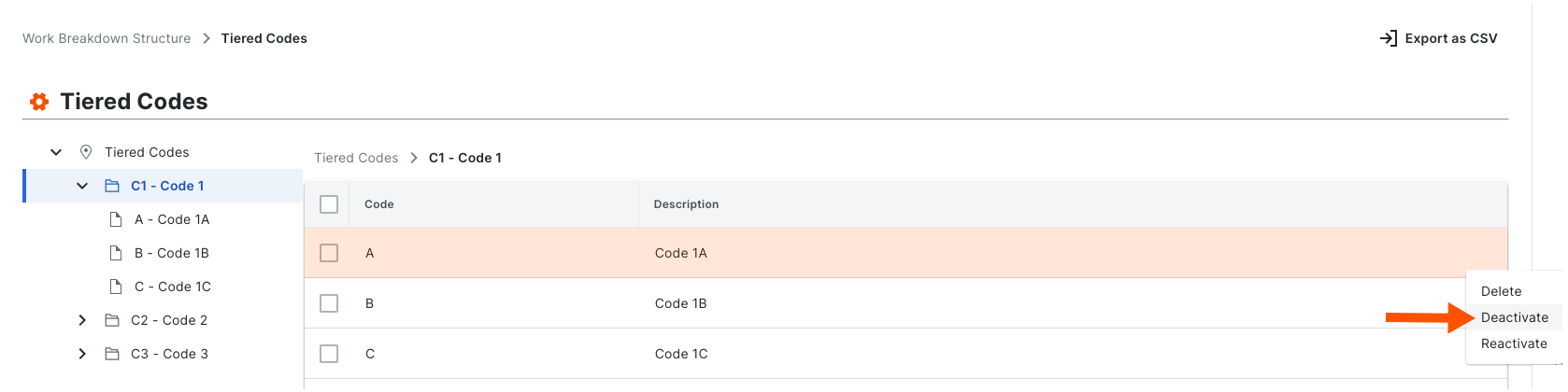
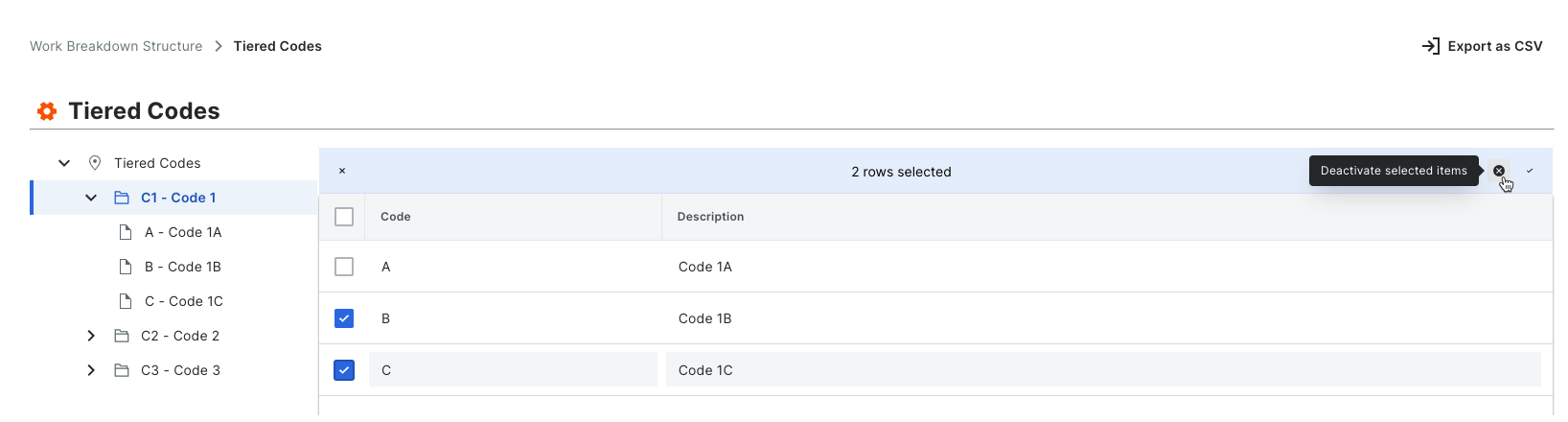
Deactivate Segment Items
Contexte
Un segment est une catégorie discrète qu’une organisation utilise pour décomposer son travail en composants gérables. Un item de segment est l’un des nombreux items distincts d’un segment. Dans les outils de Gestion financière de Procore, les segments sont les éléments constitutifs Une structure de code budgétaire est une séquence de segments utilisée pour créer des codes budgétaires significatifs conformément au modèle établi par votre organisation. Dans la structure de répartition du travail de Procore, la structure du code budgétaire d’une compagnie ou d’un projet peut être composée de plusieurs segments.
Lorsque vous créez un nouvel item de segment, il est actif par défaut dans le compte de votre entreprise. Vous pouvez suivre les étapes ci-dessous pour le désactiver. Lorsqu’un segment est dans un état désactivé, il est grisé pour indiquer qu’il n’est pas disponible dans le tableau « Segments ».
Things to Consider
Required User Permissions:
'Admin' level permissions on the Company level Admin tool.
Additional Information:
Segments can only be deactivated at the Company level. This function is NOT currently available on projects.
Before you deactivate a segment, be aware of the following:* If you deactivate a segment item that is used in a budget code on an existing project, it will continue to be available on that project. If you do NOT want the segment item to be used in a budget code on the existing project in the future, it is strongly recommended that you communicate this directive to your project team.* If you deactivate a segment item that is not used in a budget code on an existing project, it will not be available for use on that project.* If you deactivate a segment item and then create a new project, it will NOT be available for use on the new project.
If you want to permanently remove a segment item to prevent it from being available on all new projects, see Delete Segment Items.
Limitations:
For customers using the Company level ERP Integrations tool
The default segments in WBS are compatible with Procore's ERP Integrations tool. However, some integrations do NOT yet support custom segments.For customers who have independently developed or purchased a third-party solution to integrate with Procore
To take advantage of the custom segment capabilities associated with WBS, any existing API integrations that you have independently developed or purchased to interact with Procore must be updated to support Procore's new WBS API.
Important
Before you deactivate a segment, be aware of the following:
If you deactivate a segment item that is used in a budget code on an existing project, it will still appear on projects where it is already in use. However, it will no longer be an available option when creating new budget codes.
If you deactivate a segment item that is not used in a budget code on an existing project, it will be deactivated on that project.
If you deactivate a segment item and then create a new project, it will NOT be available for use on the new project.