Inviter depuis votre annuaire
Accédez à l’outil Appels d’offres du projet.
Cliquez sur le nom du lot d’appel d’offres concerné.
Cliquez sur l’onglet Appels d’offres .
Cliquez sur l’icône plus
 sur la même ligne que le formulaire d’appel d’offres.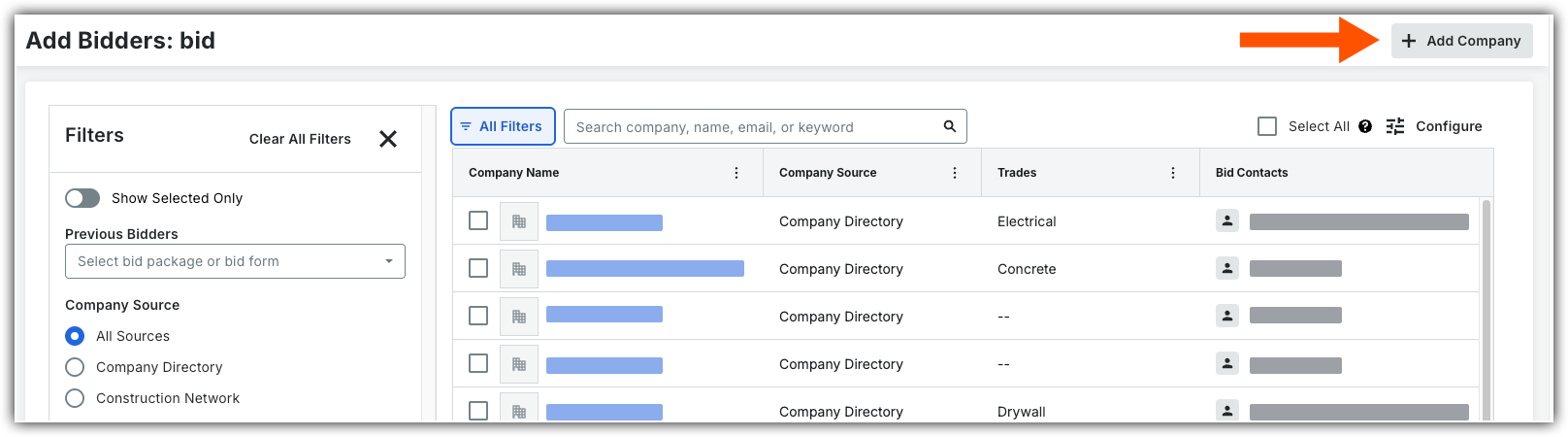
Sous « Source Entreprise », sélectionnez Entreprise Annuaire.
OU
Cliquez sur le nom du formulaire d’appel d’offres.
Cliquez sur l’onglet Candidats .
Cliquez sur Ajouter des candidats .
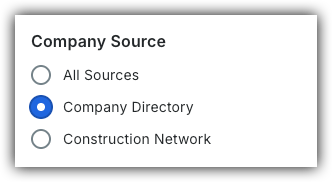
Sous « Source de l’entreprise », sélectionnez Annuaire de l’entreprise.
Pour affiner la liste des entreprises, utilisez les outils de recherche et de filtrage suivants : Afficher/Masquer les détails
Rechercher : Recherchez par adresse e-mail, nom du fournisseur, adresse ou détails de l’entreprise.
Si vous recherchez un utilisateur spécifique, il doit être désigné comme contact pour répondre à un appel d'offres pour apparaître dans les résultats de la recherche.
Filtre :
Cliquez sur l’icône Tous les filtres
 .
.Sélectionnez un ou plusieurs filtres à appliquer :
Afficher les éléments sélectionnés uniquement : Déplacez la bascule sur ON
 pour afficher les candidats sélectionnés.
Candidats précédents : Sélectionnez un lot d’appel d’offres ou un formulaire d’appel d’offres précédent pour afficher tous les candidats associés à cet élément.
Source Entreprise : choisissez où trouver les candidats : votre Entreprise Annuaire Procore, le Réseau de construction de Procore ou les deux (Toutes les sources).
Superficie desservie : saisissez la ville, l’état ou le code postal.
Sélectionnez un paramètre de distance dans le menu déroulant kilométrage pour définir votre rayon de recherche.
Recherche par adresse de bureau uniquement : Déplacez le bouton ON
pour afficher uniquement les entreprises qui ont des bureaux dans la superficie recherchée.
Métiers : Sélectionnez tous les métiers qui s’appliquent.
Codes de coût : Sélectionnez un ou plusieurs codes de coût pour filtrer les candidats associés à des types de travaux spécifiques.
Classifications des entreprises : Sélectionnez toutes les classifications d’entreprise qui s’appliquent.
Types d’entreprises : sélectionnez tous les types d’entreprises qui s’appliquent.
Membre du syndicat : activez le bouton à bascule
pour filtrer les fournisseurs membres d’un syndicat.Candidats autorisés seulement : Activez
le bouton à bascule pour n’afficher que les fournisseurs officiellement autorisés à répondre à l’appel d’offres par votre organisation.Note moyenne minimale : Sélectionnez un classement par étoiles pour filtrer les candidats qui répondent aux normes de performance minimales de votre entreprise.
Secteurs de marché : Sélectionnez tous les secteurs de marché qui s’appliquent.
Types de projets : Sélectionnez tous les types de projets qui s’appliquent.
Valeur moyenne du contrat : Sélectionnez une option dans le menu déroulant pour filtrer les fournisseurs par capacité financière.
Pour supprimer les filtres :
Cliquez sur le x d’un filtre individuel pour l’effacer.
Cliquez sur Effacer tous les filtres pour effacer tous les filtres.
Facultatif : Cliquez sur le nom de l’entreprise pour afficher ses détails.
Cochez la case des entreprises que vous souhaitez ajouter au formulaire d’appel d’offres.
Décidez quand inviter des candidats :
Pour ajouter les candidats sans envoyer d’invitation, cliquez sur Ajouter des candidats.
Pour inviter les candidats dès maintenant :
Cliquez sur Envoyer des invitations .
Cliquez à nouveau sur Envoyer des invitations pour confirmer l’envoi de l’e-mail d’invitation à répondre à un appel d'offres.

