Ajouter un élément de réunion (Android)
Fond
A Meeting Item (also called an 'agenda item') is a single, distinct topic on a meeting agenda. If you are facilitating a meeting using the Project level Meetings tool, you can add meeting items to any meeting that you create.
Éléments à prendre en compte
Required User Permissions:
You need one of the following:
'Admin' level permissions on the project's Meetings tool.
'Read Only' level permissions or higher on the project's Meetings tool with the 'Manage Meeting Items' granular permission enabled on your permissions template.
Additional Information:
You can create meeting categories to organize your meeting items.
Email notifications are not sent to the assignee of a meeting item. However, the item will appear on their My Open Items list on the project's Home page.
See View My Open Items in the Portfolio Tool.The 'Meeting Origin' column reflects the 'Meeting #' the item was created in.
Escalier
Accédez à l’outil Réunions à l’aide de l’application Procore sur un appareil mobile Android.
Appuyez sur la réunion à laquelle vous souhaitez ajouter un élément.
Appuyez sur l’onglet Activité .
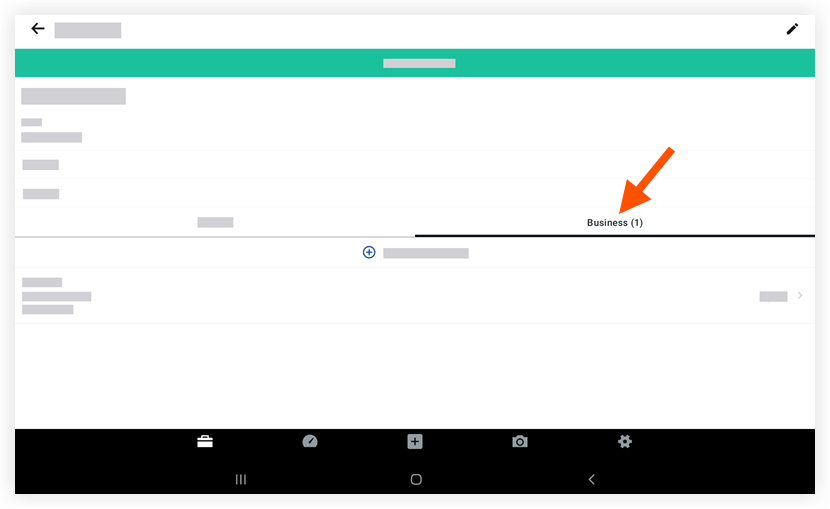
Appuyez sur + Ajouter un élément de réunion.
Appuyez pour saisir des informations dans les champs suivants :
Titre: Saisissez un titre pour le nouvel élément.
Date: Utilisez le calendrier pour définir une date d’échéance pour l’élément.
Statut: Choisissez un statut pour l’élément.
Catégorie: Appuyez pour sélectionner une catégorie.
Pièces jointes: Appuyez pour ajouter une pièce jointe à partir de votre appareil ou prendre une nouvelle photo avec l’appareil photo de votre appareil.
Affectation: Appuyez pour sélectionner une ou plusieurs personnes assignées.
Description: Saisissez une description pour l’élément.
Appuyez sur Enregistrer.
See Also
Loading related articles...