À propos de l’outil Paiements

 General Availability in Select Markets (United States)

flag-us.png Procore Pay is available in the United States. It is designed for General Contractors and Owner-Builders who act as their own General Contractors on a job. Procore Pay extends the Invoice Management functionality in the Procore web application to handle the payment process between general and specialty contractors.
Fond

Procore Pay fournit aux utilisateurs de votre entreprise et aux autorisations les outils dont ils ont besoin pour gérer tous les aspects du processus de paiement des factures entre le et . L’outil Paiements de l’entreprise fonctionne avec Procore Invoice Management pour réduire les frictions de paiement, automatiser l’échange de et s’assurer que tous vos paiements de factures sortantes répondent aux besoins de votre organisation.

payments-tool-overview.png

Éléments à prendre en compte

Conditions préalables

Caractéristiques clés

L’outil Paiements contient les fonctionnalités suivantes :

  • Page Paramètres de paiement

  • Onglet Factures de sous-traitants

  • Onglet Débours

  • Onglet Bénéficiaires

  • Onglet Bêta des programmes de paiement anticipé

Page Paramètres de paiement

Users with the required user permissions can click the Configure Settings icons-settings-gear.png icon to open the Payments Settings page. This page has two tabs: Payment Processing & Payment Requirements. Each tab contains all the settings you need to configure Procore Pay for your company's Procore account.
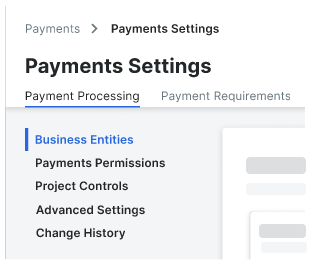
payment-settings-with-business-entities.png

Pour en savoir plus, consultez À propos des paramètres de paiement.

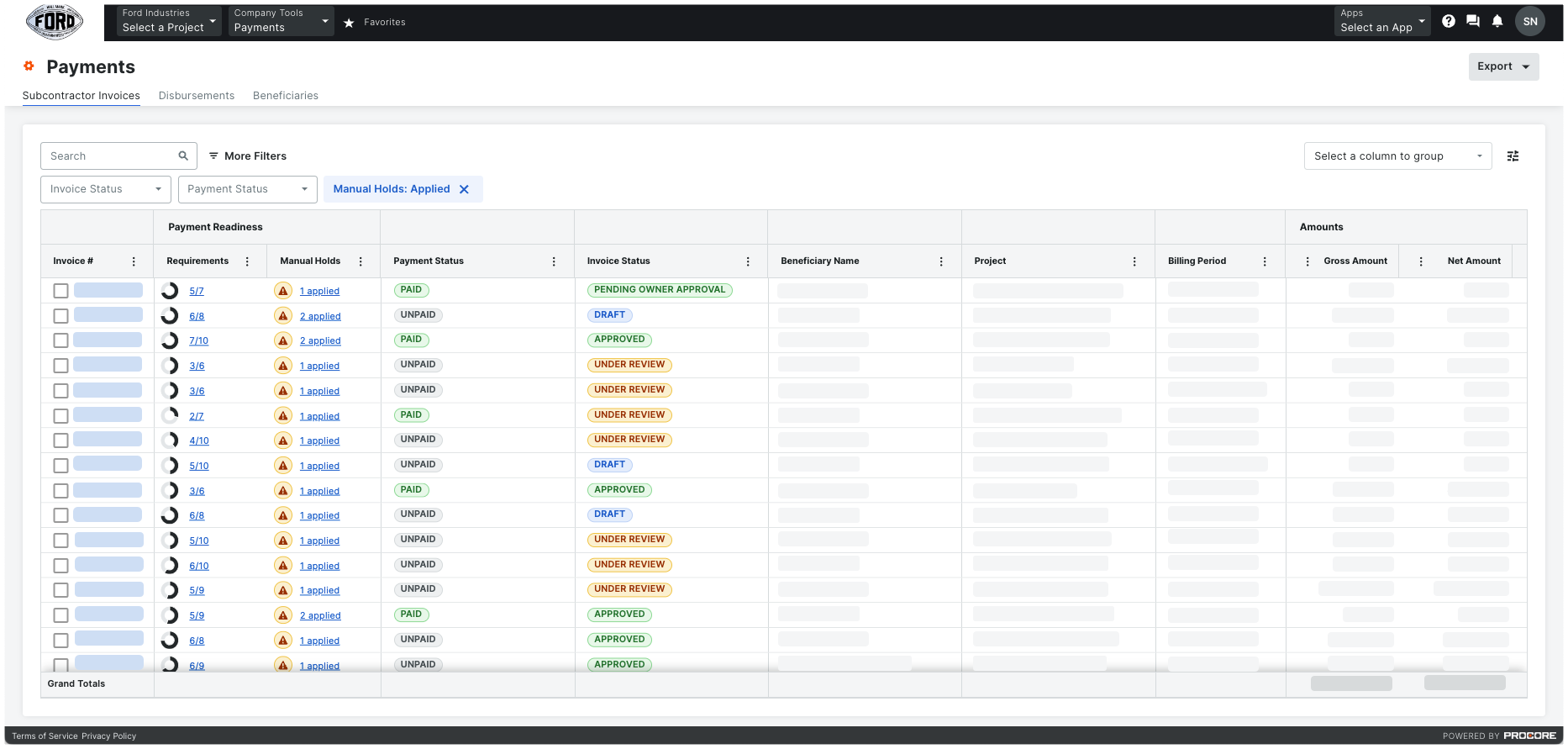
Onglet Factures de sous-traitants

Company Admins, Payment Admins, and Disbursers can use the table in the Subcontractor Invoices tab to view a list of all the invoices on the active, Pay-enabled projects in your company's Procore account. From this tab, Payments Disbursers or Payment Admins can track your payment requirements, view any manual holds applied to the invoice, and click links to launch the invoice in the Invoice Management tools. For each invoice, you can also view the Beneficiary Name, Project, Payment Requirements, and other billing information. You can also search the data table for a specific invoice, apply filters, and group line items. Only Payments Disbursers can create disbursements.

Pour en savoir plus, consultez À propos de l’onglet Factures de sous-traitants de l’outil Paiements.

Onglet Débours

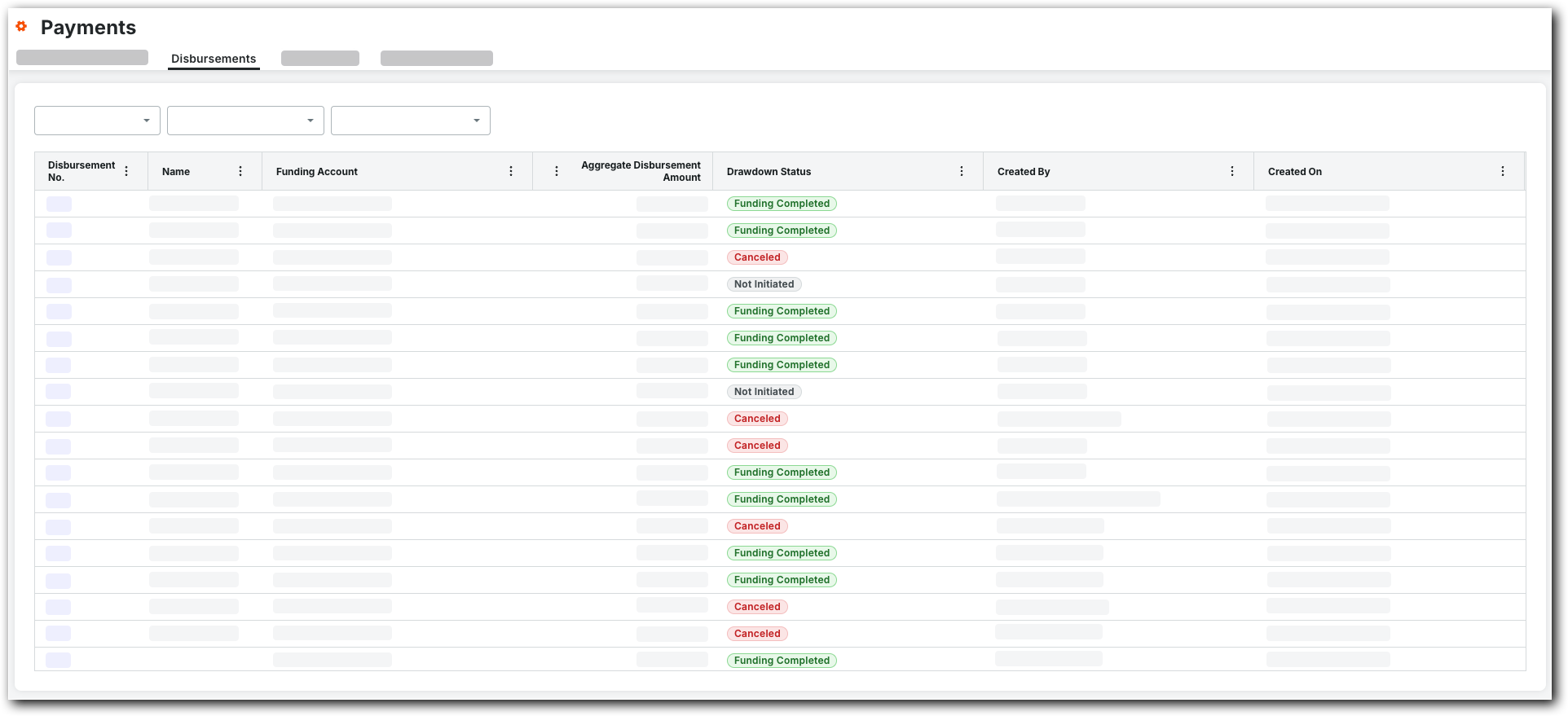
Payments Admins or Payments Disbursers use the options in the Disbursements tab to create and manage disbursements. On this tab, you can apply filters to the table to narrow down the disbursements to show only those that meet your criteria in the list. The table also provides important information about each disbursement, such as the Disbursement No. (which is assigned to the disbursement at creation), the bank account used to fund the disbursement, the amount of the disbursement, and the date and time it was created. To view a disbursement in more detail, click its Disbursement No. link.

payments-disbursements-tab.png

Pour en savoir plus, consultez À propos de l’onglet Débours de l’outil Paiements.

Onglet Bénéficiaires

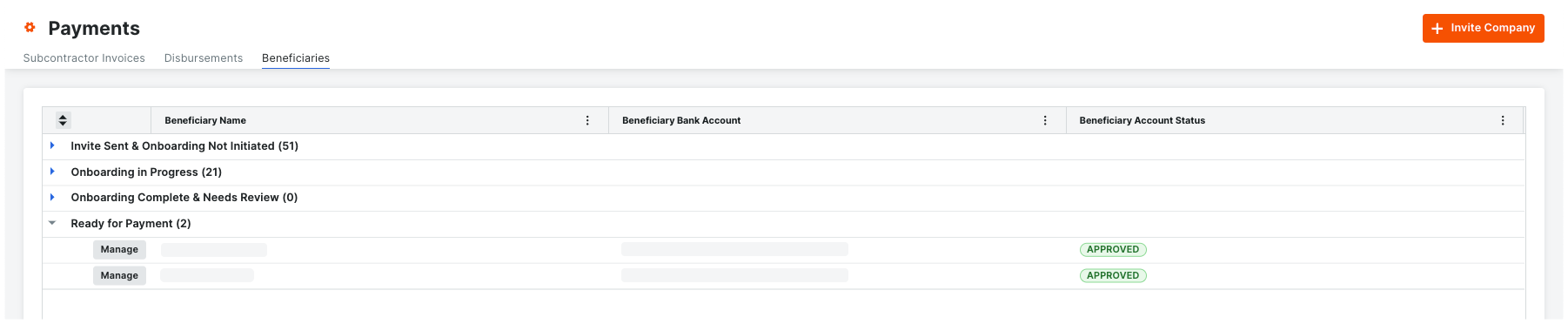
Les administrateurs de paiement peuvent afficher tous les bénéficiaires regroupés par statut d’intégration. Les bénéficiaires sont les bénéficiaires (entrepreneurs, sous-traitants, fournisseurs) qui seront payés pour les travaux facturés. Les administrateurs de paiement doivent également examiner et approuver les nouveaux bénéficiaires et tous les nouveaux comptes bancaires ajoutés par les bénéficiaires.

tab-beneficiaries.png

Pour en savoir plus, consultez l’article À propos de l’onglet Bénéficiaires de l’outil Paiements.

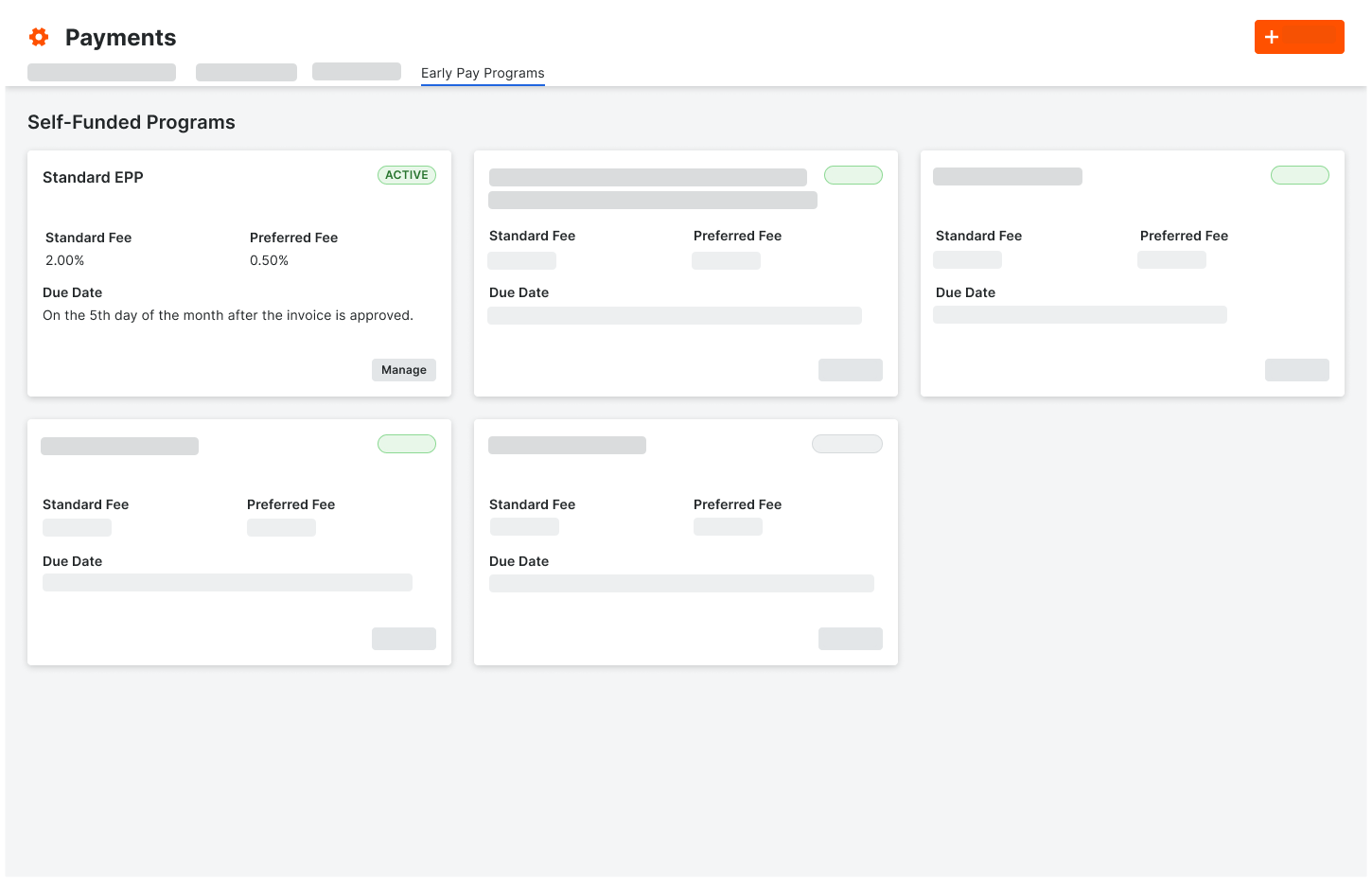
Onglet Bêta des programmes de paiement anticipé

Les administrateurs de paiements peuvent gérer le programme de paiement anticipé en interne, en utilisant l’onglet Programmes de paiement anticipé de l’outil Paiements au niveau entreprise. Voir À propos des programmes de paiements anticipés.

tab-early-pay-programs.png

Pour en savoir plus, consultez À propos de l’onglet Programmes de paiements anticipés de l’outil Paiements.

See Also

Loading related articles...