Rendre un livrable privé
Éléments à prendre en compte
Autorisations utilisateur requises:
Pour marquer les livrables que vous créez sur un projet comme privés, autorisations de niveau « Standard » dans l’outil Livrables au niveau projet
Pour marquer un livrable d’un projet comme privé, autorisations de niveau « Admin » dans l’outil Livrables au niveau projet
Informations complémentaires:
Un livrable « privé » n’est visible que par le « gestionnaire des livrables », les utilisateurs ajoutés aux
, les membres de la liste de distribution et les utilisateurs disposant d’autorisations de niveau « Admin » dans l’outil Livrables du projet.Flux de travail de soumission. Les personnes chargées de finaliser le processus de soumission. Dans Procore, le flux de travail de soumission comprend deux rôles : un soumetteur et les approbateurs qui sont responsables de l’exécution/de la finalisation du processus d’approbation. En règle générale, les approbateurs sont des membres de l'équipe de conception.
Les utilisateurs dont l’autorisation granulaire « Afficher les livrables privées associées à des utilisateurs dans la même entreprise » est activée dans leur modèle d’autorisation peuvent afficher un livrable portant la mention « Privé(e) » si un autre utilisateur de leur entreprise est le créateur du livrable ou est désigné comme gestionnaire des livrables, soumissionnaire, approbateur ou membre de la liste de distribution.
Si vous disposez d’autorisations de niveau « Admin » dans l’outil Livrables du projet, vous pouvez modifier le paramètre de confidentialité par défaut pour les nouveaux livrables. Voir Marquer les nouveaux livrables comme privés par défaut.
Escalier
Accédez à l’outil Livrables du projet.
Cliquez sur Éléments.
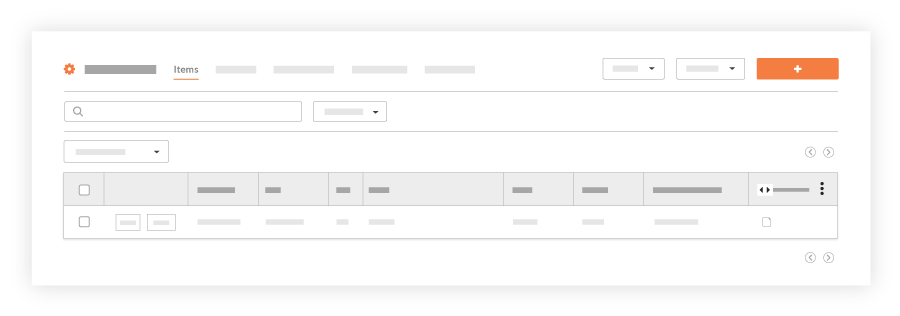
La liste des livrables du projet s’affiche.Recherchez le livrable souhaité dans la liste et cliquez sur Modifier.
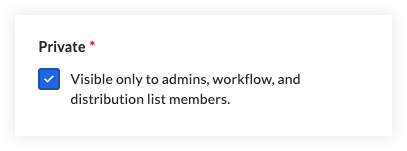
Sous « Informations générales », faites défiler jusqu’à l’étiquette « Privé ».
Cochez la case Privé (e).
Cliquez sur Mettre à jour.
Voir aussi
Chargement des articles connexes...