Signer une feuille horaire (Android)
Arrière-plan
Les employés peuvent valider la saisie de leurs heures et confirmer que les informations de leur pointage sont exactes.
Éléments à prendre en compte
Si une feuille horaire signée est modifiée, la signature est supprimée et l’employé doit resigner l’entrée modifiée.
Le texte du champ Signature peut être personnalisé par un administrateur dans l’outil Feuilles horaires de l’entreprise.
Conditions préalables
Escalier
Accédez à l’outil Feuilles horaires du projet sur votre appareil mobile Android.
Sélectionnez la date de la feuille horaire que vous souhaitez signer.
Appuyez sur la feuille horaire.
Appuyez sur l’entrée de pointage qui nécessite la signature d’un employé.
Appuyez sur Signer.
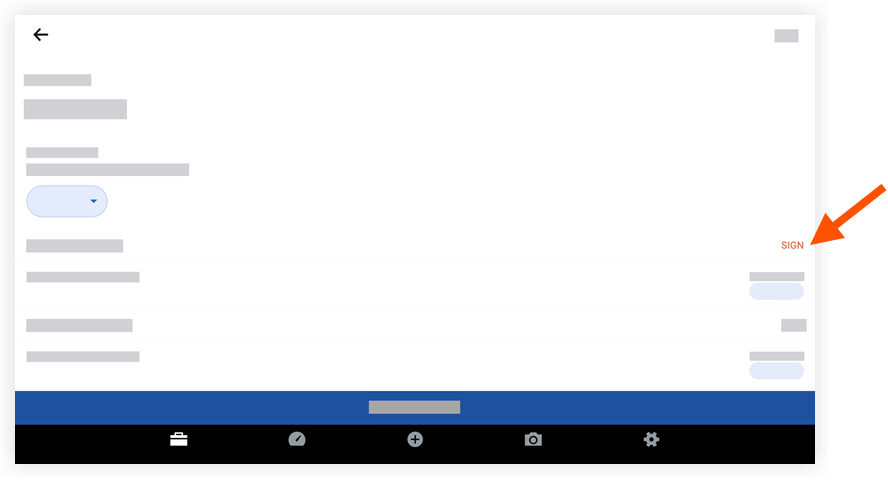
Remettez l’appareil à l’employé pour qu’il signe l’entrée de pointage en faisant glisser un doigt au-dessus de la ligne de signature.
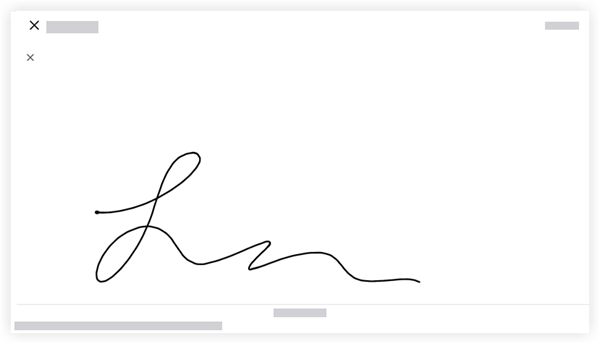
Appuyez sur Soumettre pour approuver et enregistrer la signature de l’employé.
Pour afficher la signature à l’avenir, appuyez sur Signé à côté du nom de l’employé.
Prochaine étape
Voir aussi
Chargement des articles connexes...