Ajouter une étape de condition
Configure a 'Condition Step' in the Workflow Builder by naming it, defining conditions with tool-specific statements, and setting the next workflow steps based on whether conditions are met.
Steps
Add a Condition Step
Navigate to the Workflow Builder. Use these steps when configuring a workflow step in a new or existing workflow.
Under General Information in the Type list, choose: Condition Step
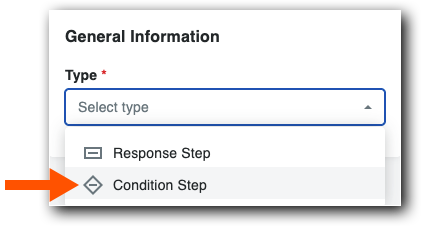

Add General Information
Name your workflow in Step Name.
Confirm that Condition Step is set in the Type list.
From the When list, select a tool-specific statement.
Pourboire
Il vous manque un champ ? Les types de champs personnalisés à sélection unique et multiple doivent être définis sur Obligatoire et visible dans l’ensemble de champs personnalisés pour être utilisés dans une condition.
Choose an available operator from the Is box. Each condition statement has different options. To learn more, see Tool-Specific Statements and Conditions.

In the Then list, choose the next step or create a new step for the workflow template.
In the Otherwise list, choose the next step or create a new step for the workflow template.
Pourboire
L’étape du flux de travail passe toujours à l’étape Sinon que vous définissez lorsqu’une condition n’est pas remplie ou si l’élément est vide.