Project Tool Utilization
Summary
The Project Tool Utilization page is part of the Procore Analytics Project Management Report. It also includes a summary of your company's Projects By Stage, with a count of the project(s) in each stage of construction. By applying the Project, Project Role, and Project User filters, you can include all available data or narrow the data plotted.
The Project Tool Utilization table groups your WBS cost code segment data by office location. See Add an Office Location and Assign an Office Location to a Project.
ヒント
なぜ Procore には「区分」という概念がないのですか?Procore の作業分解構成図では、「費用コード」セグメントは階層化セグメントであり、「区分」の概念はありません。代わりに、「区分」は階層化セグメント内の階層として扱われます。セグメント内の階層は常にダッシュ (-) で区切られます。Procore の既定の費用コード リストには2つの階層があります。ただし、環境には 1 つ、2 つ、または複数の階層がある場合があります。詳細については、「 作業分解構成図に関する FAQ」を参照してください。
既定の費用コード リストのコピーを入手できますか?参照用に既定の費用コード名のコピーをダウンロードするには、[ Procore_Default_Cost_Codes.csv] をクリックします。手記: この CSV ファイルは参照専用であり、Procore にインポートできるようにフォーマットされていません。
The columns in the Project Tool Utilization table provide counts and a color-coded heat map to show the number of items created.
Sample Report Page
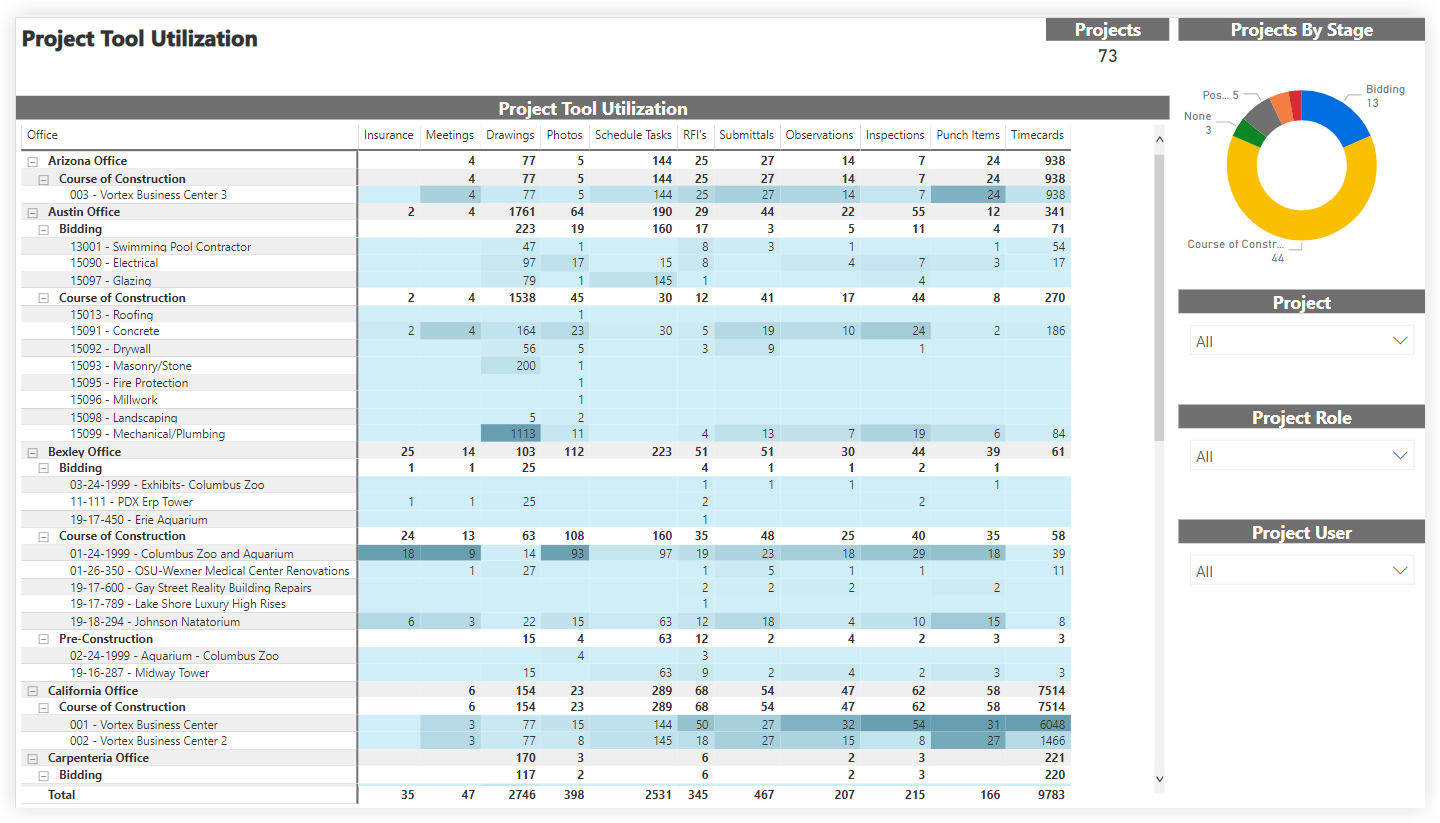
This sample report page was created using mock data for demonstration purposes only.