Create a New Budget View
Navigate to the Company Admin tool.
Under Tool Settings, click Budget.
Click Set Up New Budget View.

Under Standard Views, highlight Procore Labor Productivity Cost.
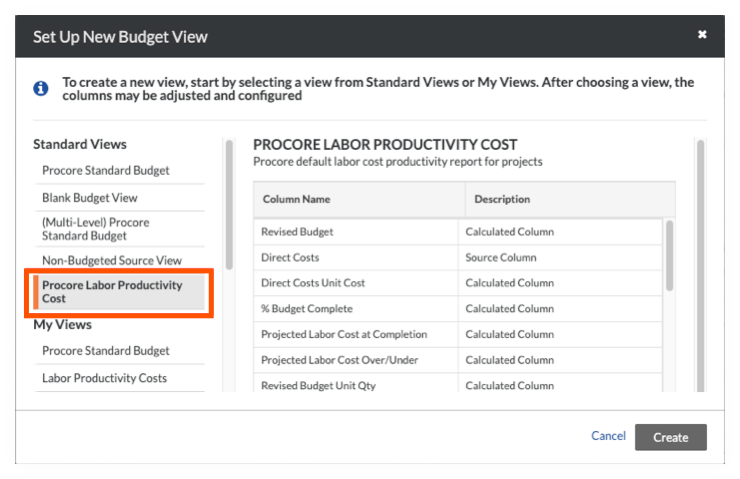
Click Create.
Name your view as follows:
View Name. Enter a name for your new view. In this example, we named it: Labor Productivity Cost
View Description. Enter a description for your view. In this example, we entered: Recommended view for labor cost productivity report
Click Configure Columns. This opens the Configure Columns window pictured below. From this point, continue with Step 2: (Optional) Customize the Budget View.