Authorize Direct Sub-Tier Payments
Background
Direct Sub-Tier Payments is a feature that simplifies your billing process by allowing General Contractors (GCs) to pay suppliers or sub-tier contractors electronically. This digital alternative to manual joint checks is designed to help streamline payments to your project partners.
Things to Consider
Required User Permissions:
The person providing the authorization must be listed as an Invoice Contact.
Each authorization is tied strictly to the dollar amount listed on the sub-tier waiver.
If the billed amount is modified—due to a dispute or correction—the previous authorization is automatically voided.
Any new amounts must be re-authorized before Procore Pay can process the sub-tier's payment.
Funds cannot be disbursed through Procore Pay until the sub-tier's EIN is confirmed. If you encounter an error when inputting the EIN, contact your GC to resolve the discrepancy.
Prerequisites
Your General Contractor must have Procore Pay and the Direct Sub-tier Payments features enabled.
The GC must mark a sub-tier on your current invoice as a recipient of a joint check. See About Joint Checks with Procore Pay for more information. [add link]
You must have a billed amount entered for the sub-tier for the current billing period.
Steps
Authorize the Payment Amount
Navigate to the specific invoice containing the sub-tiers you want to authorize for direct payment.
Click the Lien Rights tab and scroll to the Sub-Tier Payments for This Invoice section.
Locate the specific sub-tier receiving payment.
If the Amount Billed This Invoice is empty, enter the amount while requesting or uploading their lien waiver.
Click Authorize.

In the panel that appears, mark the checkbox to confirm you authorize the GC to pay the listed amount.
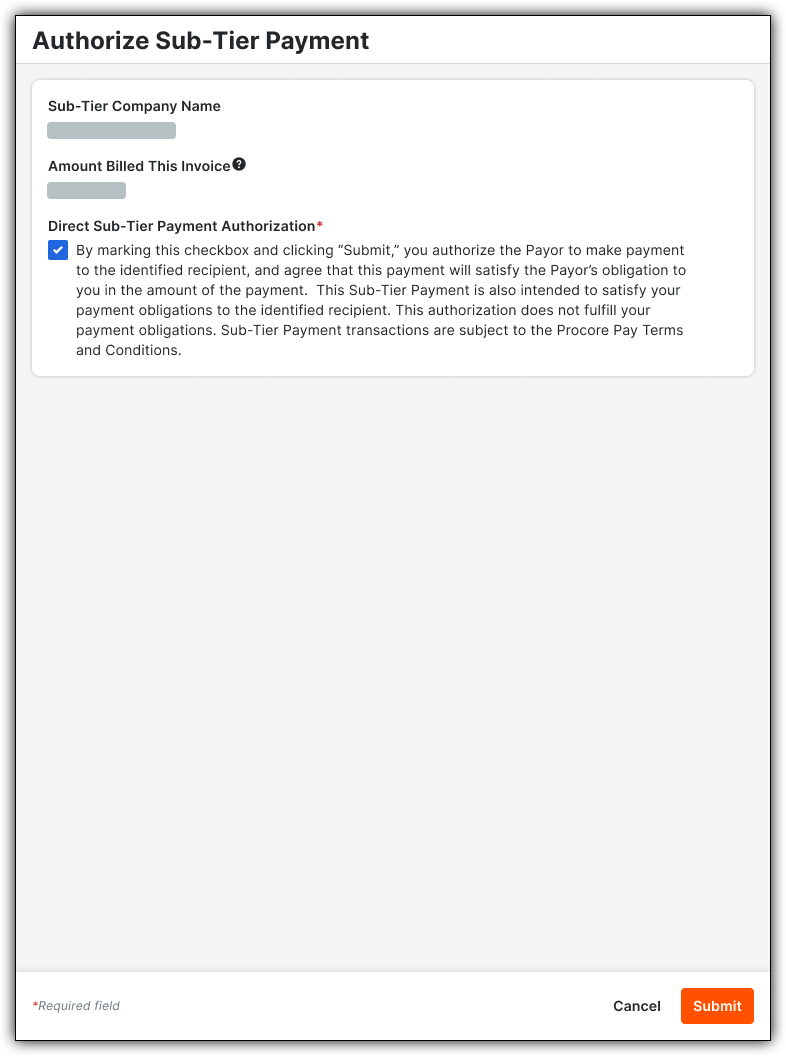
Click Submit.


Confirm Sub-Tier EIN
To help verify that the correct entity receives the funds, you will be prompted to confirm the sub-tier's Employer Identification Number (EIN). You only need to confirm the EIN once per sub-tier on each commitment.
When prompted after clicking Authorize, enter the sub-tier's EIN.
Note: You can typically find this on their W-9 form.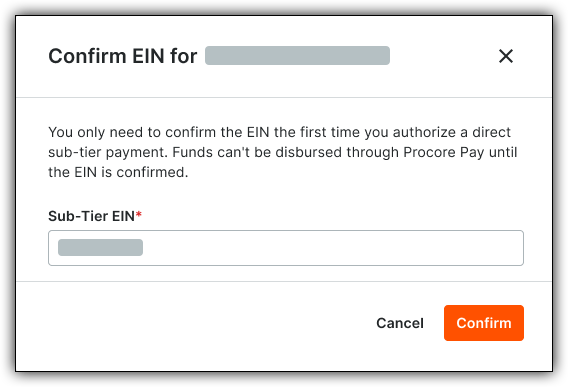
Click Confirm.
