Control Privacy for Coordination Issues
Private coordination issues help your BIM team reduce project noise and maintain focus by limiting who can see sensitive or in-progress discussions. Marking an issue as 'Private' ensures that the information remains confidential until it is ready for the broader project team.
Things to Consider
Additional Information:
By default, issues are viewable by any user with 'Read Only' level permissions or higher on the Coordination Issues tool.
Marking an issue as 'Private' restricts visibility to the Creator, Assignee(s), Watchers, and users with 'Admin' level permissions on the Coordination Issues tool.
Prerequisites
Steps
Navigate to the project's Coordination Issues tool.
Click the Issue link to view its details in the side panel.
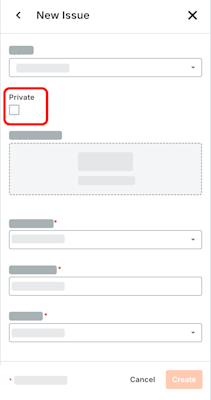
In the Issues panel, mark the Private check box to limit visibility to the issue's Creator and any Assignee(s), and Watchers. By default, this setting is turned OFF.
Click Update.
See Also
Loading related articles...