Configure Budget Export Settings for an Integrated ERP System
Background
When you use the Company level ERP Integrations tool to sync data between Procore and an integrated ERP system, you can set various preferences for the budget export process. You can configure these preferences on the ERP Settings page in a project's Budget tool.
Things to Consider
Required User Permissions:
'Admin' level permissions on the project's Budget tool.
Additional Information:
You can configure budget export settings for the following ERP connectors:
Sage 300 CRE®
Trimble® Vista
CMiC
Trimble® Spectrum
Prerequisites
Enable the ERP Integrations tool on the company's Procore account.
Integrate your company's Procore account with a supported ERP system.
Add the ERP Job to your company's ERP Integrations tool.
Ensure the project's cost codes are updated with the synced job in your integrated ERP system.
Ensure the Budget tool has been added to Procore's Project Tools menu.
Steps
Navigate to the project's Budget tool.
Click the Configure Settings
 icon.
icon.Click ERP Settings.
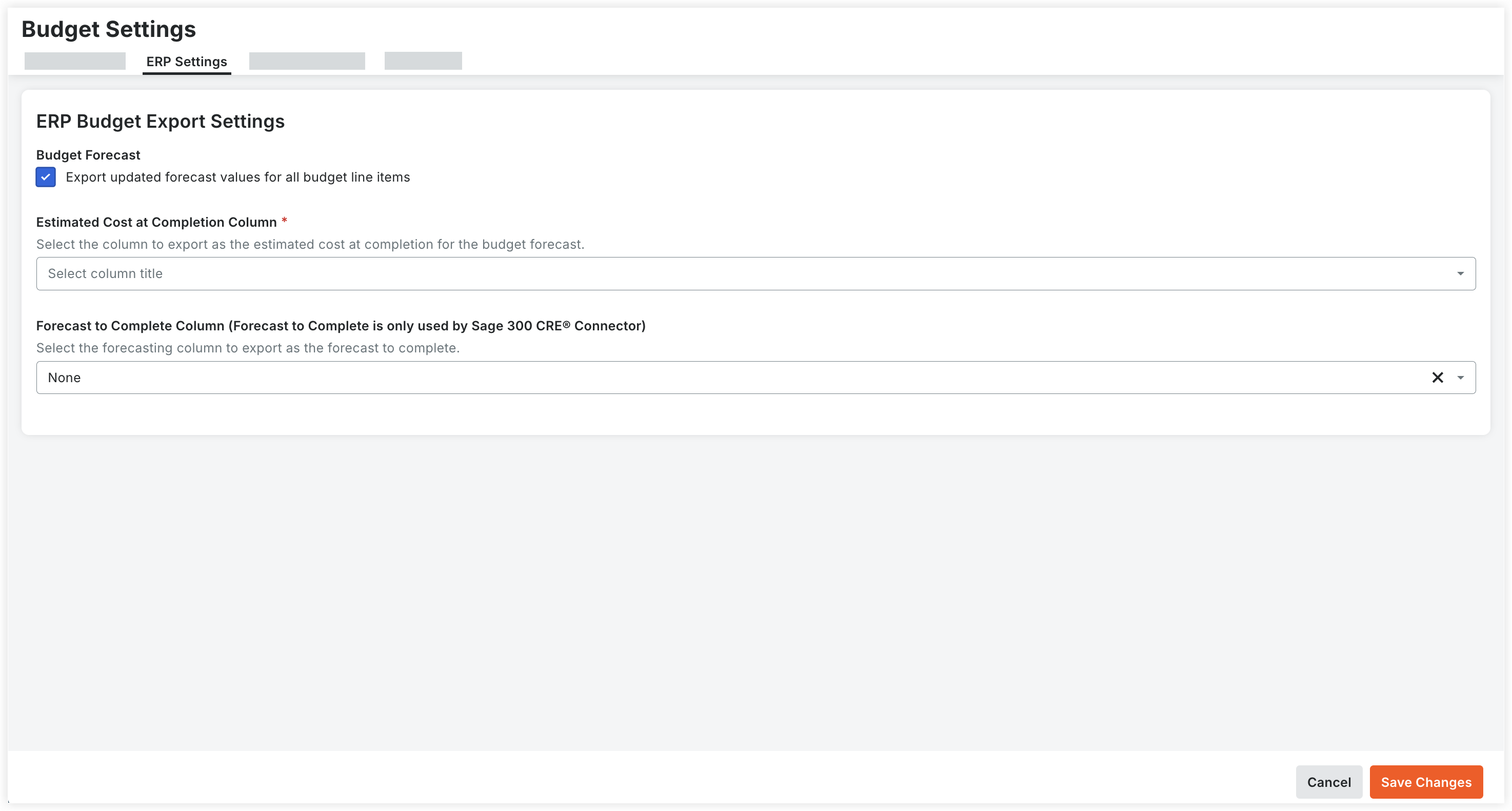
Under ERP Budget Export Settings, configure your export preferences as follows:
Export updated forecast values for all budget line items. Mark this checkbox to export any updated forecast values for all budget line items on the project. Clear this checkbox to omit forecast values from the export process.
Estimated Cost at Completion Column. Select one of your company’s budget columns from the drop-down list.
NoteValues in this column are exported to your integrated ERP system as the estimated cost at completion whenever a budget is exported from Procore.
You can select any standard or custom column, except those with the “Forecast to Complete Column” type.
Forecast to Complete Column (Forecast to Complete is only used by Sage 300 CRE® Connector). Select one of your company’s forecast to complete columns from the drop-down list. If set to None, then no forecast to complete column is shared.
Values in this column are exported to Sage 300 CRE® as the forecast to complete whenever a budget is exported from Procore.
Only standard or custom columns configured with the “Forecast to Complete Column” type are available for selection.