Manage Sent Messages for Resource Planning
Things to Consider
 icon.
icon.先决条件
Steps
Navigate to the company's Resource Planning tool.
Click the Communications (Beta) tab.
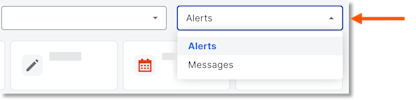
Click Messages from the drop-down menu.
Click Sent.
In the 'Date/Time Sent' column, select the envelope
 icon for the message to view the details.
See Also
Loading related articles...