User engagement
This Project level Insights tool provides visibility into user activity across your projects, highlighting those most engaged. It can also identify users with low engagement, potentially revealing knowledge gaps and opportunities for improvement.
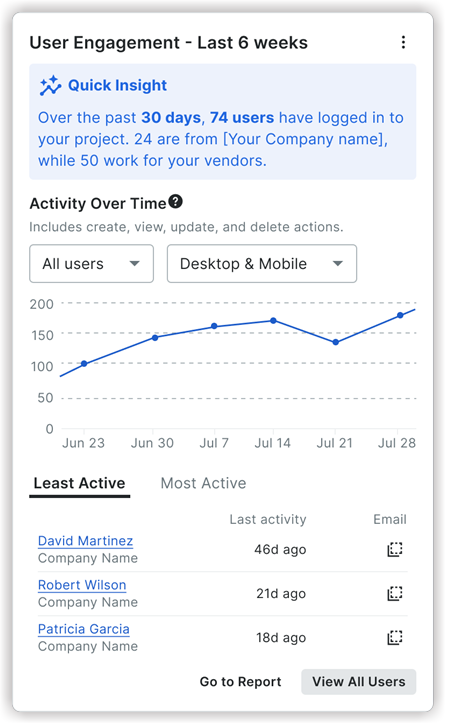
Quick insight: Summarises user and vendor activity within the project over the past 30 days, highlighting the number of active user from your company and active vendor.
Activity over time: Total user activity trend line for the past 6 weeks. This data can be filtered by user type (all users, company users or vendors) and by device (desktop & mobile, desktop only or mobile only).
Least active and most active: View user by activity level. Choosing Least active displays users who haven't engaged recently, along with their associated company and the duration since their last activity. Conversely, selecting Most active reveals the most frequent user, their company and the Procore tools they utilise most often.
To see a full user activity report, click Go to report. To view a complete list of all project users and their activity levels, including the tools they use, click View all users.