Edit a Site Diary entry
Things to Consider
Required User Permissions:
To edit any entry on a day that has not been marked as complete:
'Admin' on the Site Diary tool.
To edit your own entry on a day that has not been marked as complete:
'Standard' on the Site Diary with the 'Standard users can edit and delete own entries' granular permission enabled on your permission template.
To edit your own entry that has not been approved:
'Read Only' or 'Standard' on the Site Diary tool with the 'Collaborator entry only' granular permission enabled on your permission template.
Additional Information:
Entries cannot be edited on a day that has been marked as complete. If an entry needs to be edited, an 'admin' user can re-open a Site Diary.
To sync Equipment timesheets with Site Diary entries, the following must be true:
The configurable fieldset for Site Diary Equipment Entries must match the Equipment fieldset for timesheets.
The Site Diary must be open and not marked as 'Complete'.
Users must have permission to create a timecard entry.
Users must have permissions to create an Equipment Site Diary entry.
Steps
Navigate to your project's Site Diary tool.
Navigate to the date you want to edit a Site Diary item for.
Scroll to the section you want to edit.
Click into an editable field.
Note: An editable field will turn blue when you hover over it.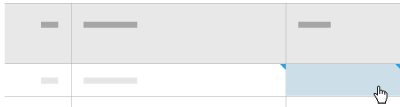
Edit the field as needed.
Click outside of the field to save the changes.
See Also
Loading related articles...