Preview a subcontractor payment application
Using owner or specialty contractor terminology?
Procore can be configured to use terminology specific to main contractors, owners or specialty contractors. Learn how to apply the dictionary options.
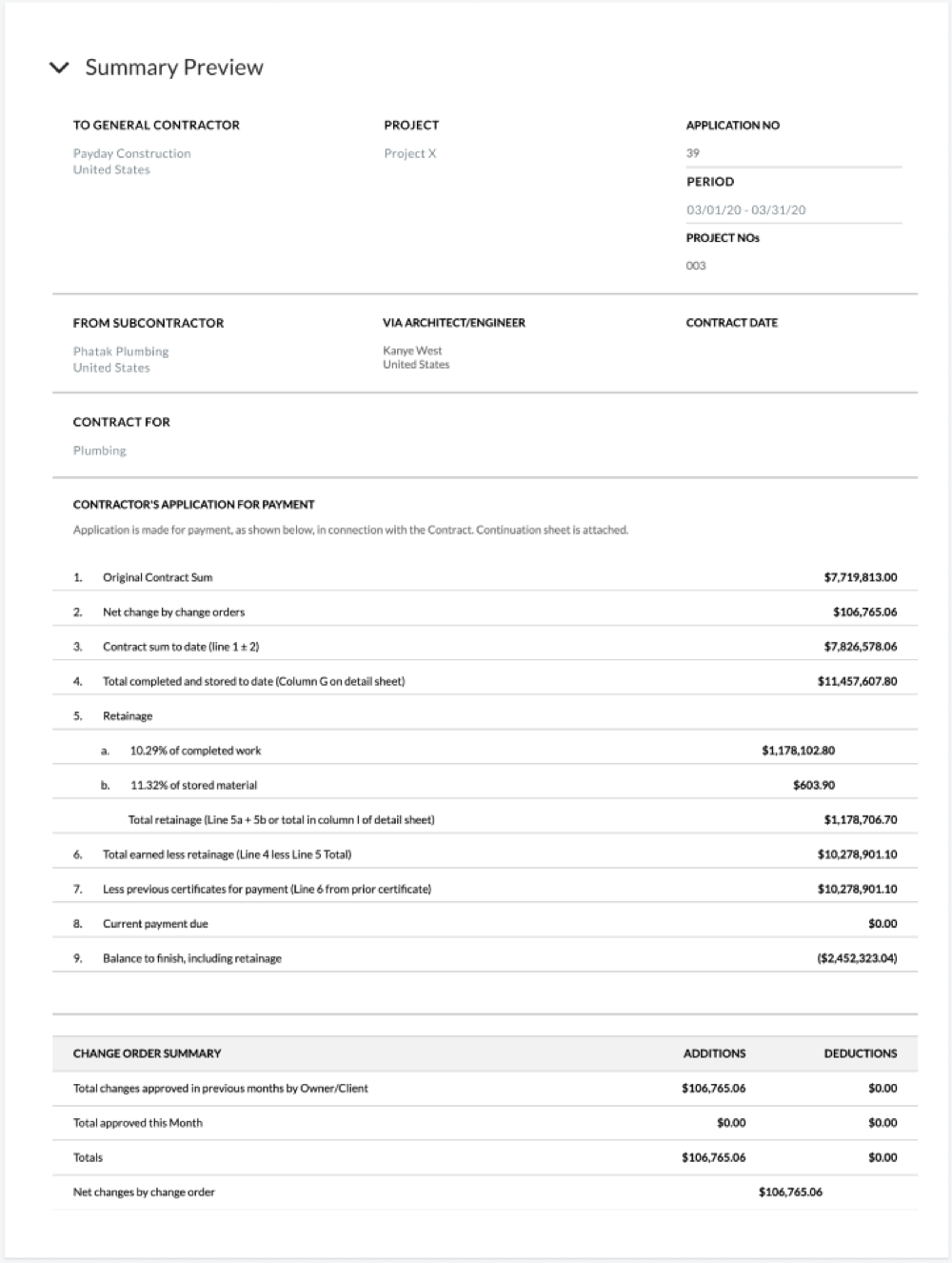
After you create a new subcontractor payment application, you can preview what it will look like in its final format by expanding the 'Summary preview' container in the payment application.
Required User Permissions:
You must be a payment application contact on a commitment.
You must submit your payment application before the 'due date' on the payment application.
Navigate to the project's Payment Applications tool.
Click the Subcontractor payment application tab.
Locate the payment application that you want to preview and click to open it.
Click the arrow next to 'Summary preview' to expand the section.
This gives you a preview of what the payment application will look like in its final format.
Loading related articles...