Create a bill of quantities on a main contract using the project's budget

Background

After your construction project's original Budget is finalised in the project's Budget tool, it is recommended that you lock the Budget. Once locked, you can use the steps below to quickly import your budget line items to your main contract's BOQ. With this action, each line item on the project's Budget creates a line item on the contract's BOQ.

Example

The example below shows you the line item on a Budget that can be used to create corresponding line item on the contract's BOQ. For example, 01-000-Purpose: Labour, 01-002-Instructions: Labour, 01-010 project manager: Labour and so on.
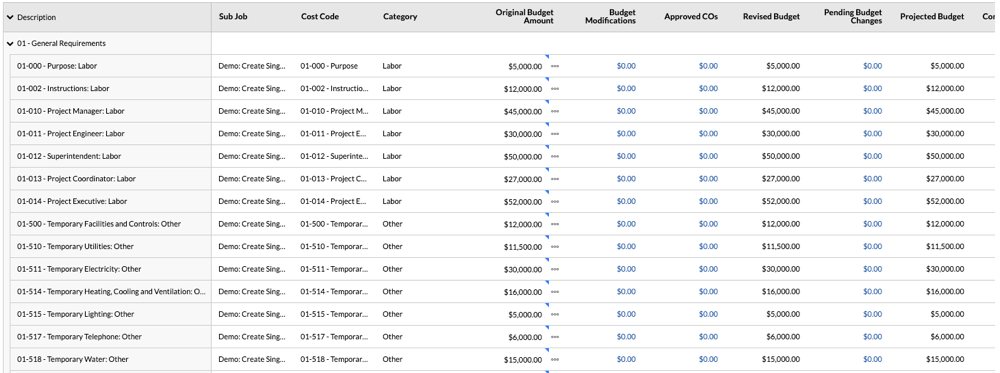
Sov Individual Line Items

Things to Consider

Prerequisites

Steps

  1. Navigate to the project's main contract tool.

  2. Locate the contract to update. Then click its Number link.

  3. Click the Bill of quantities tab.

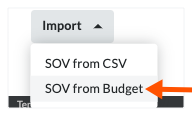
  4. ​Below the 'Bill of Quantities' table, click Import. Then choose BOQ from Budget from the drop-down menu.

    Import Sov From Budget

  5. In the 'Import bill of quantities from Budget?' window, click Import.

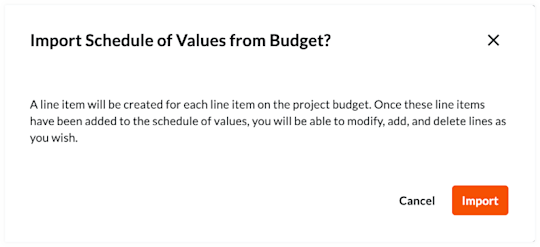
    • If the BOQ is blank, the following message appears.

      Import Sov Blank

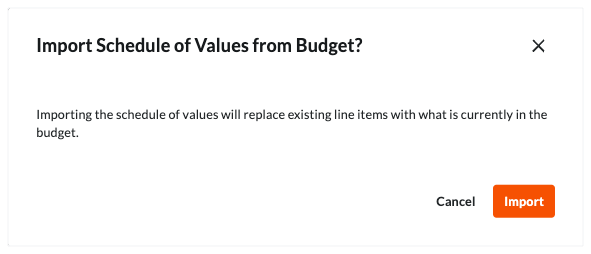
    • If the BOQ has existing line items, all existing line items will be replaced with the line items in the Budget.
      Import Sov From Budget Window

      Procore replaces any existing line items on the Bill of Quantities with the line items current in the project's Budget. This can take several minutes. Once the import is complete, a GREEN banner appears to indicate the action was successful and the line items appear in the 'Bill of Quantities' table.

Next Steps

See Also

Loading related articles...