Edit a transmittal
Background
Using the project's transmittal tool, you can create a record of project information that has been sent to others via fax and shipping channels. When you create a transmittal and email a copy of it to your recipients, all of the information is captured and stored with your Procore project, including the names of the sender, recipient and any relevant dates. For example, perhaps a user's email system is down and the only way to send an official response is via fax or a phone call. In such cases, you would want to create a transmittal in order to keep track of the Correspondence, so a historical record is available for audit purposes in Procore.
Things to Consider
Required User Permissions:
To edit any transmittal, 'admin' level permission on the project's transmittal tool.
ORTo edit a transmittal that you created, 'Standard' level permissions or higher on the project's Transmittal tool.
Additional Information:
The 'related items', 'emails' and 'change history' tabs become visible and available after a transmittal is created.
Prerequisites
Steps
Edit general information
Navigate to the project's transmittal tool.
Locate the desired transmittal in the list.
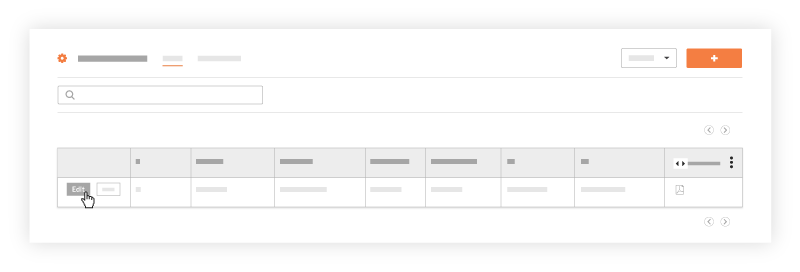
Click Edit. This opens the transmittal in edit mode.
In the 'General Information' area, you can edit the following fields:
Number: Procore automatically assigns numbers to new transmittal in sequential order. You may change this number as desired.
Subject: A descriptive subject for the transmittal.
To: Select people or distribution groups from the project's Directory. This action assigns the transmittal to the named individuals. If you choose to click the Create and email button (or 'Save and email' if you are an 'admin' user editing an existing transmittal), the system will automatically email a notification about the transmittal to the recipients.
CC: Select people or distribution groups from the project's Directory. This action CCs the transmittal to the named individuals. If you choose to click the Create and email button (or 'Save and email' if you are an 'admin' user editing an existing transmittal), the system will automatically email a notification about the transmittal to the recipients.
Sent via: Select Attached to attach an item from Procore to the transmittal or Under separate cover. If you select Under Separate Cover, you can also select one of these options: email, US Mail, Hand Delivery, FedEx, UPS, DHL, Express Mail, fax and Other.
Private: Mark this tickbox to hide the transmittal from everyone except 'admin' level users, designated users in the 'To' and 'CC' fields and members of the default distribution group (see Configure advanced settings: Transmittals).
Submitted for: Mark the tickboxes that correspond to the reason the transmittal is being submitted. You have these choices: Approval, Your use, As requested, Review and comment or Further processing.
Action as noted: Mark the tickboxes that correspond to the desired action. You have these choices: Out for signature, Approved as submitted, Approved as noted, Submit, Resubmitted, Returned, Returned for corrections, Resubmit, Due by, Received, Received as noted and Sent date. (Note: It is recommended that you work with your project's management to define the proper use for each of these default actions in your environment).
Choose from the following options:
Click Save to save the transmittal without email it to the recipient in the 'To' and 'CC' fields.
Click Save and email to save the transmittal and email it to the recipients designated in the 'To' and 'CC' fields.
Next Steps
See Also
Loading related articles...