Modifier les programmes de paiement anticipé
Contexte
A Dans Procore Pay, un administrateur des paiements est un utilisateur Procore désigné qui administre l'outil de paiements au niveau de l'entreprise pour le compte Procore de cette entreprise. En règle générale, un (1) ou un petit nombre d’utilisateurs de confiance sont désignés pour effectuer les tâches associées à ce rôle.
Le nom du programme.
Le message personnalisé aux sous-traitants.
Remarque : Les frais de programme et les dates d’échéance ne peuvent pas être modifiés.
Éléments à prendre en compte
Escalier
Accédez à l’outil Paiements au niveau entreprise.
Cliquez sur Programmes de paiement anticipé.
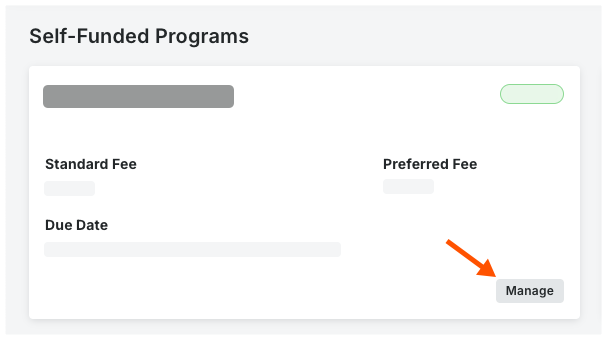
Localisez la carte du programme.
Cliquez sur Gérer.
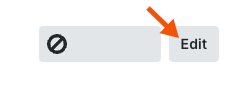
En haut de la page, cliquez sur Modifier.
Dans la fiche Détails du programme , saisissez un nouveau nom de programme.
 Pointe
Quels chantiers sont modifiables ? Par conception, seul le nom du programme. Les frais standard, les frais préférentiels, la date d’échéance et le statut ne peuvent pas être modifiés en mode Édition. Pour modifier les frais et les dates d’échéance, vous devez désactiver le programme existant et créer une nouvelle offre de programme. Voir Créer des programmes de paiements anticipés. Pour changer le statut d’un programme d’actif à inactif, voir Désactiver les programmes de paiement anticipé.
Facultatif. Sous Sous-traitant Directives, saisissez toute information ou directive pertinente dans la zone Message aux sous-traitants. Le message est envoyé sous forme d’invitations sortantes aux sous-traitants. 
Cliquez sur Enregistrer.
Une bannière verte de réussite apparaît pour confirmer la mise à jour du programme.