Core Report
The Procore Analytics Core Report provides users with a high-level view of their company's Procore usage.
Procore Tools Used in the Core Report
Admin
Directory
Report Pages
Click the report pages below to view a sample report page.
Core Insights
As the main landing page of the Procore Analytics Core Report, the Core Insights report page provides users with a number of visuals with basic information from all other report pages in the Core Report.
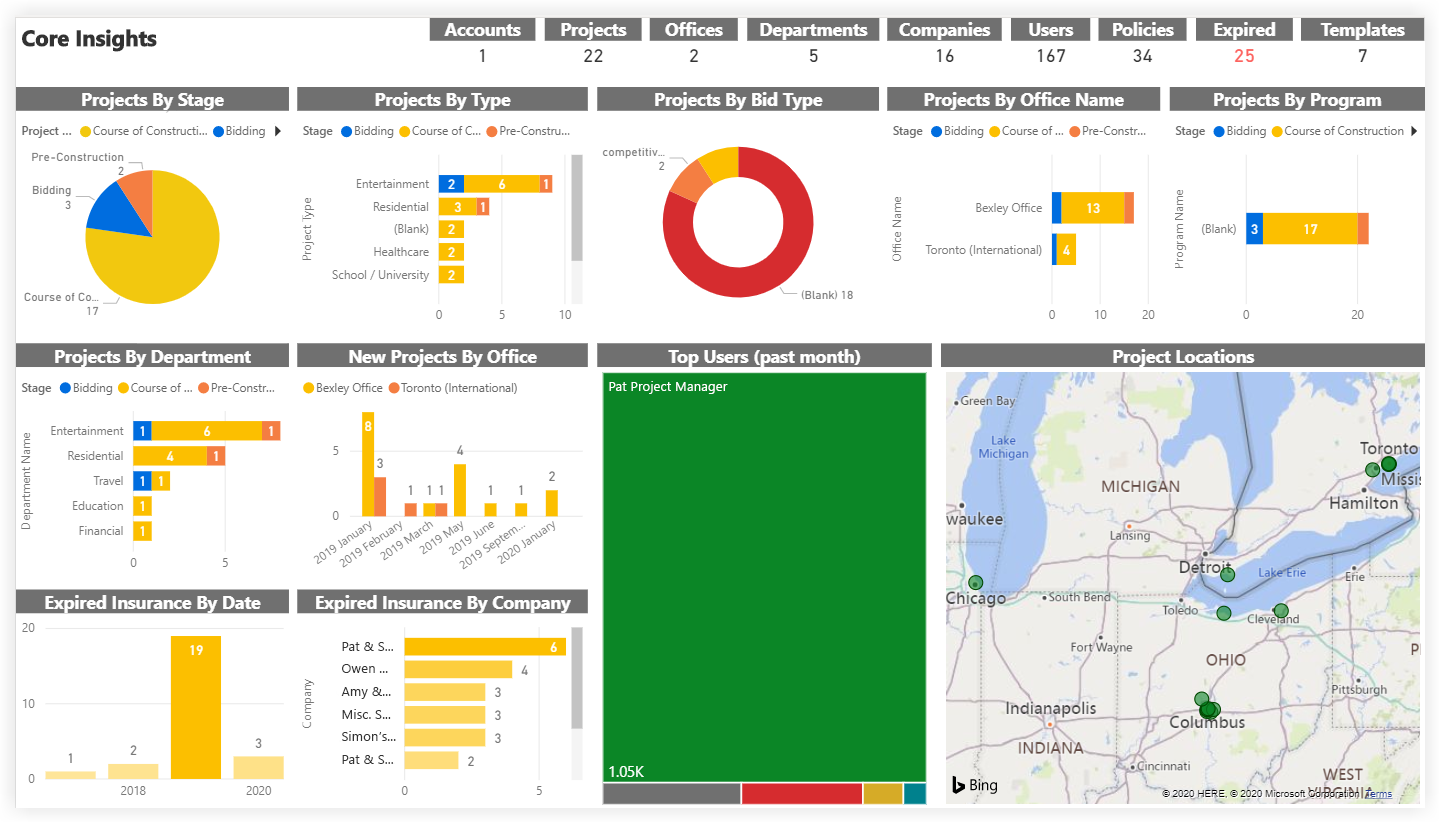
This sample report page was created using mock data for demonstration purposes only.
Companies
As part of the Procore Analytics Core Report, the Companies report page provides basic information about companies in the Company level Directory tool. Information such as each company's address and authorized bidder status is displayed, as well as a map of all companies.
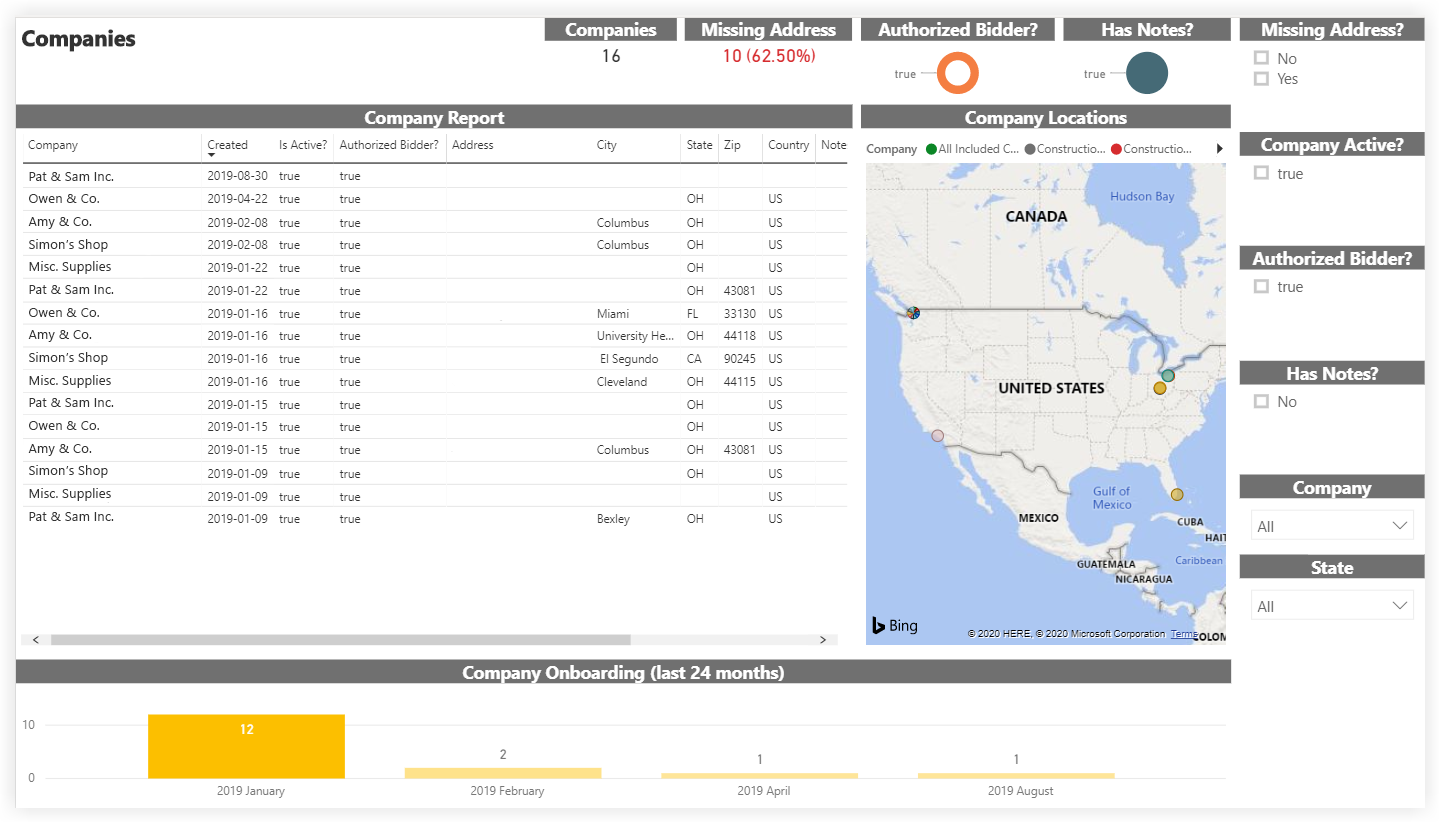
This sample report page was created using mock data for demonstration purposes only.
Company Insurance
As part of the Procore Analytics Core Report, the Company Insurance report page outlines the Company level insurance information for each company in the Company level Directory tool.
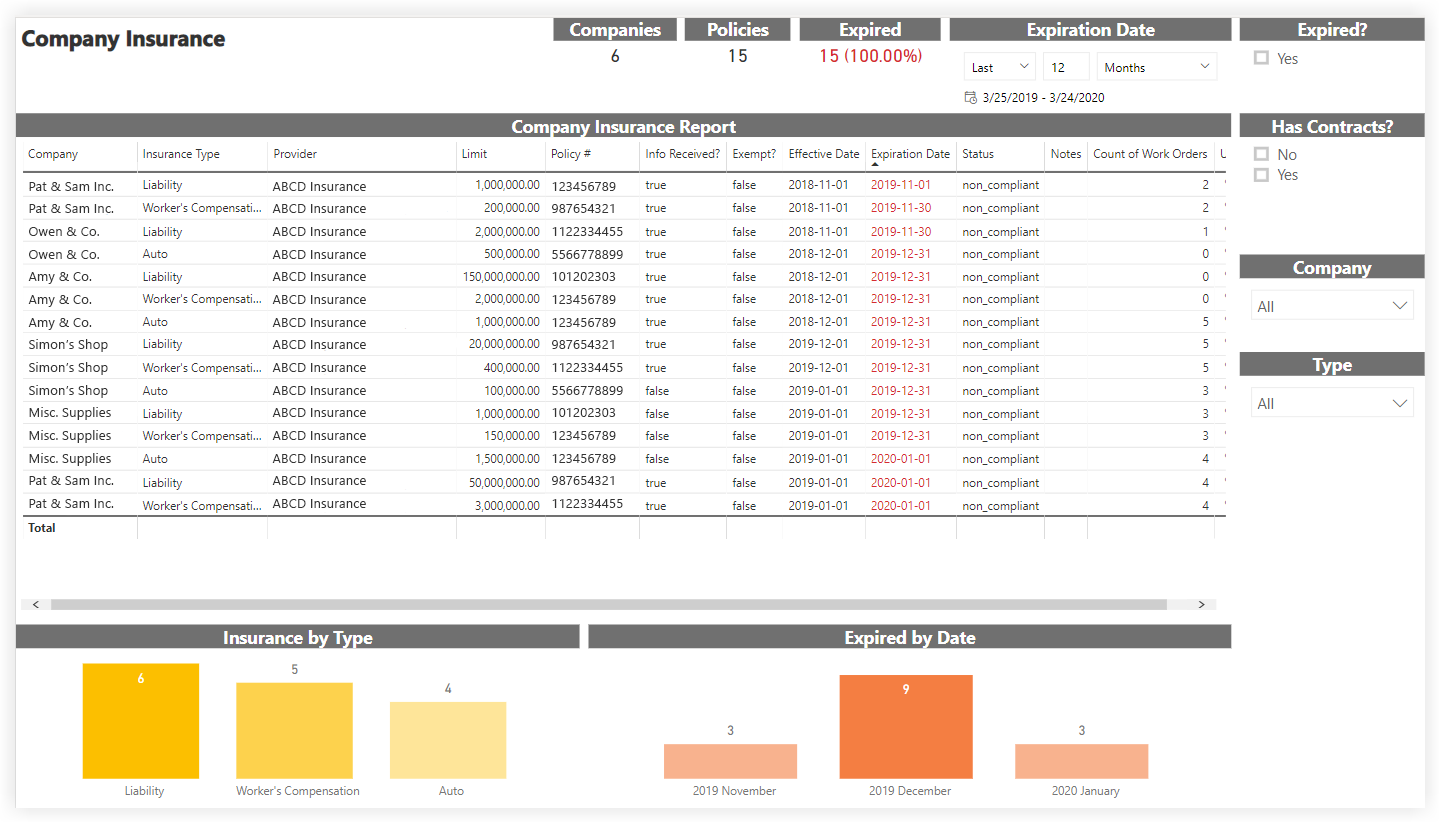
This sample report page was created using mock data for demonstration purposes only.
Company Vendor Insurance Compliance
As part of the Procore Analytics Core Report, the Company Vendor Insurance Compliance report page allows users to audit the Company level insurance compliance for each company in the Company level Directory tool. Adjusting the 'Minimum Limit Required' slicer immediately updates the compliance data in the other visuals in the report page based on the amount set.
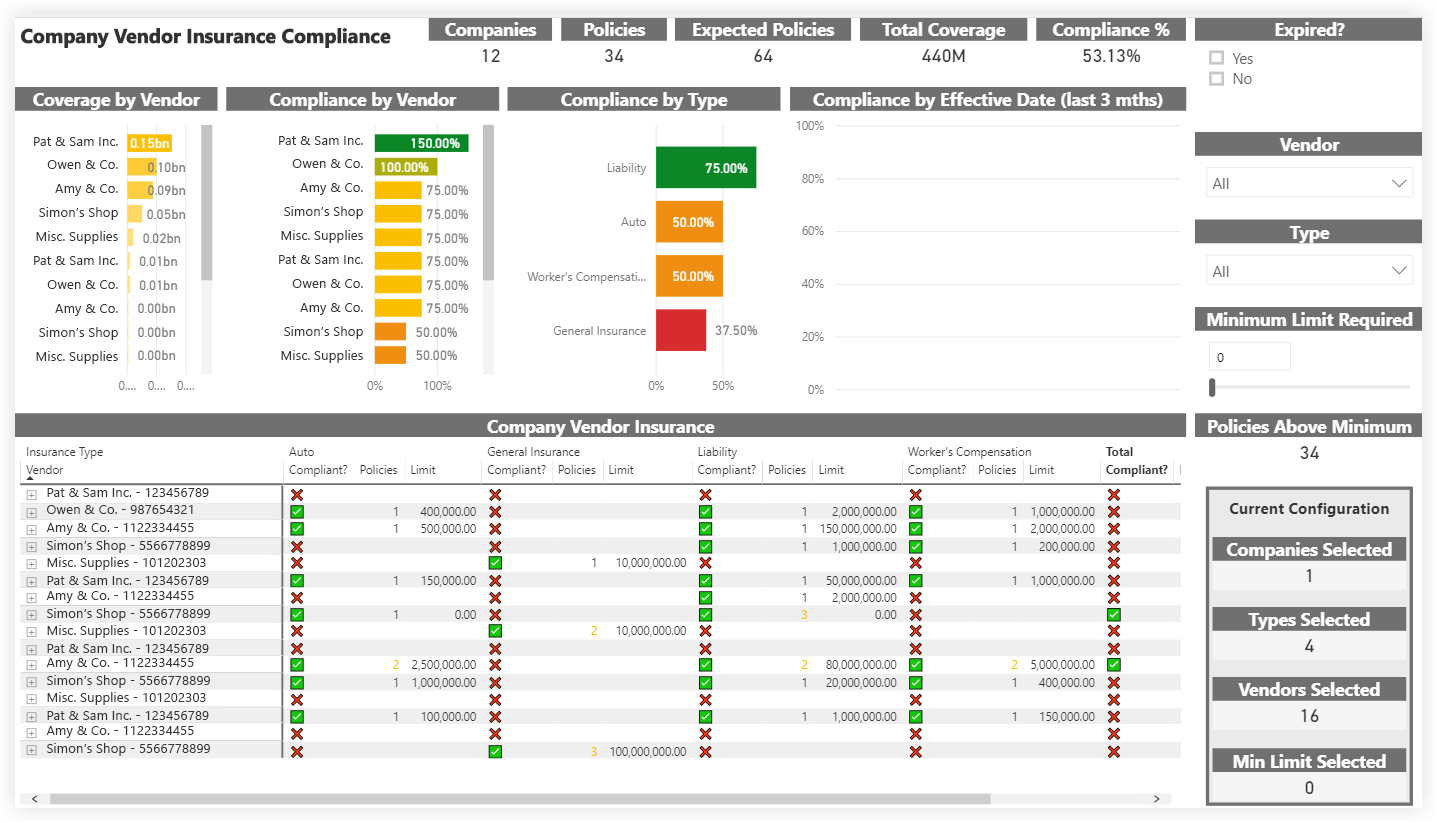
This sample report page was created using mock data for demonstration purposes only.
Users
As part of the Procore Analytics Core Report, the Users report page provides basic information about all users within the company's Procore account.
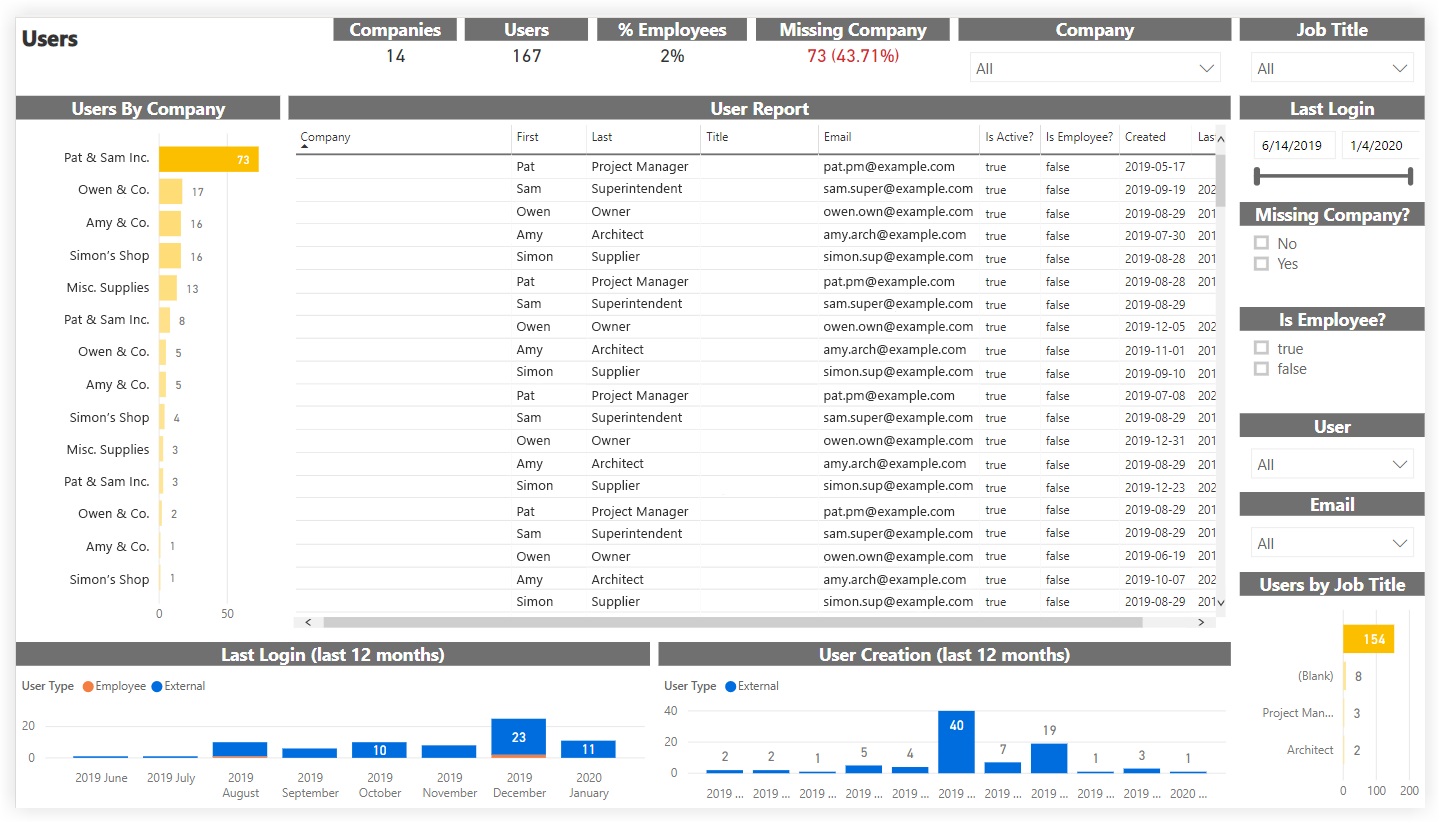
This sample report page was created using mock data for demonstration purposes only.
Company Permission Matrix
As part of the Procore Analytics Core Report, the Company Permission Matrix report page displays data based on the default permission template assigned to users in the Company level Directory tool.
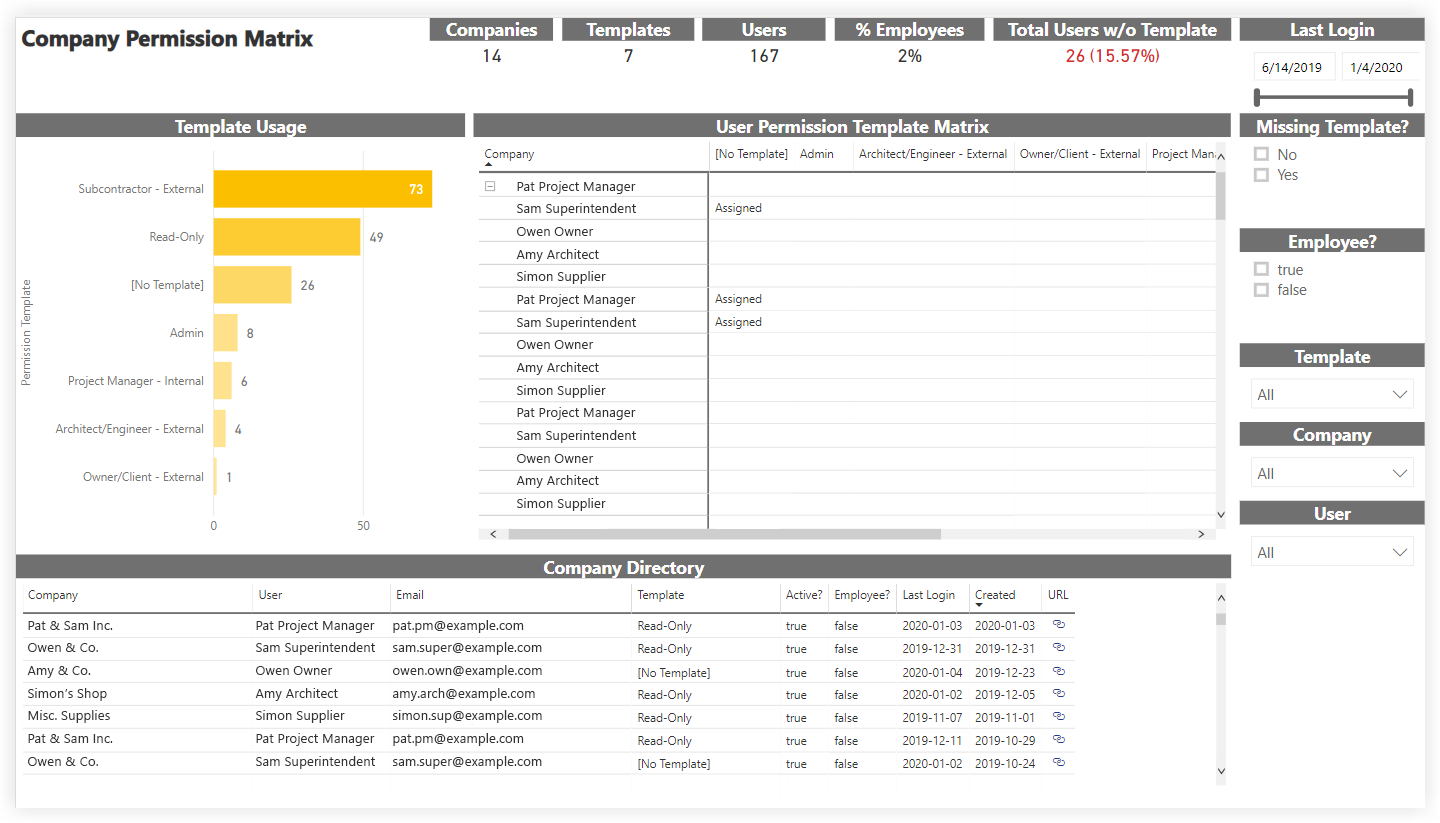
This sample report page was created using mock data for demonstration purposes only.
Project Permission Matrix
As part of the Procore Analytics Core Report, the Project Permission Matrix report page displays data based on the permission templates assigned to all users in all projects.
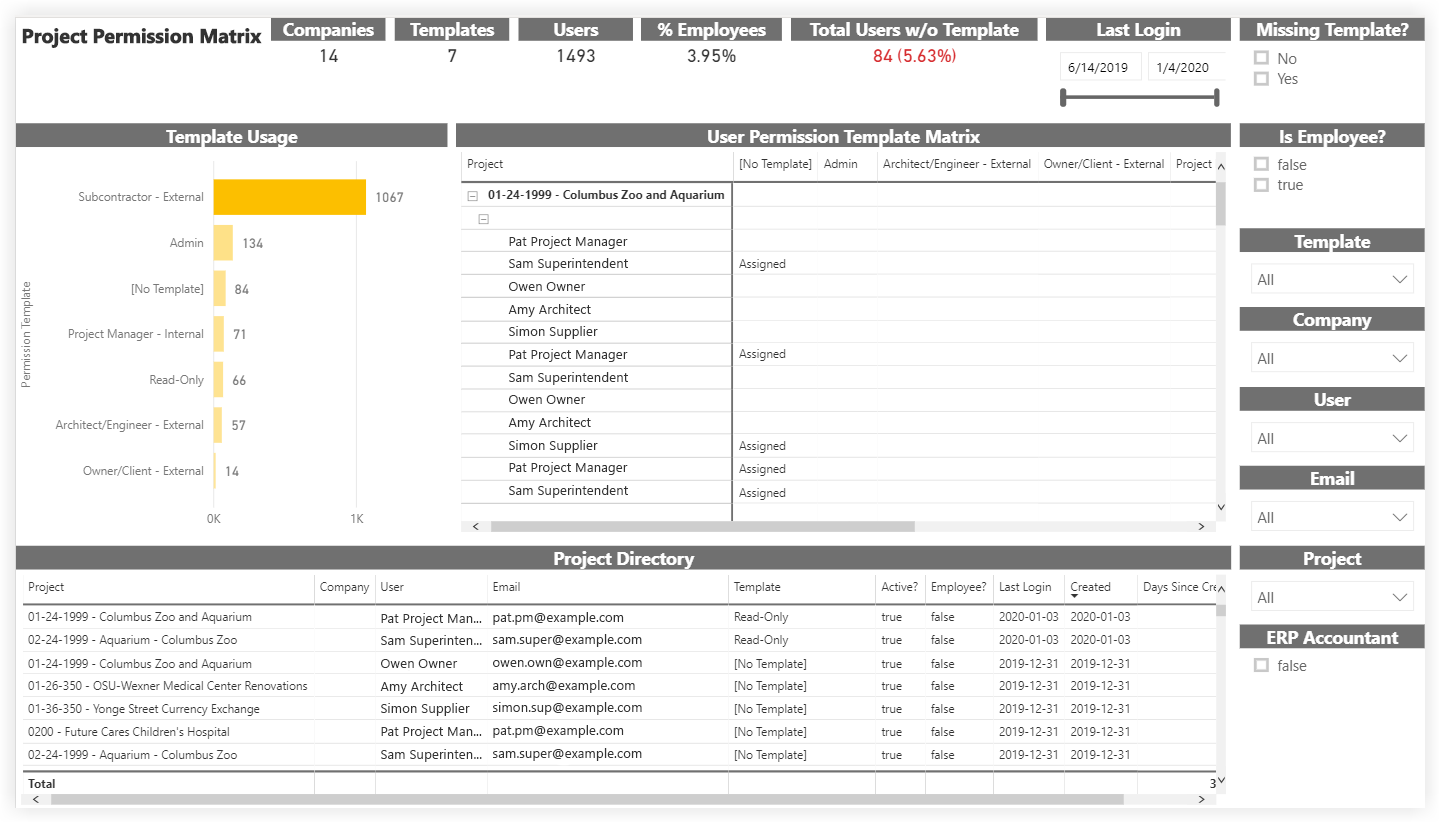
This sample report page was created using mock data for demonstration purposes only.
Project Tasks
As part of the Procore Analytics Core Report, the Project Tasks report page provides an overview of all items created in the Tasks tool across all projects.
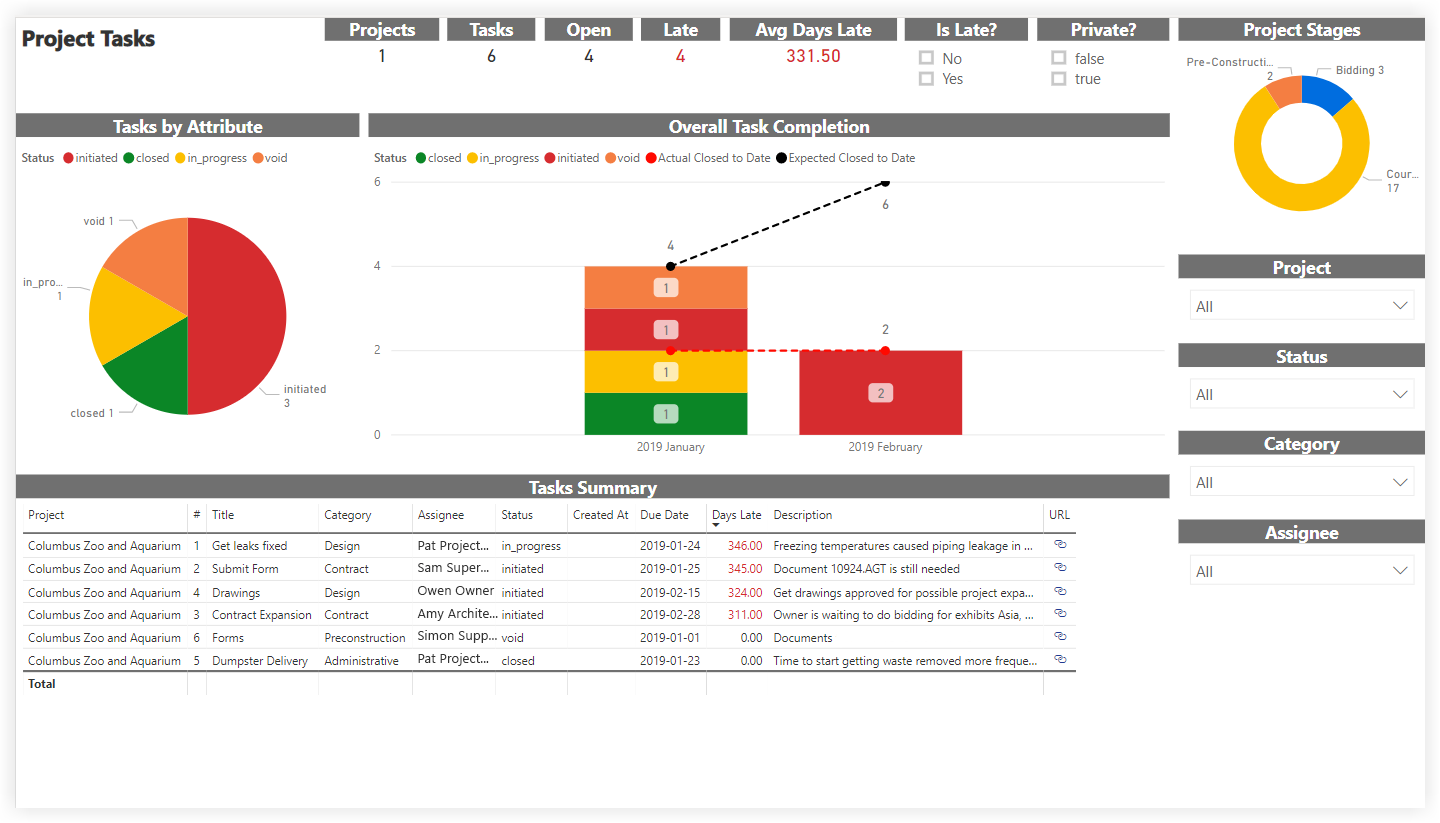
This sample report page was created using mock data for demonstration purposes only.
Maps
As part of the Procore Analytics Core Report, the Maps report page shows an interactive map of all active projects. The map view can be categorized by Project Type, User, Client, Office, Program, and Region.
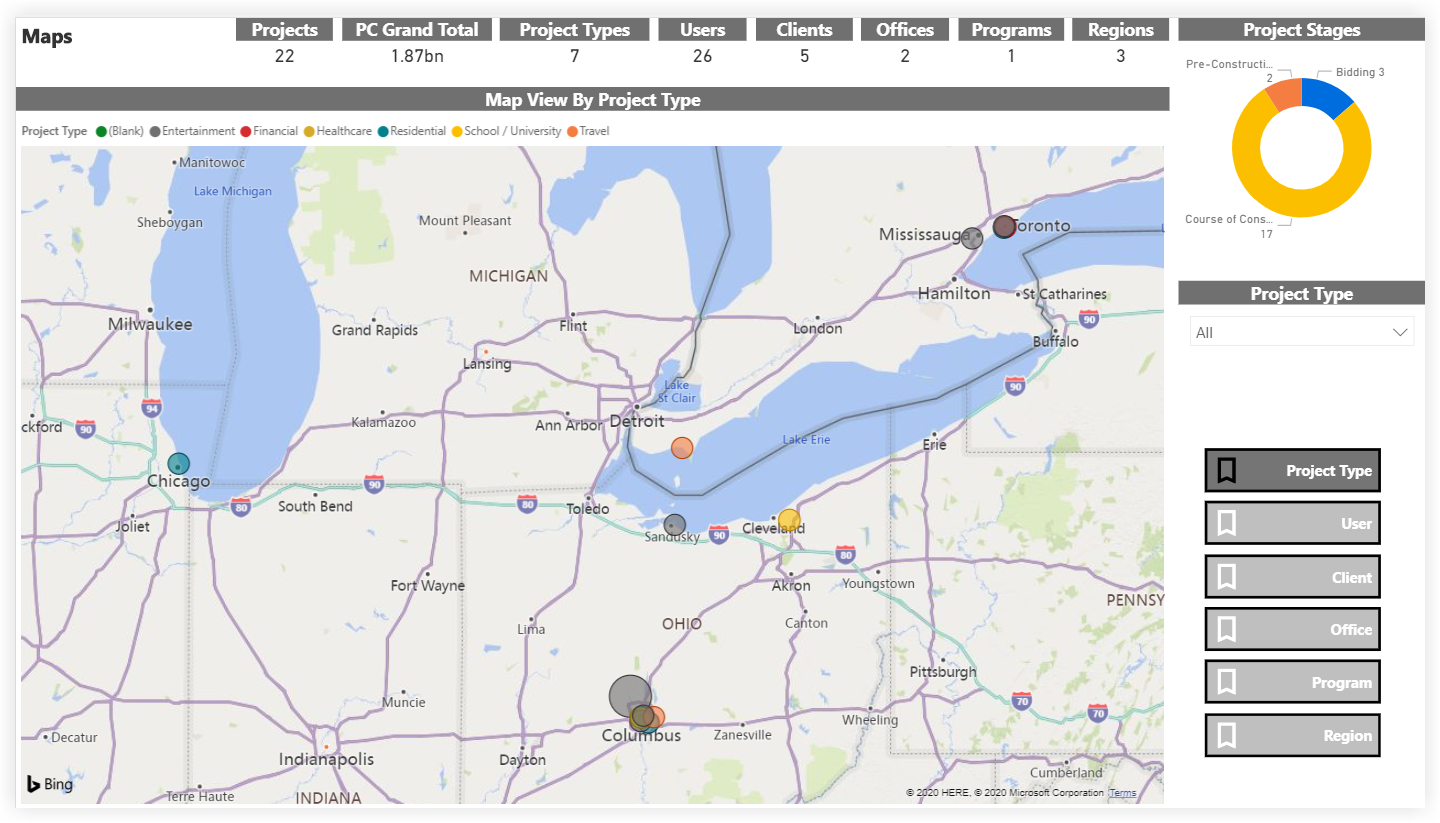
This sample report page was created using mock data for demonstration purposes only.