Risk Report
The new Procore Analytics Risk Report enables customers to consolidate and manage risk across the Procore platform in a single place. The report identifies leading and lagging risk indicators that drive financial, schedule, and safety risk.
Procore Tools Used in the Risk Report
RFIs
Submittals
Correspondence
Daily Logs (Manpower and Notes)
Observations
Incidents
Inspections
Punch List
Prime Contracts
Commitments
Report Pages
Click the report pages below to view a sample report page.
Risk Summary
This page pulls risk-related data from across Procore tools. The risk items and related statuses on each page are driven by the configuration of the report.

This sample report page was created using mock data for demonstration purposes only.
Risk Register
This page is the consolidated register of risks across tools. It should be used to identify and remediate risks.
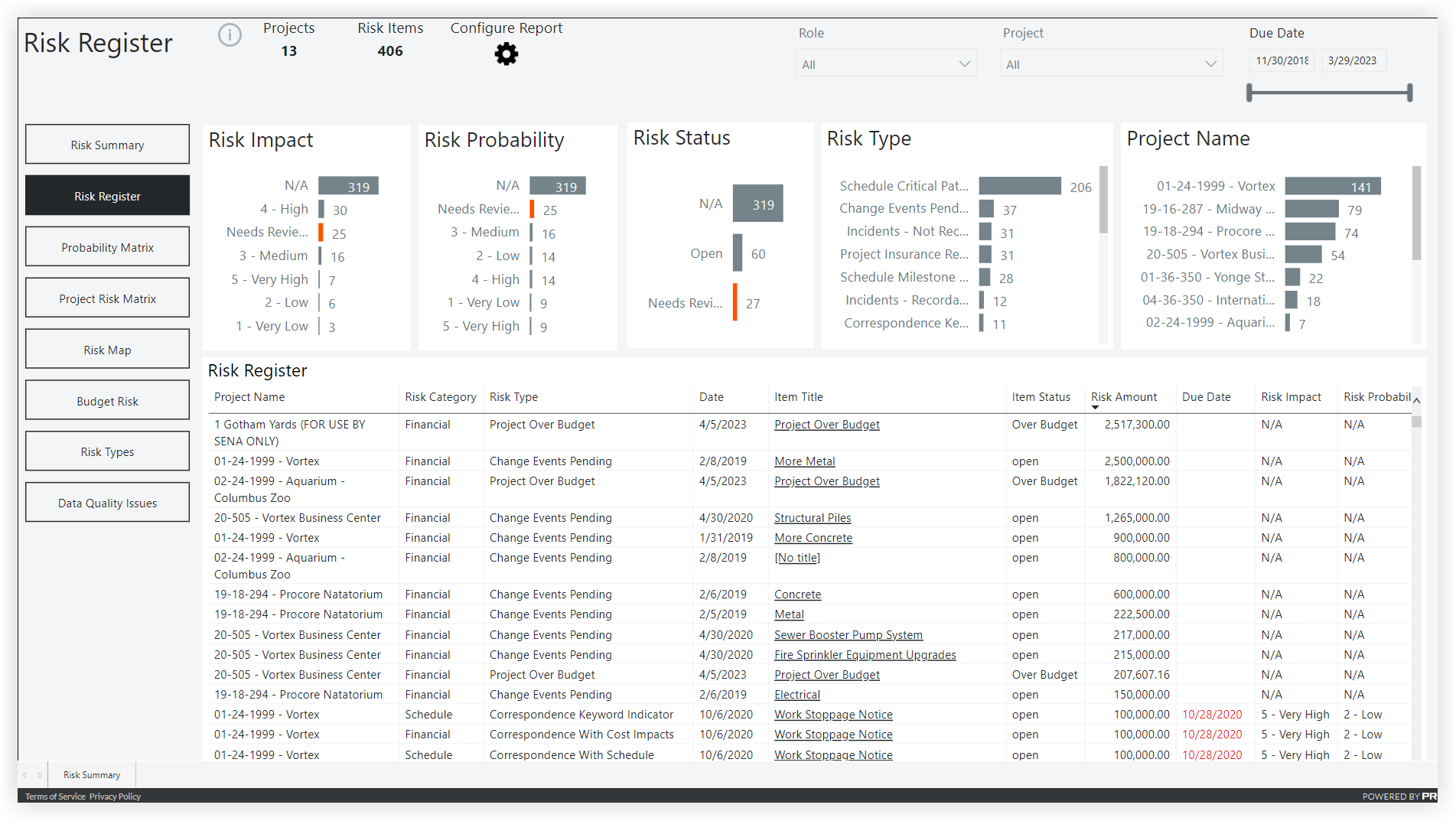
This sample report page was created using mock data for demonstration purposes only.
Probability Matrix
This page provides a matrix view of data based on the "Risk Impact" and "Risk Probability" custom fields being designated on risk items.
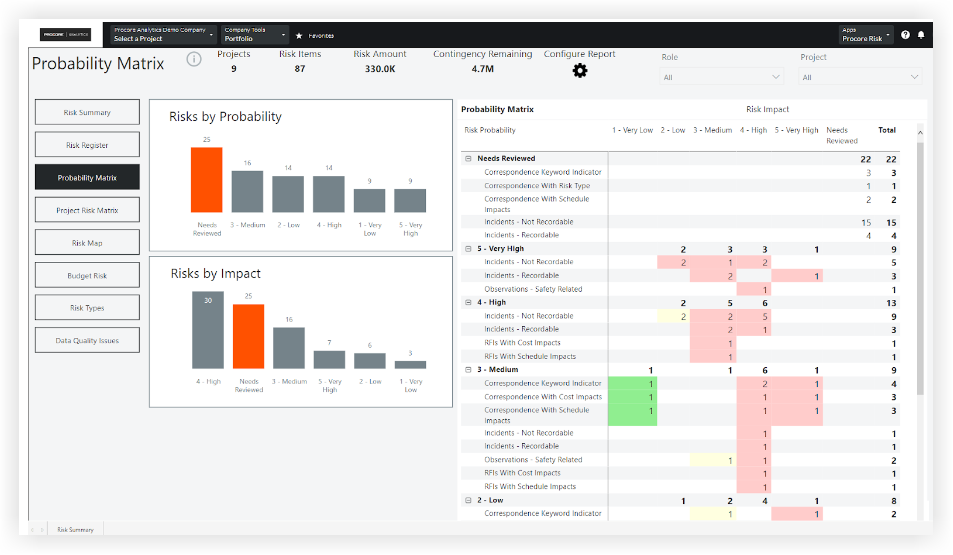
This sample report page was created using mock data for demonstration purposes only.
Project Risk Matrix
This page lists all projects and shares some key details on risk and budget. The "Risk Score" multiples the weighted values of the "Risk Impact" by the "Risk Probability". The "Risk Balance" takes the "Remaining Contingency" and subtracts the "Risk Amount".
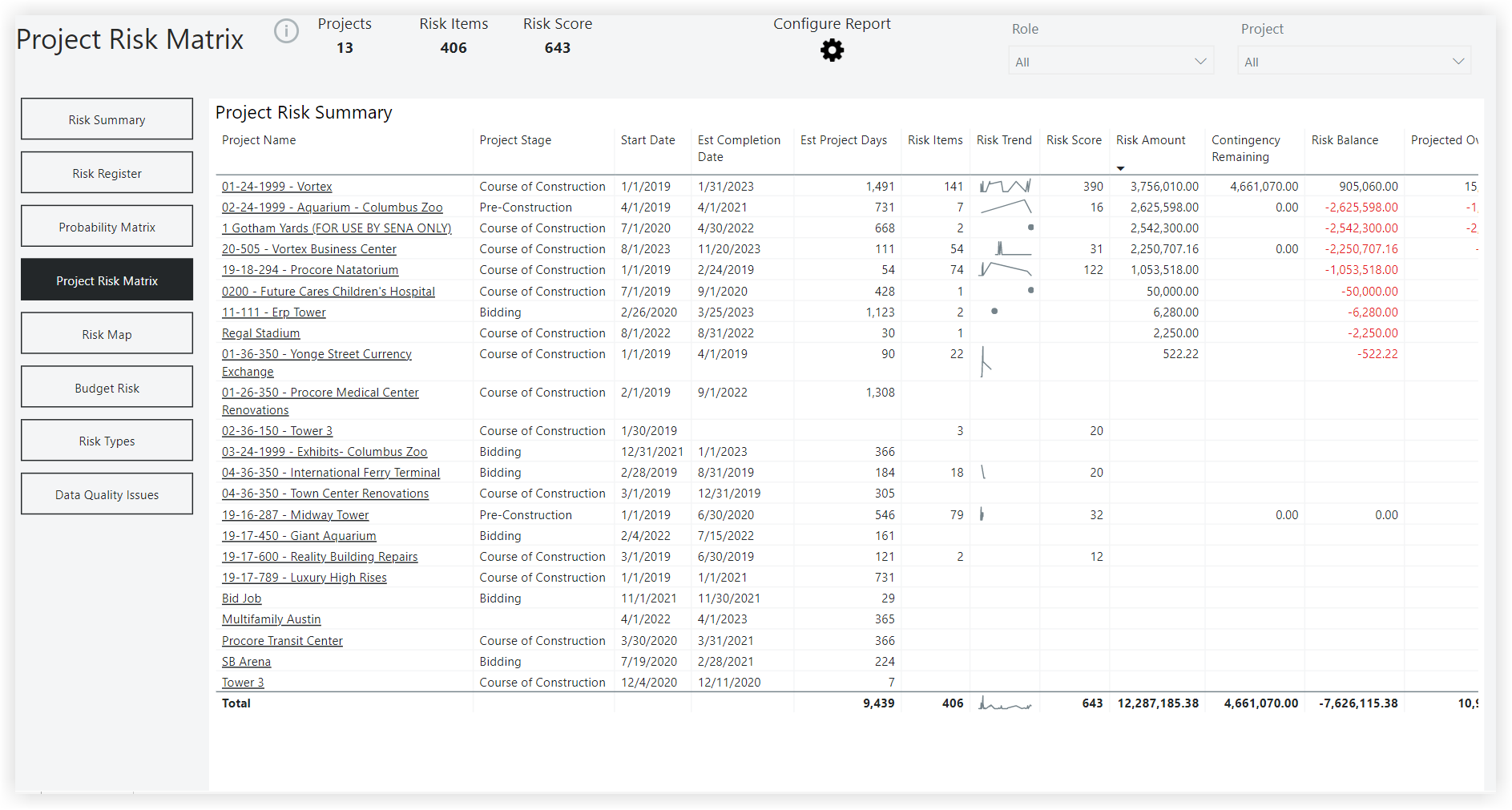
This sample report page was created using mock data for demonstration purposes only.
Risk Map
This page shows the risk of a given project. The size of the bubble indicates a higher risk count.
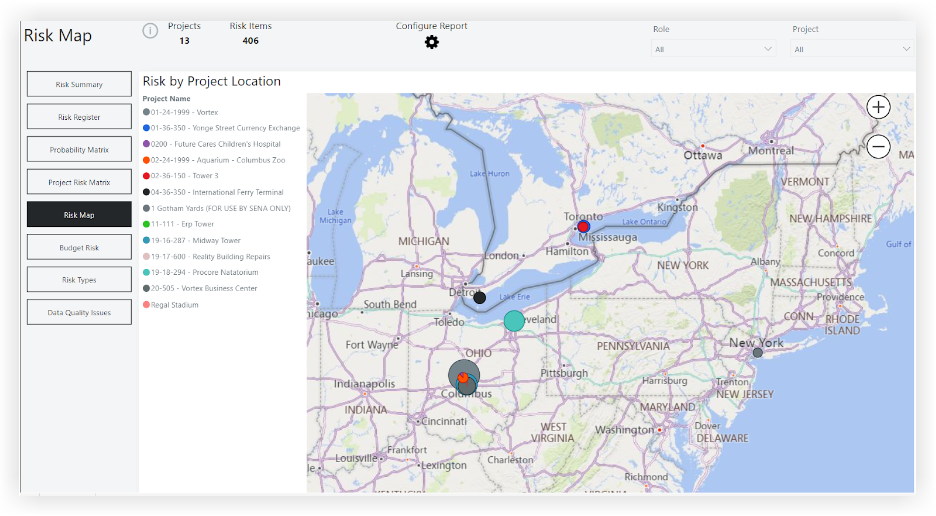
This sample report page was created using mock data for demonstration purposes only.
Budget Risk
This page uses a scatterplot with the Projected Over/Under on the X-axis and the 'Revised Budget' on the Y-axis. The size of the bubble indicates the risk count.
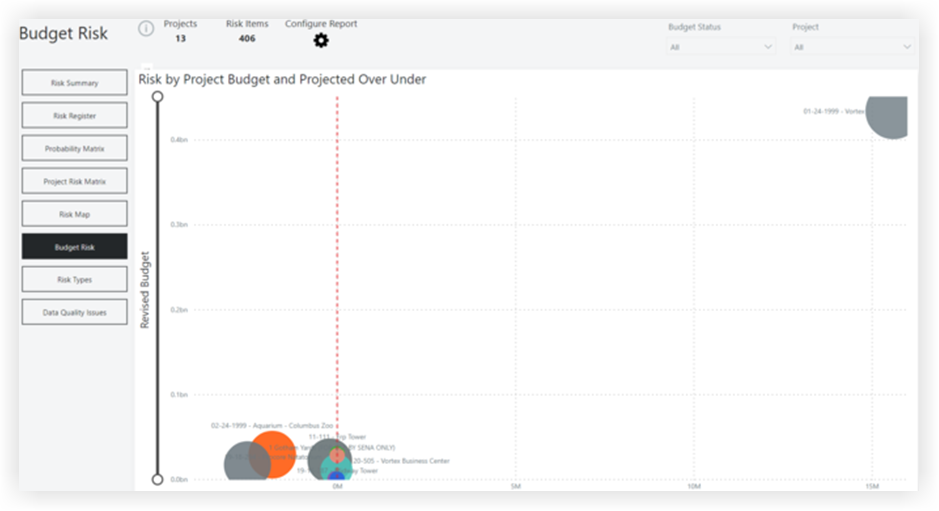
This sample report page was created using mock data for demonstration purposes only.
Risk Types
This page summarizes all available risk types, provides a description, and some other key details related to each item.
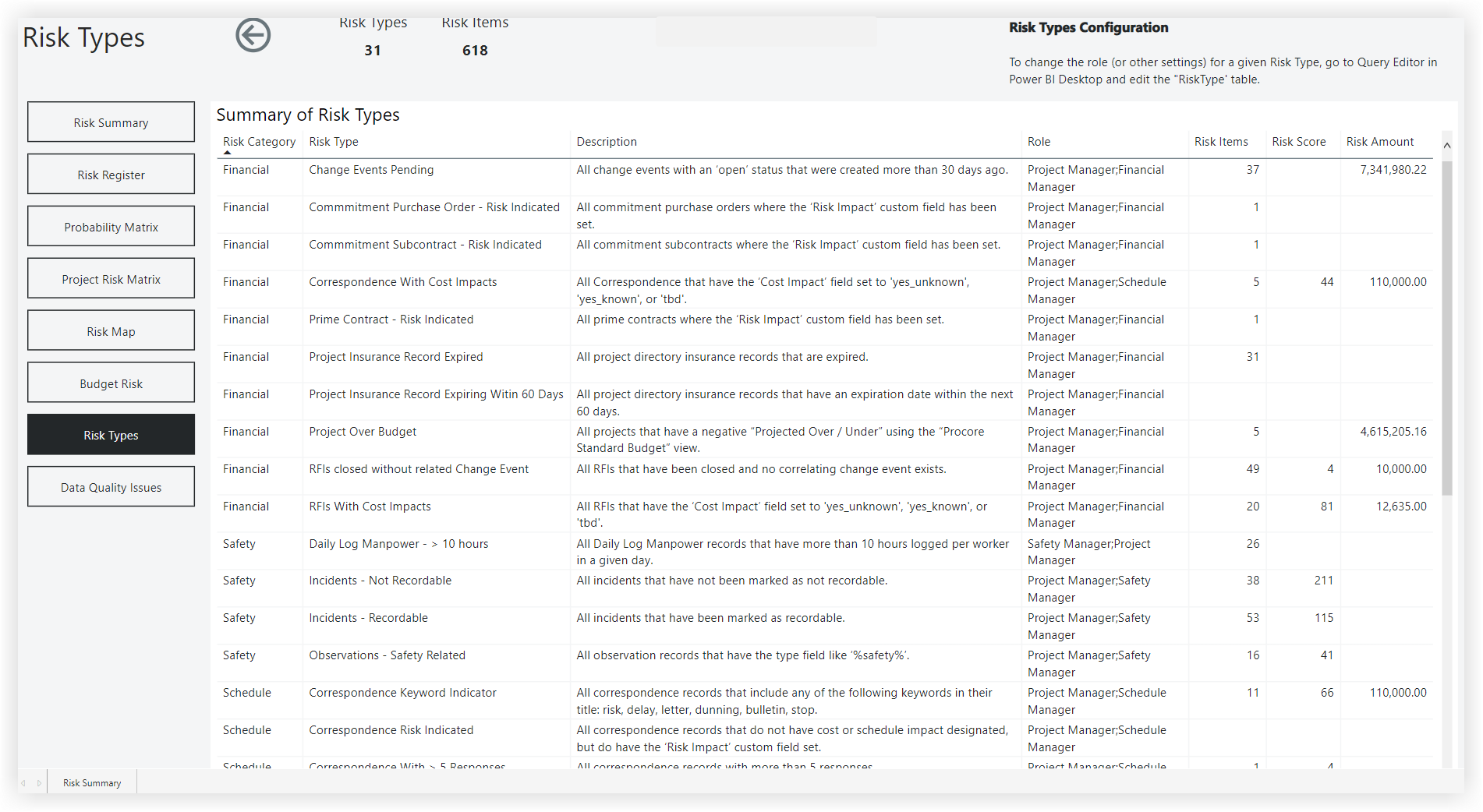
This sample report page was created using mock data for demonstration purposes only.
Data Quality Issues
This page is focused on identifying data quality issues that should be addressed.
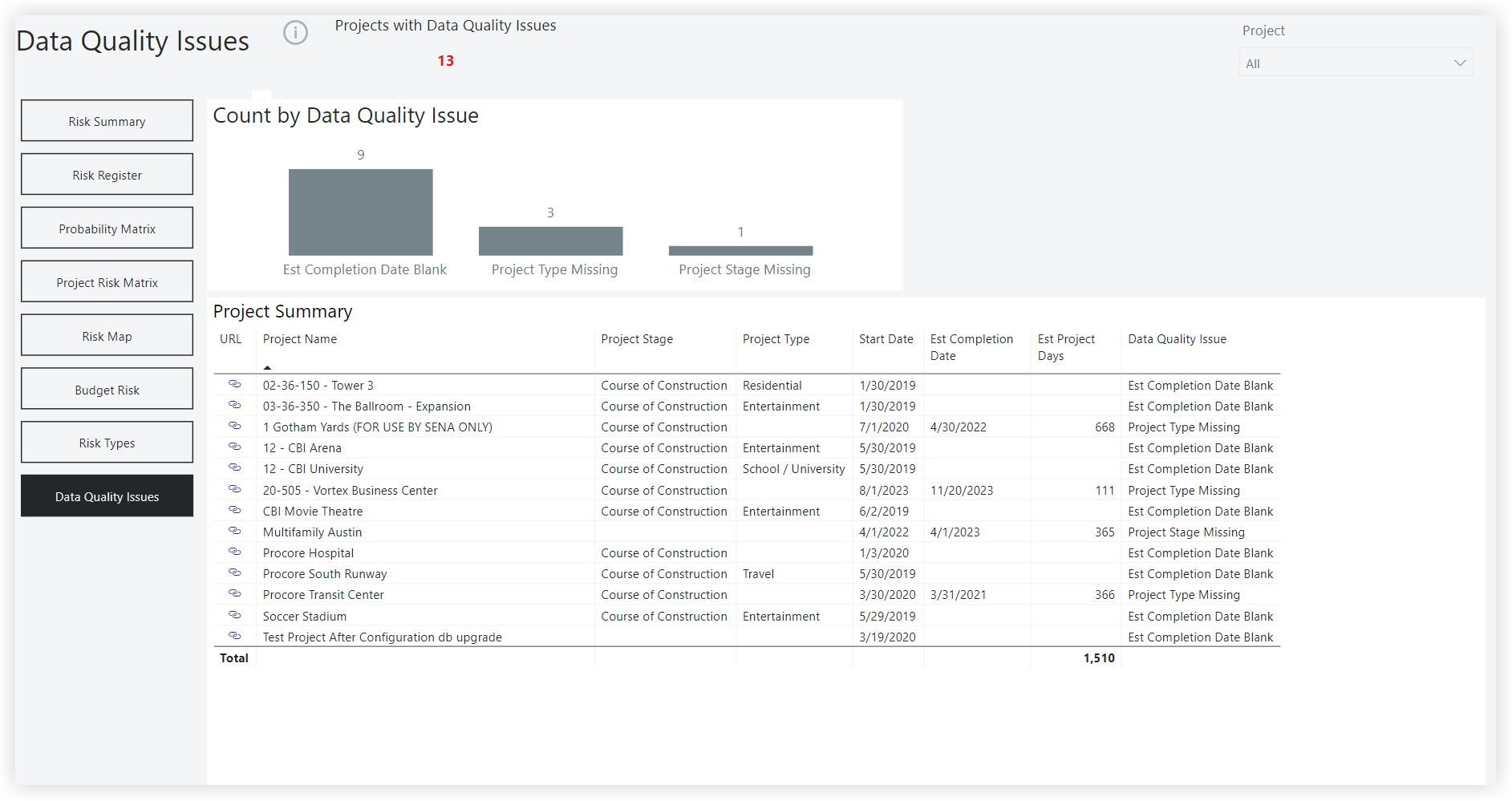
This sample report page was created using mock data for demonstration purposes only.
Configuration
This page allows users to change the default settings for the report. These include settings for Risk Types, Risk Impacts, Risk Probability, Risk Statuses, and Item Statuses.
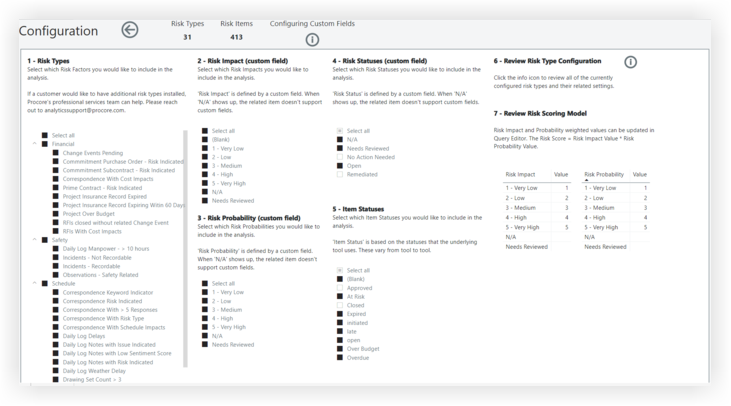
This sample report page was created using mock data for demonstration purposes only.