Overview
Procore-Initiated Single Sign-On (SSO) uses a Service Provider-initiated (SP-initiated) authentication flow, where Procore acts as the Service Provider. When users sign in from the Procore Login page, Procore routes the request to your company’s Identity Provider (IdP) for authentication and then automatically signs them in.
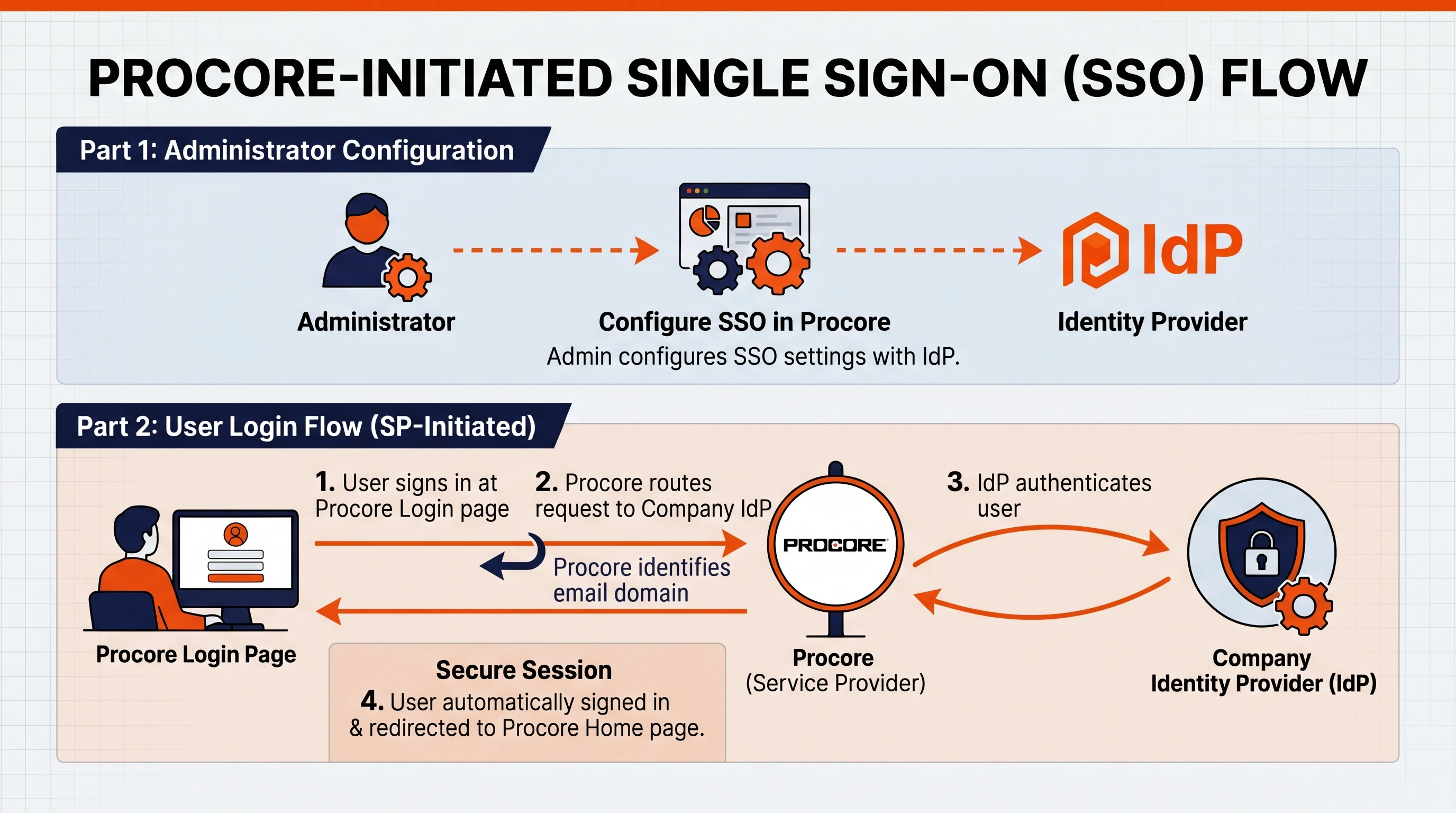
To enable the SP-initiated flow and learn how to log in, see the tutorials for your company's IdP.
Your Company IdP | For Procore Administrators | For Procore Users |
|---|---|---|
Microsoft Entra ID | Configure SP-Initiated SSO for Procore with Microsoft Entra ID | Log in to Procore Using SP-Initiated SSO with Microsoft Entra ID |
Okta | ||
OneLogin | ||
Google SSO |
Once configured, users signing in to the Procore Log In page will be routed to your company's IdP to authenticate.