Deactivate Segment Items
Hintergrund
Ein Segment ist eine separate Kategorie, die eine Organisation verwendet, um ihre Arbeit in überschaubare Komponenten zu unterteilen. Ein Segmentelement ist eines von vielen verschiedenen Elementen in einem Segment. In den Finanzmanagement-Tools von Procore sind Segmente die Bausteine, die das Muster der Unternehmensführung Eine Budgetschlüssel-Struktur ist eine Abfolge von Segmenten, die dazu dient, aussagekräftige Budgetschlüssel in Übereinstimmung mit dem von Ihrer Organisation festgelegten Muster zu erstellen. Im Projektstrukturplan von Procore kann die Budgetschlüssel-Struktur für ein Unternehmen oder ein Projekt aus mehreren Segmenten bestehen.
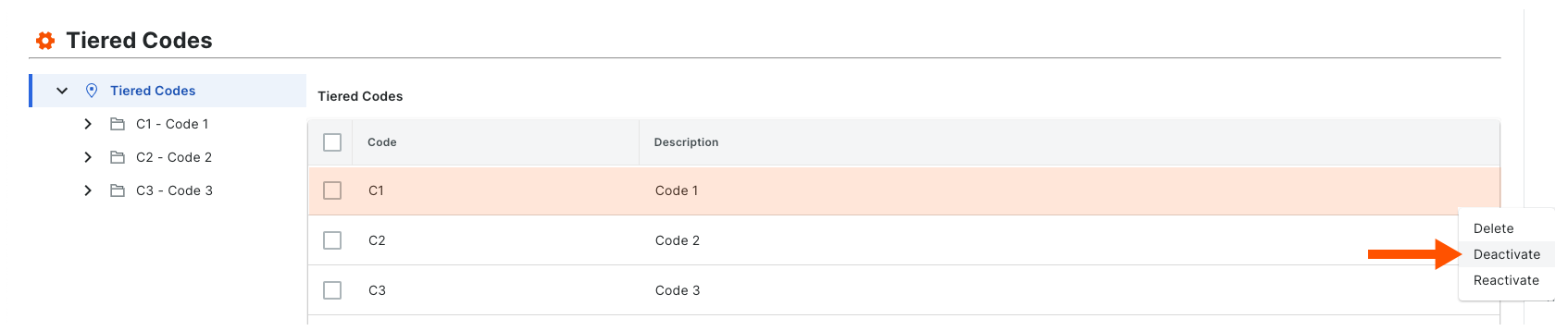
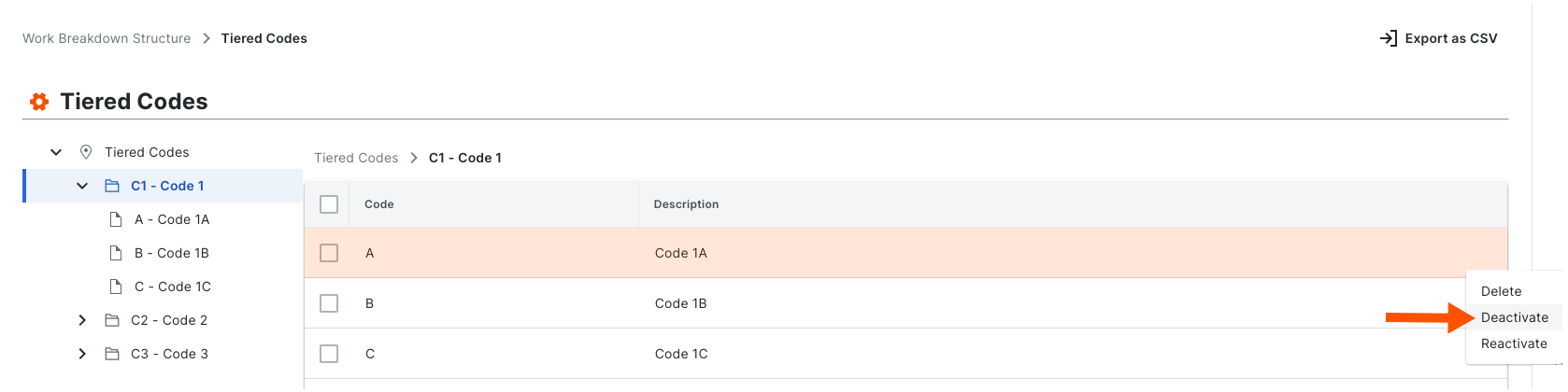
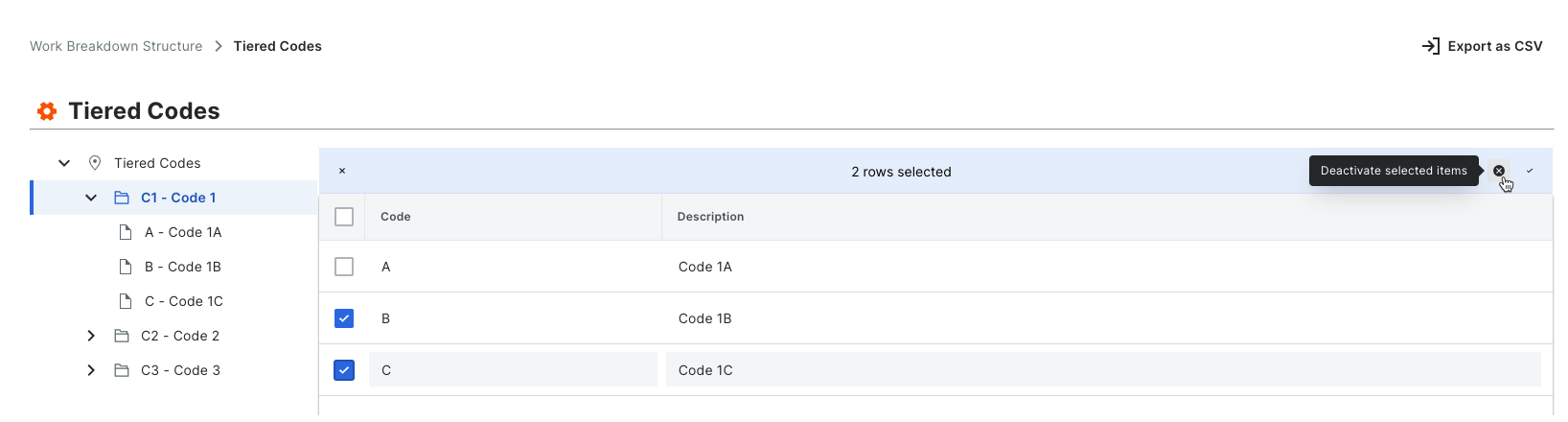
Wenn Sie ein neues Segmentelement erstellen, ist es standardmäßig in Ihrem Unternehmenskonto aktiv. Sie können die folgenden Schritte ausführen, um sie zu deaktivieren. Wenn sich ein Segment in einem deaktivierten Zustand befindet, wird es ausgegraut, um anzuzeigen, dass es in der Tabelle "Segmente" nicht verfügbar ist.
Things to Consider
Required User Permissions:
'Admin' level permissions on the Company level Admin tool.
Additional Information:
Segments can only be deactivated at the Company level. This function is NOT currently available on projects.
Before you deactivate a segment, be aware of the following:* If you deactivate a segment item that is used in a budget code on an existing project, it will continue to be available on that project. If you do NOT want the segment item to be used in a budget code on the existing project in the future, it is strongly recommended that you communicate this directive to your project team.* If you deactivate a segment item that is not used in a budget code on an existing project, it will not be available for use on that project.* If you deactivate a segment item and then create a new project, it will NOT be available for use on the new project.
If you want to permanently remove a segment item to prevent it from being available on all new projects, see Delete Segment Items.
Limitations:
For customers using the Company level ERP Integrations tool
The default segments in WBS are compatible with Procore's ERP Integrations tool. However, some integrations do NOT yet support custom segments.For customers who have independently developed or purchased a third-party solution to integrate with Procore
To take advantage of the custom segment capabilities associated with WBS, any existing API integrations that you have independently developed or purchased to interact with Procore must be updated to support Procore's new WBS API.
Important
Before you deactivate a segment, be aware of the following:
If you deactivate a segment item that is used in a budget code on an existing project, it will still appear on projects where it is already in use. However, it will no longer be an available option when creating new budget codes.
If you deactivate a segment item that is not used in a budget code on an existing project, it will be deactivated on that project.
If you deactivate a segment item and then create a new project, it will NOT be available for use on the new project.