Configure fee collection for projects
Navigate to the Company level Payment tool.
Click the payment settings
 icon. This opens the payments settings page. The funding accounts page is active by default.
Click Project Controls. This opens the Project controls page.
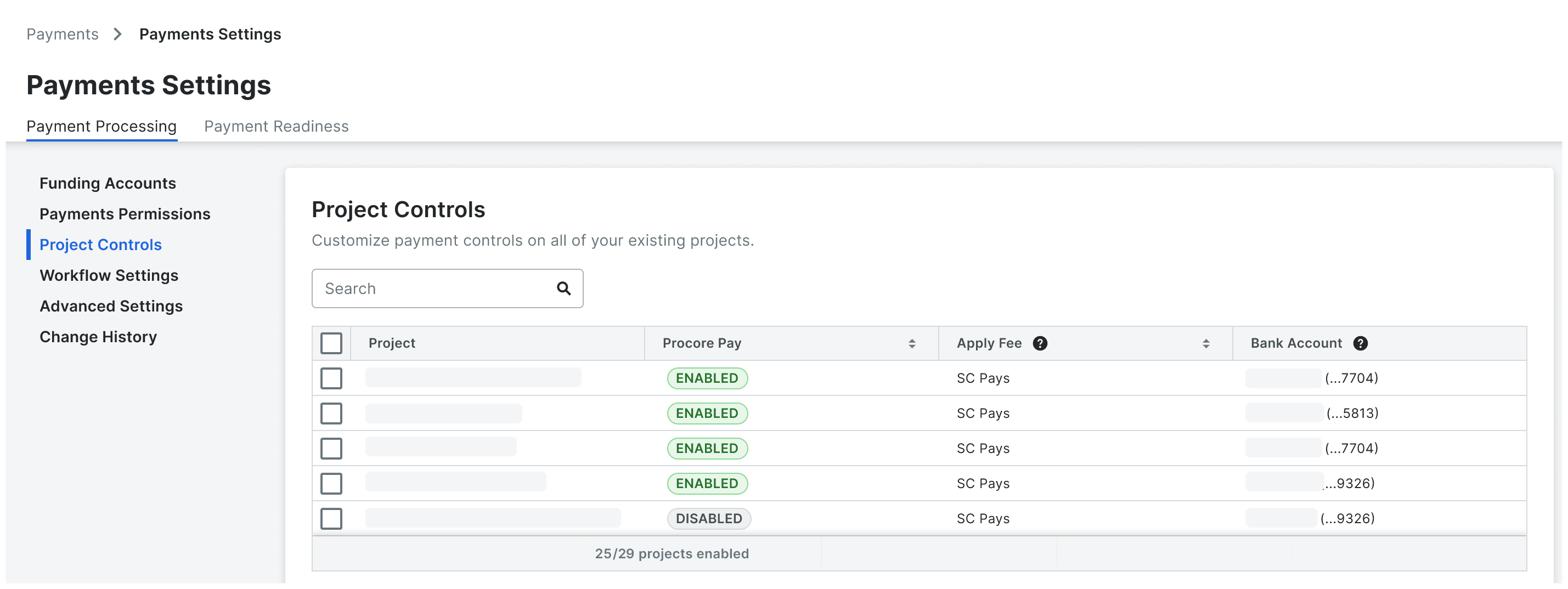
In the table, locate the project.
TipLooking for a specific project? Start typing the project name in the Search box to narrow the accounts in the list.
Want to change the selected 'Pay' status? You can update also update this in the table. To learn more, see Enable or disable Procore Pay on your projects.

To edit the fee setting, click the 'Apply fee' field and select one of the following options: Note: 'SC pays' is selected by default.
MC Pays. Choose this option when the main contractor is paying the fees.
SC pays. Choose this option when specialty contractors are paying the fees.