Add or Remove Early Pay Programs from Projects
Background
A Payments Admin for the In Procore Pay, a payor is a general contractor who sends invoice payments to specialty contractors.
Things to Consider
Additional Information:
The Procore project must set to 'Active'. See Change a Project's Status to Active or Inactive.
Steps
Navigate to the Company level Payments tool.
Click the Payments Settings
 icon.
icon.
This opens the Payments Settings page. The Payment Processing tab is active by default.Click Project Controls.
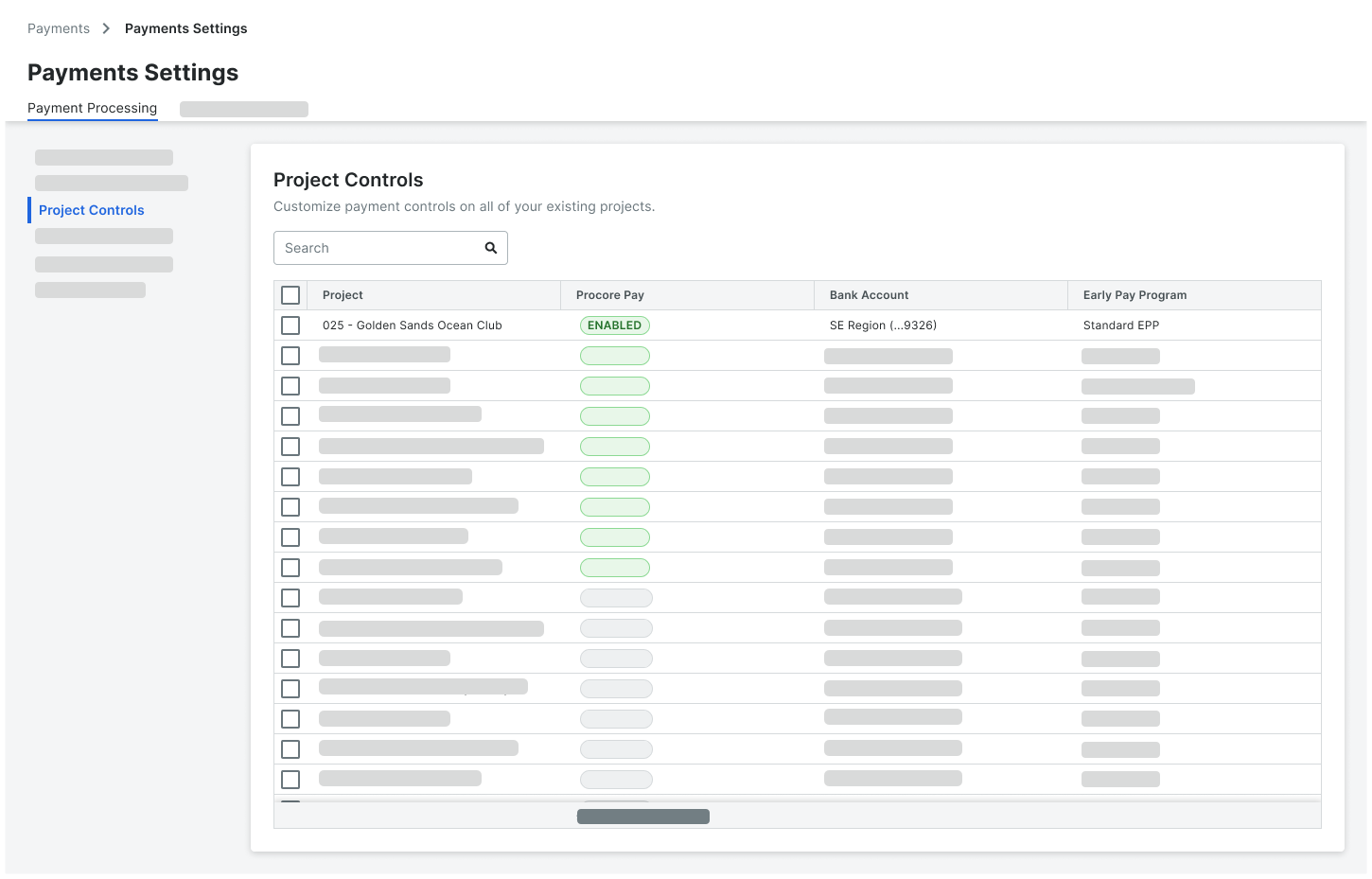
In the 'Project Controls' table, identify the projects you wish to modify:
Individual Selection. Mark the checkbox(es) for specific projects.
Bulk Selection. Mark the checkbox in the Project column header to select all projects.
Assign or Remove Program. Click the Early Pay Program column for your selected projects and choose from the drop-down list:
To Add/Change: Select the desired Active program name.
To Remove: Select No Program.
ImportantIf you change the Early Pay Program assigned to a Procore project, any enrolled payees must re-enroll in the new active program that you assign to the project.
Are you looking for a specific program? To appear in this list, the Early Pay Program must be in the 'Active' status. 'Inactive' programs do NOT appear in this list.
Do you want to remove the program assignment from a project? Select No Program from the drop-down list.