Track Early Pay Due Dates

Track Early Pay Due Dates in Payments

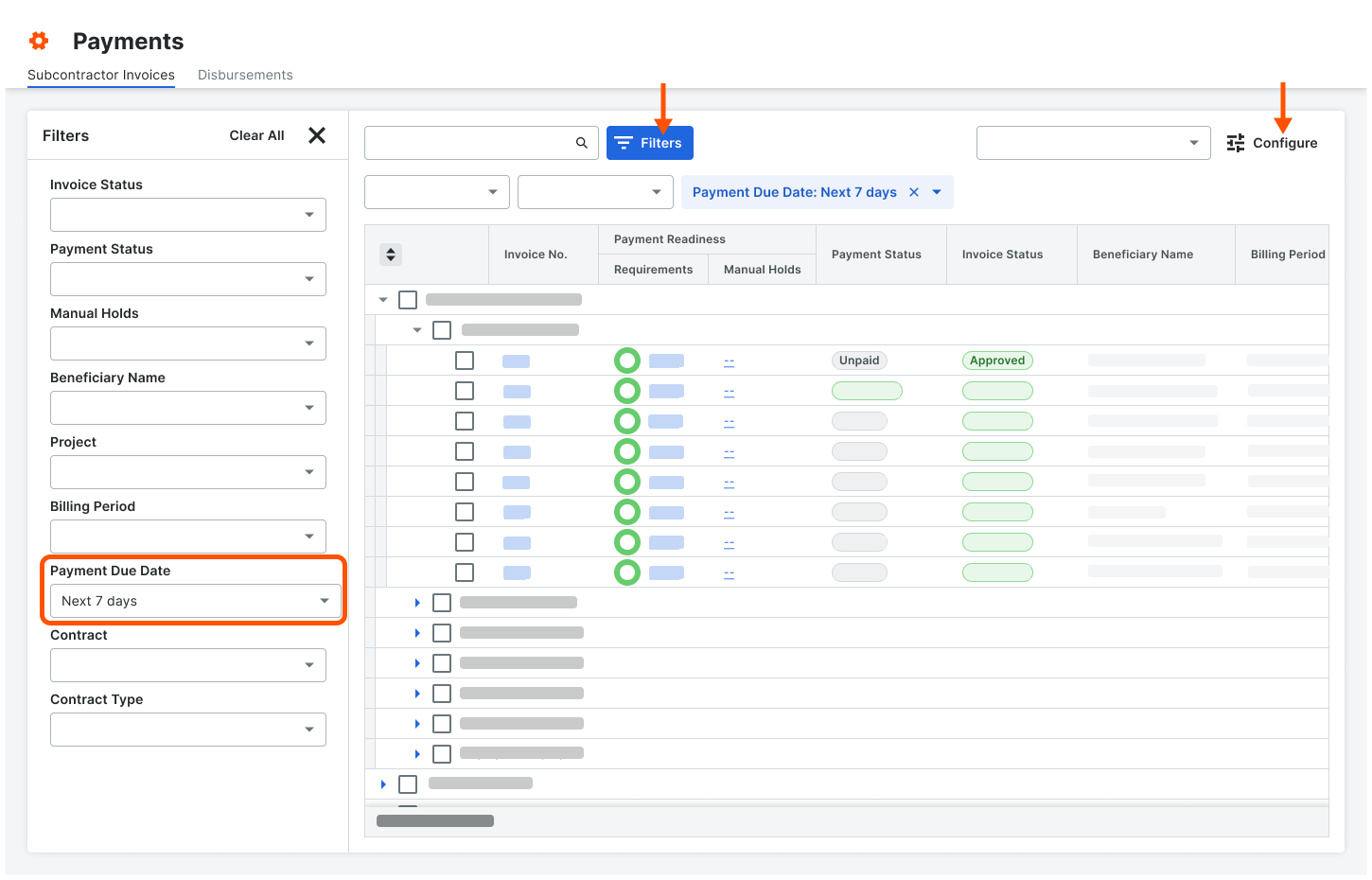
Payments Admins and Payments Disbursers can track Early Pay Due Dates in the Payments tool in the Subcontractor Invoices tab. Click the Configure button to open the Filters pane or click the Filters button apply these new filter options to the tab: Overdue Today, Next 7 Days, or a Custom date range.

See About the Subcontractor Invoices Tab in the Payments Tool.

Example

This is an example of the Filters options in the Subcontractor Invoices tab of the Payments tool.
Pay Sub Inv Track Epp Due Date

Track Early Pay Due Dates on Invoices in Payment Details

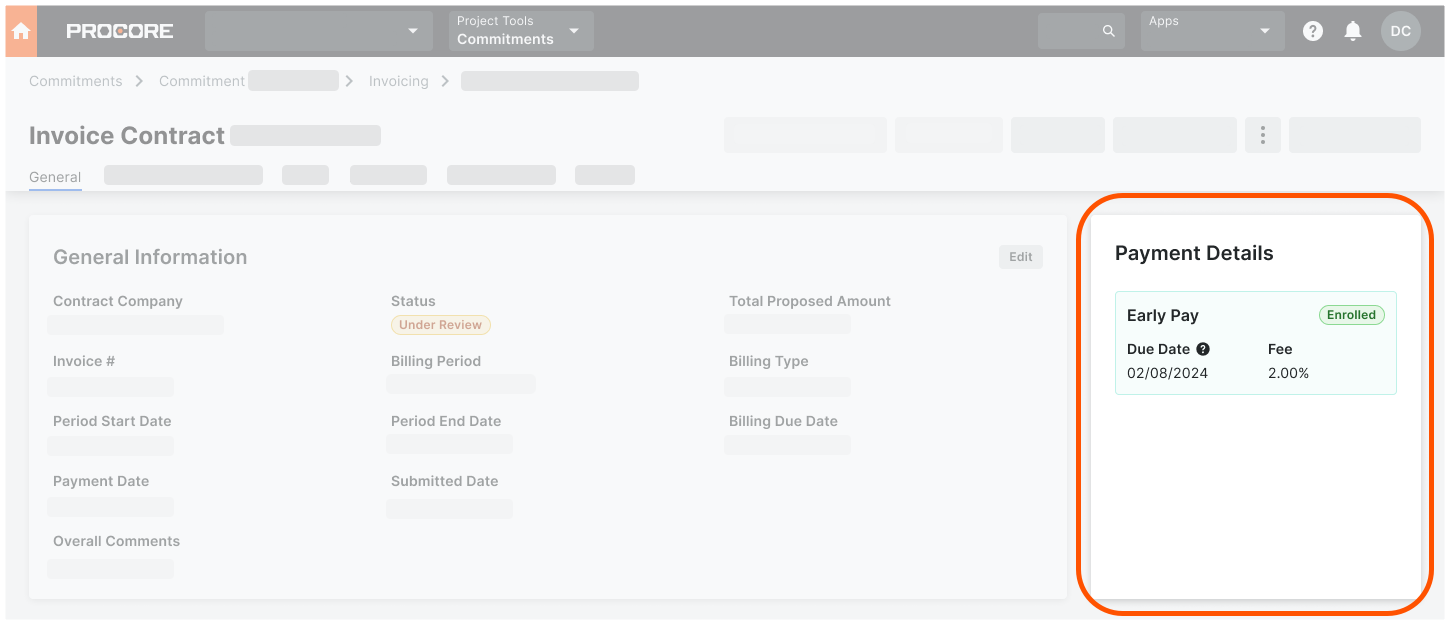
Once a specialty contractor enrolls in a program, invoice administrators can use Procore's Invoice Management tools to track Early Pay Program status, fees, and due dates using the Payment Details card on a subcontractor invoice. This card is only visible to users who can create, edit, and review subcontractor invoices for a payor.

See Create a Subcontractor Invoice on Behalf of an Invoice Contact.

Example

This is an example of the Payment Details card in the General tab of a subcontractor invoice.

Payment Details Epp Data