Details
With locations, you can take the following actions:
Generate locations hierarchy from drawings
Import location
Manually create locations
Generate and print Quick Response Codes for locations
View a heat map of items associated with locations
View all items related to a location
Generate a location hierarchy from architectural drawings
With the new location experience, you can use your architectural plans in Procore to automatically generate your location hierarchy. Select which drawings to use to create your hierarchy of location, review the location and modify them if needed. Each location shows a boundary around the location's area on your drawing. See Generate location hierarchy from drawings.
Manually create location hierarchy
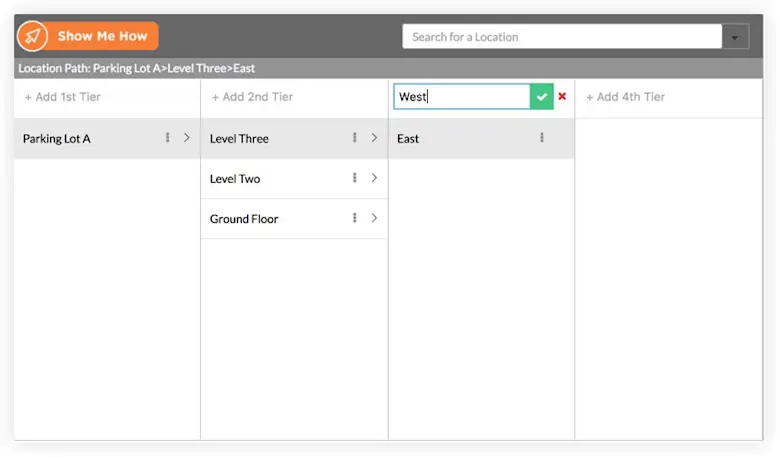
Manually create your location hierarchy and set preferences for your users to create location from other tools in Procore.
See Manually create locations hierarchy and Allow or disallow users to create locations within a tool.
Import location
Import location from other systems outside of Procore. You can import location in the following ways:
Generate and print Quick Response Codes for locations
Generate and print location QR codes and post them at each location at your job site. Users in the field can scan the QR code using the Procore Mobile App to either filter by the location identified in the QR code or create an item in Procore with that location linked. See Generate and print QR codes for locations, Scan a QR code to view an item (iOS) and Scan a QR code to view an item (Android)
View a heat map of items associated with locations
Note: The heat map is only available for location generated from drawings.
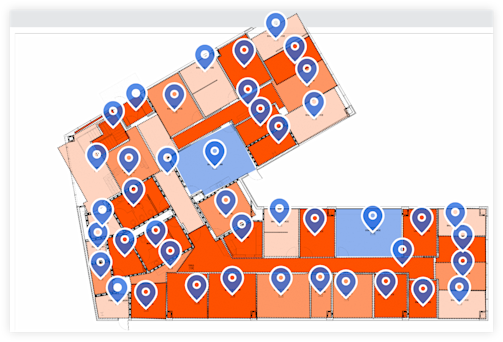
When you generate locations from drawings, you can view a heat map of items associated to locations. This heat map helps you see which areas have higher activity relating to RFIs, submittals and more. A darker colour indicates a higher number of total items linked to that location.
View all items related to a location
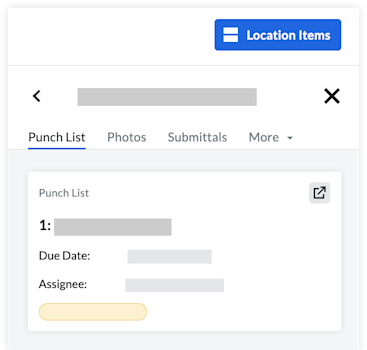
When viewing your location hierarchy, you can click a location to view a list of all item associated with that location. See View item location.