Update the general information
In the New payment application for [Contract #] page, update these sections: General information and Bill of quantities beforeclicking Send.
Below is an example of the new payment application for [Contract #] page that uses the amount-based accounting method. There are two accounting methods in Procore, but a payment application administrator can only select one for all of a project's contracts and payment applications. See How do I set the accounting method for a contract?
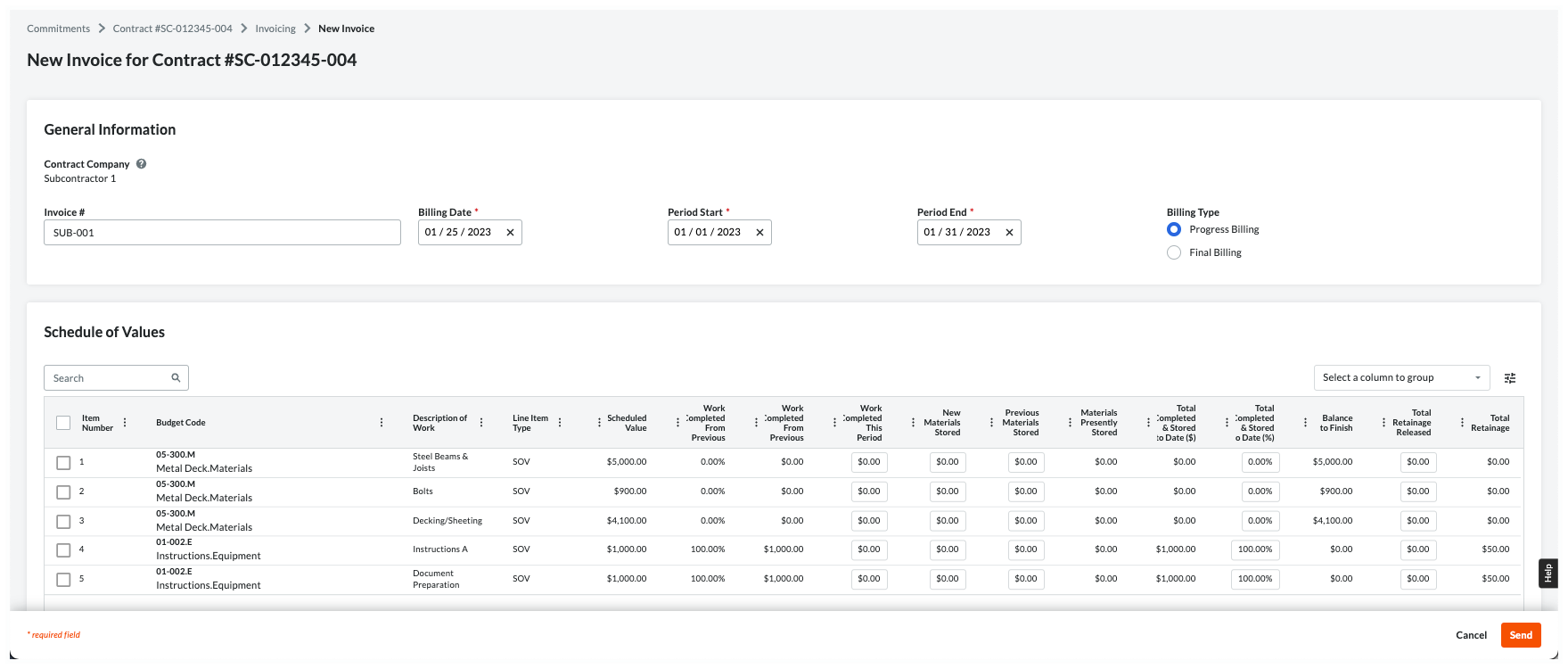
General Information
This table provides you with helpful information to complete the data entry.
The 'billing type' option buttons are only available with Procore Pay when a payment admin completes the steps in Enable lien waivers on all projects. A user with 'admin' level permission on the Payment Applications tool can also Set the default lien waiver on a project.
In the table below, an asterisk (*) indicates an entry is required.