Add recommended columns
This is a recommended budget view. Your company's Procore administrator creates the budget view used on your projects, so the column setting detailed below may be different in your environment. For other budget view recommendations, see Which budget view should I add to my Procore project?
These are the recommended column setting for the real-time Labour Productivity budget view:
Column name | Column type | Column format | Description |
|---|---|---|---|
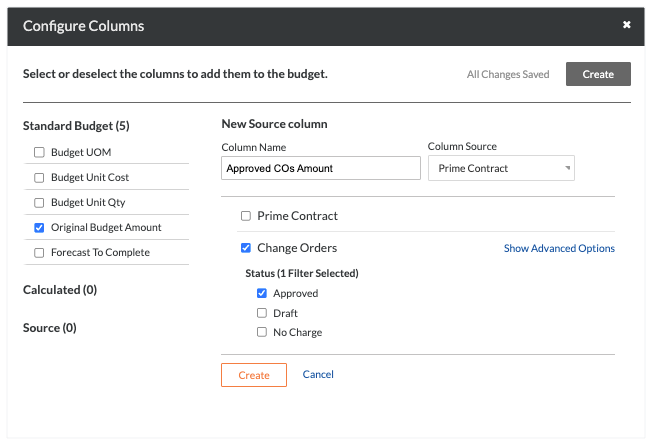
Approved COs amount | Source | currency | This is a hidden column that you create to perform a calculation for the values appearing in the 'Revised Budget Amount' column. |
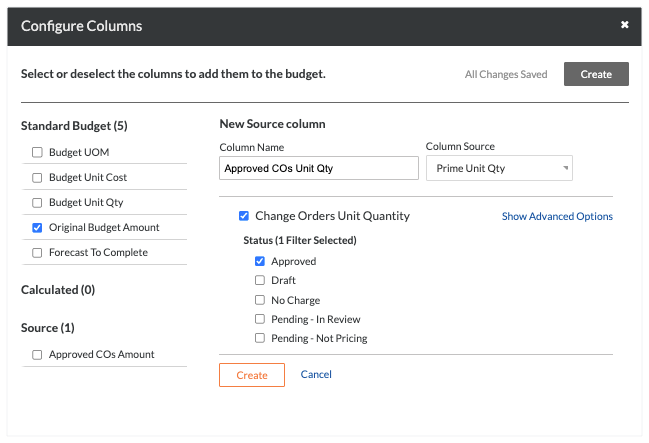
Approved COs unit quantity | Source | Number | This is a hidden column that you create to perform a calculation on the values appearing in the 'Revised Units' column. |
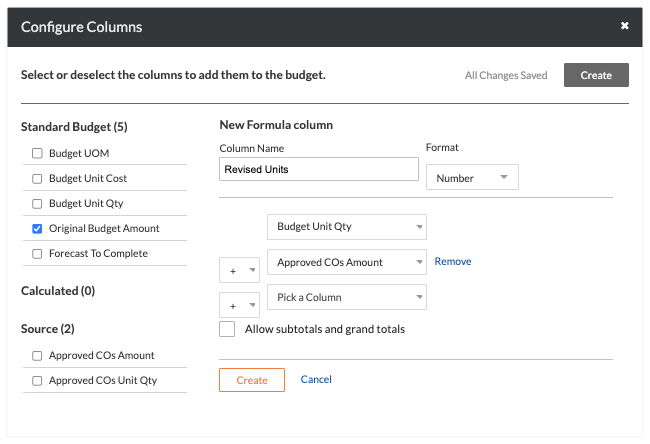
Revised units | Calculated | Number | This shows the original Budget unit quantity + approved COs unit quantity. |
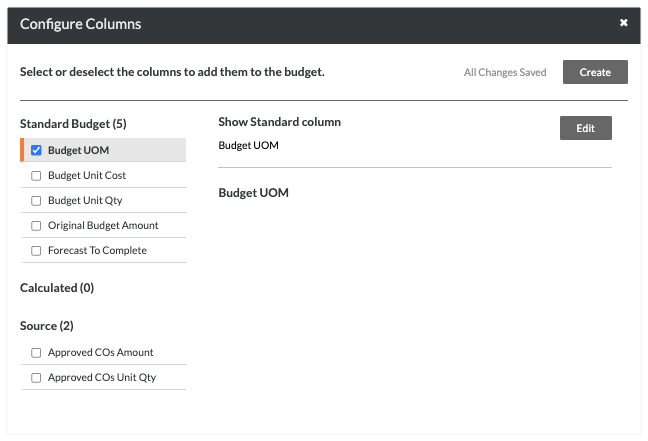
Budget UoM | Standard | N/A | This shows the Unit of Measure (UoM) for the budget line item. |
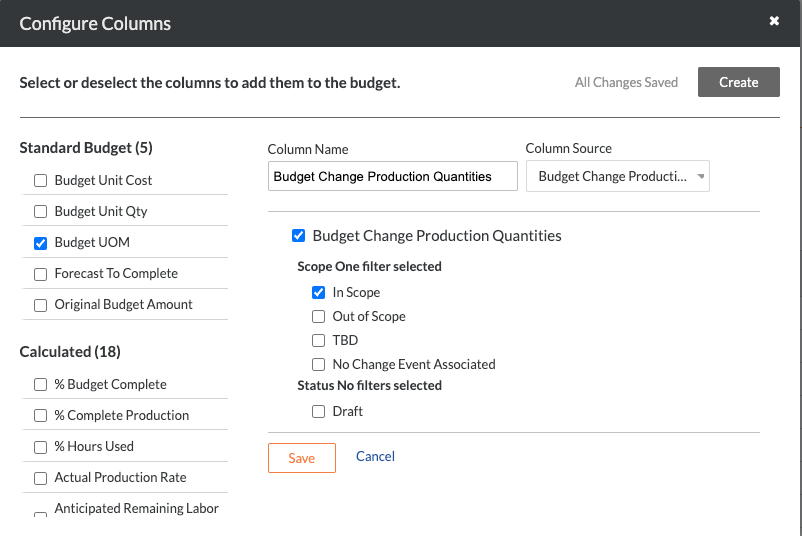
Budget change production quantity | Source | Number | Represents internal changes to Budget production quantity to be installed (outputs). It includes unit quantity and UoM. |
Budget change unit quantity | Source | Number | This shows the unit quantity and UoM amount from a budget change. |
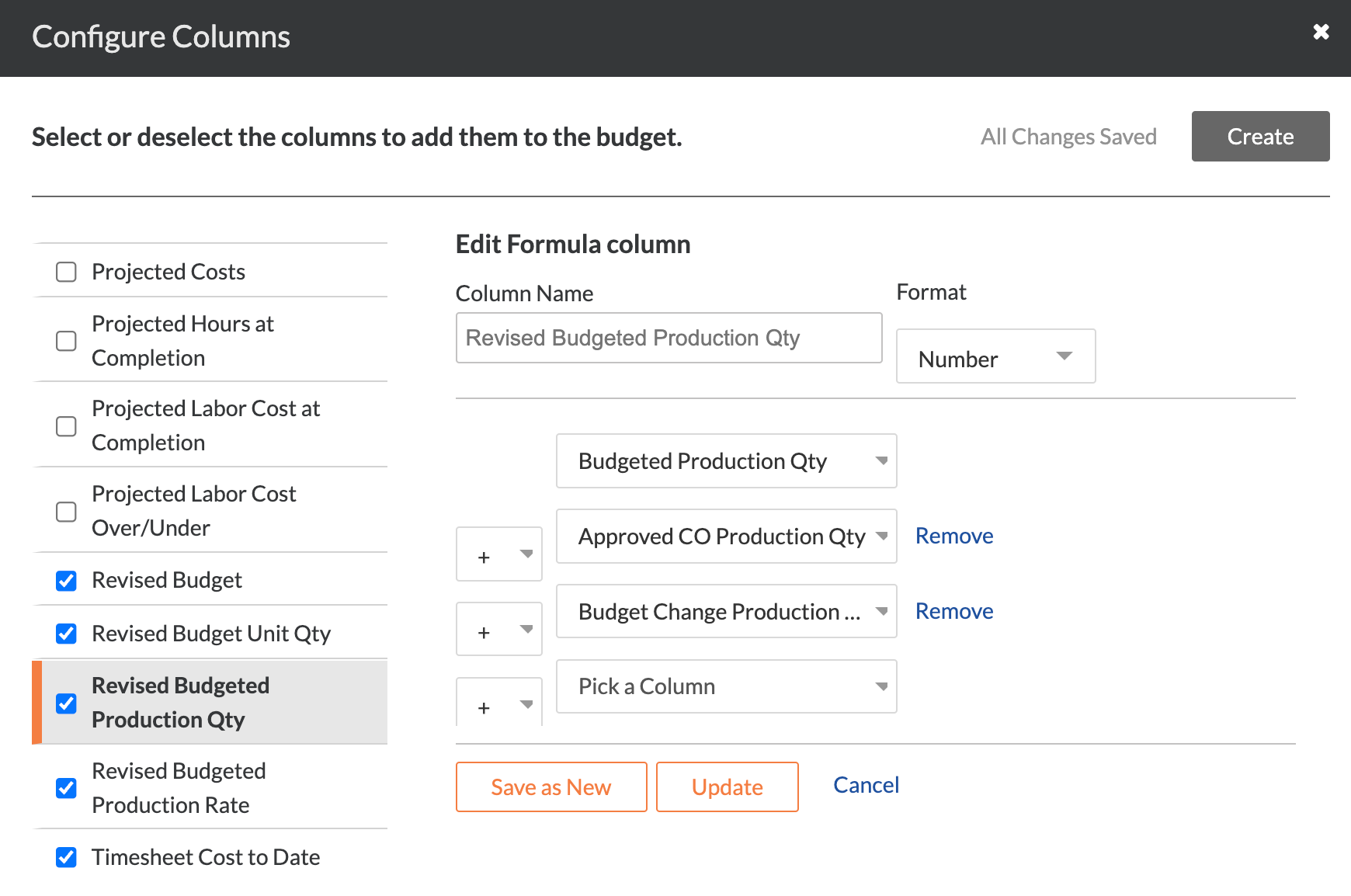
Revised Budget production quantity | Calculated | Number | Shows the original Budget production quantity + approved VAR production quantity + approved budget change production quantity. |
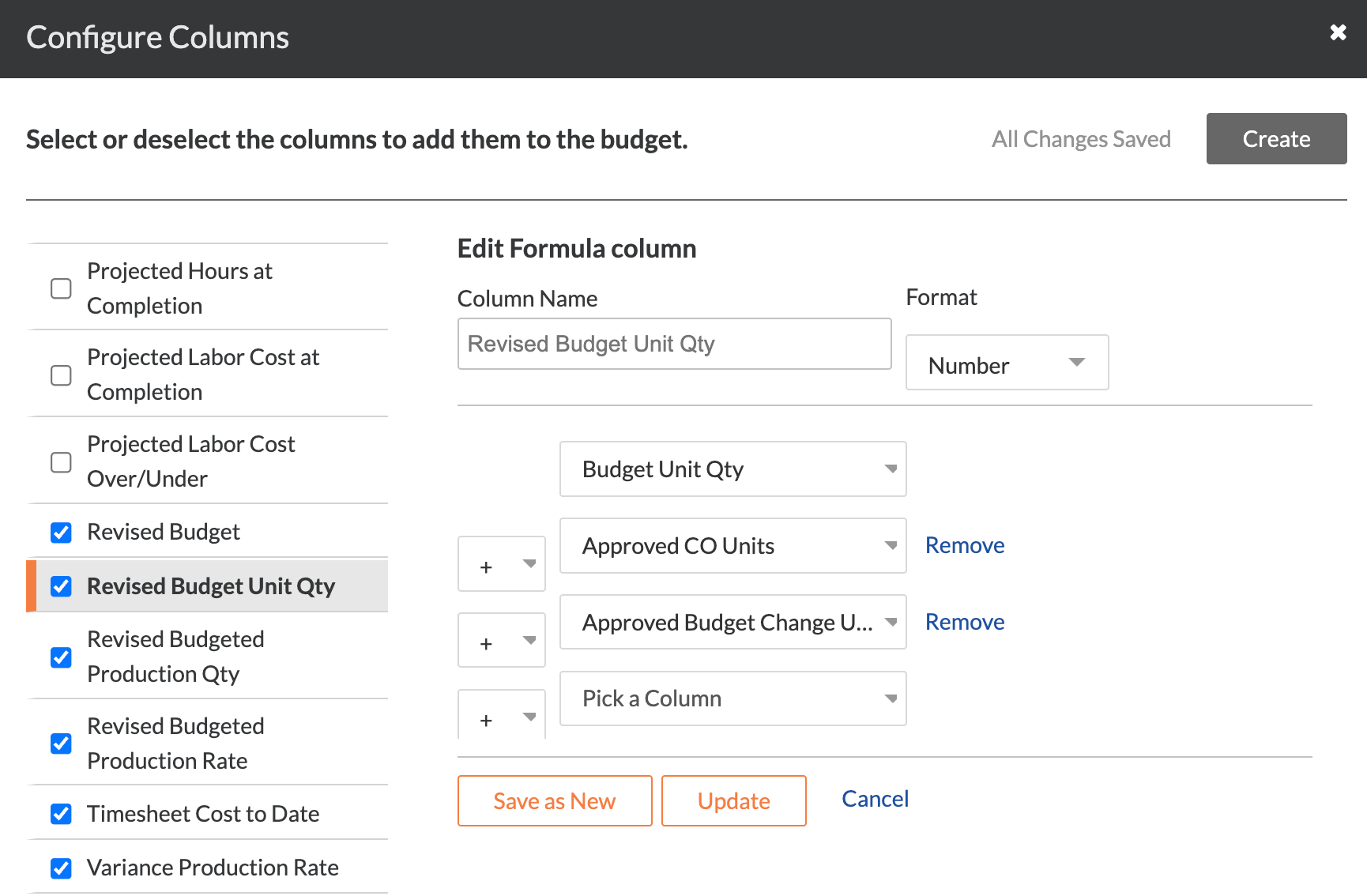
Revised Budget unit quantity | Calculated | Number | Shows the original Budget unit quantity + approved VAR units + approved budget change unit quantity. |
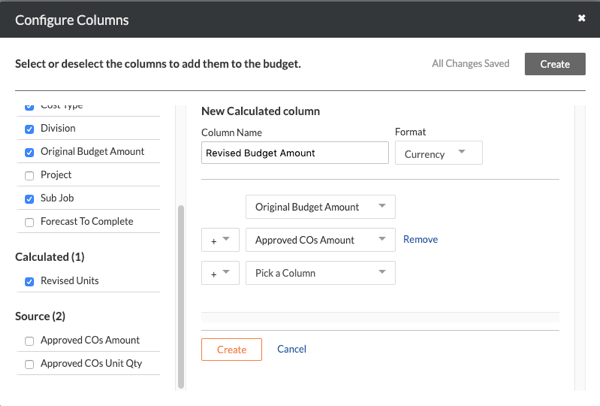
Revised budget amount | Calculated | currency | This shows the original Budget amount + approved COs amount. |
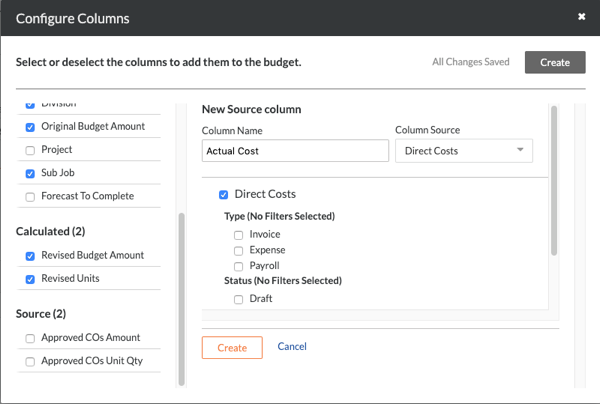
Actual cost | Source | currency | This shows the direct cost amount. |
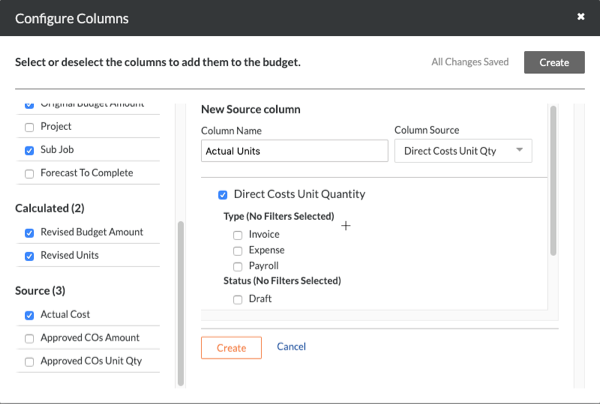
Actual units | Source | Number | This shows the direct cost unit quantity. |
Actual unit cost | Calculated | currency | This shows the actual cost/actual units. |
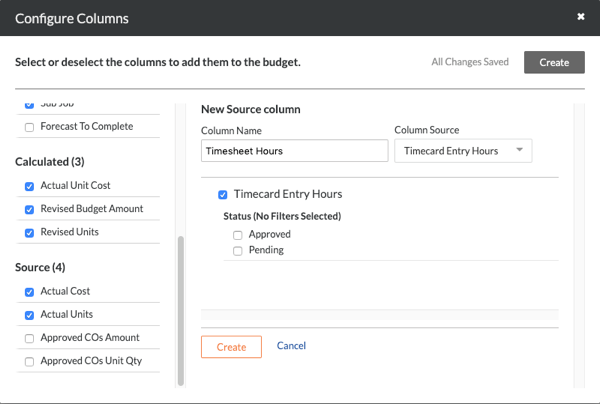
Timesheet hours | Source | Number | This shows all timecard entry hours. |
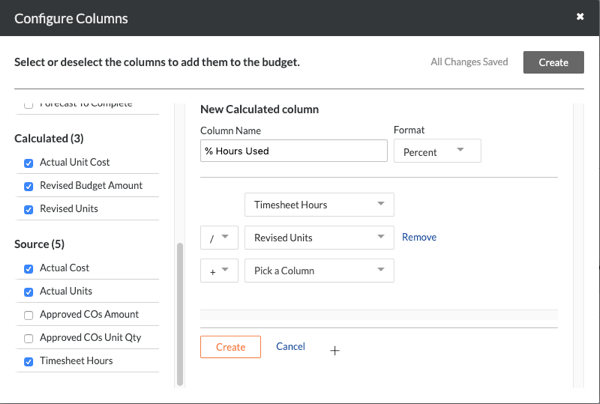
% hours used | Calculated | Percent | This shows the timesheet hours/revised units. |
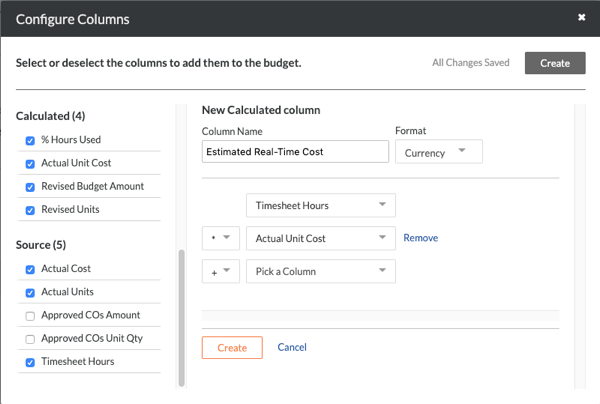
Estimated real-time cost | Calculated | currency | This shows the actual unit cost x timesheet hours. |
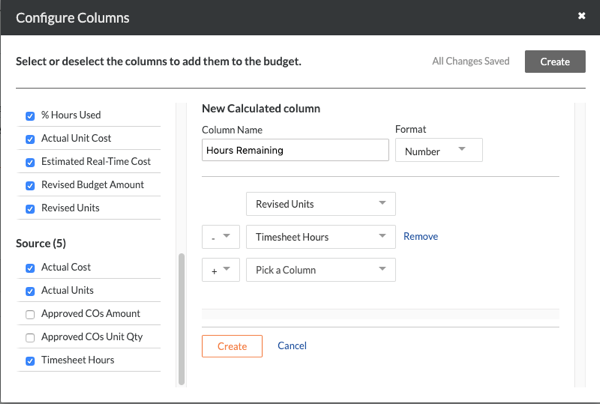
Hours remaining | Calculated | Number | This shows the revised units - timesheet hours. |
Approved COs amount
Note: You must add this column before you can add a calculated column named 'Revised Budget Amount'.
Steps from the Configure columns window… | Settings |
|---|---|
|
|
Approved COs unit quantity
Note: You must add this column before you can add a calculated column named 'Revised Units'.
Steps from the Configure columns window… | Settings |
|---|---|
|
|
Revised units
Note: You must first create the 'Approved COs unit quantity' column. See Approved COs unit quantity.
Steps from the Configure columns window… | Settings |
|---|---|
|
|
Budget UoM
Note: You must also remove all other columns under Standard Budget.
Steps from the Configure columns window… | Settings |
|---|---|
|
|
Budget change production quantity
Note: This adds a source column named 'Budget change production quantities.' You must add this column before you can add a calculated column named 'Revised Budget production quantity.'
Steps from the Configure columns window… | Settings |
|---|---|
|
|
Budget change unit quantity
Note: This adds a source column named 'budget change unit quantity'. You must add this column before you can add a calculated column named 'Revised Budget Unity quantity'.
Steps from the Configure columns window… | Settings |
|---|---|
|
|
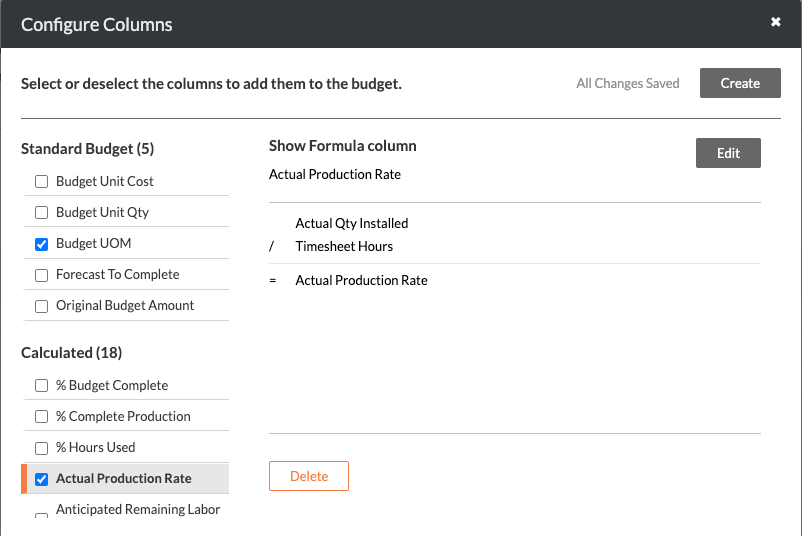
Revised Budget production quantity
Note: You must first create the budget change production quantity column. See budget change production quantity.
Steps from the Configure columns window… | Settings |
|---|---|
|
|
Revised Budget unit quantity
Note: You must first create the budget change unit quantity column. See budget change unit quantity.
Steps from the Configure columns window… | Settings |
|---|---|
|
|
Revised budget amount
Steps from the Configure columns window… | Settings |
|---|---|
|
|
Actual cost
For companies using the ERP Integration tool:
Sage 300 CRE® can add this column only if the direct cost tool is enabled.
For other ERP integrations (Vista®, Trimble® Spectrum or Sage 100 Contractor®), the 'Column source' below must be set to 'ERP job to date costs' column (instead of 'direct costs').