Add payment application contacts to a purchase order or subcontract
Procore can be configured to use terminology specific to main contractors, owners or specialty contractors. Learn how to apply the dictionary options.
To provide downstream collaborators with permissions to submit new subcontractor payment applications in a Procore project, a payment application administrator must add a payment application contact to their commitment. If a collaborator has more than one commitment on your Procore project, administrators can add a different payment application contact to each commitment. Alternatively, your company's Procore administrator can set a default payment application contact in the downstream collaborator's company record.
Additional Information:
Subcontractor payment applications originate in the Project level commitments tool.
Complete the steps in How do I add payment application contacts to Procore?
Create the commitment to which you want to add the payment application contact. See Create a commitment.
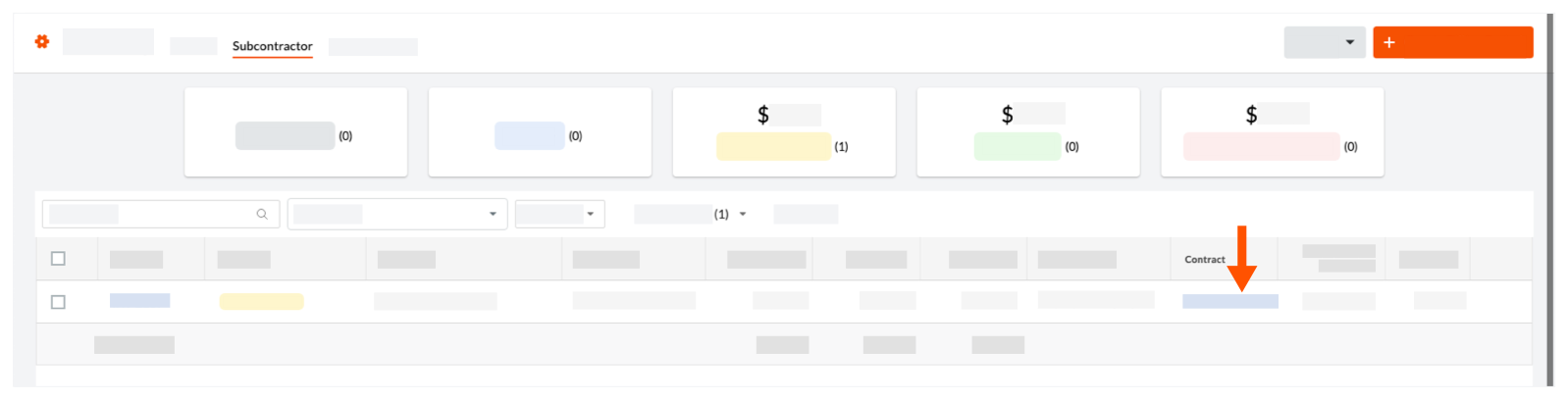
Navigate to the project's Payment Applications tool.
You can also open a commitment from the commitment tool. To do this, navigate to the Project level Commitment tool. In the Contracts tab, click the Number link.
Click the Subcontractor tab.
Locate the payment application to update and click its Contract link.
This opens the commitment. A subcontractor payment application originates from a commitment.

In the commitment, click Edit.
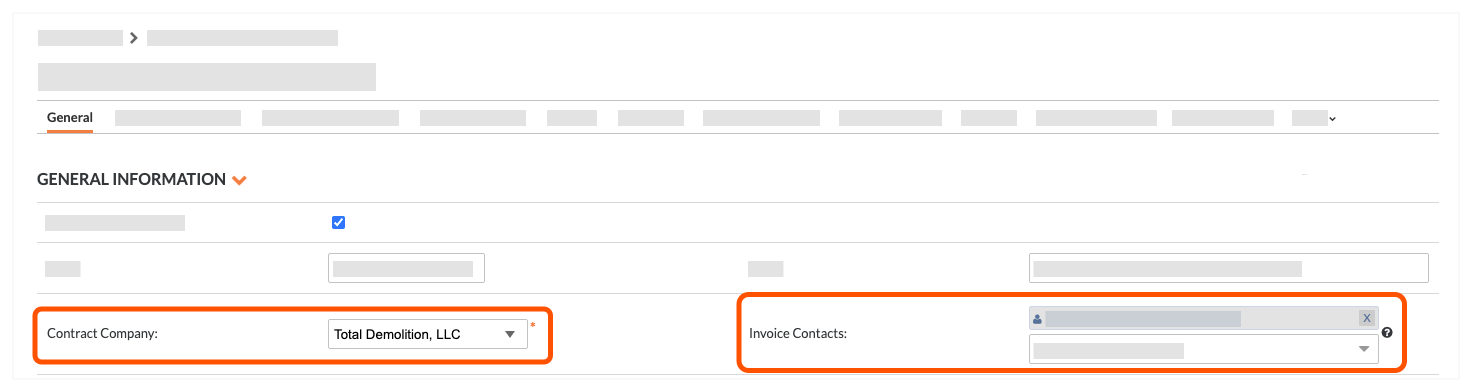
Under General information, do the following:

Contact company. Select the company record from the drop-down list.
Payment application contacts. Select an employee of the company from the drop-down list.
Don't see the right company in the 'Contact company' list? The company record must be added to the Project Directory. See Add a company to the project Directory.
Don't see the desired user in the list? The user must ben an employee of the company record in the Project Directory. See Add a user account to the Project Directory.
Click Save.
When does Procore send email notifications to payment application contacts? See Do payment application contacts receive emails from Procore?
When does Procore send email notifications to members of the 'payment application distribution list? Members added to the commitment tool's 'payment application distribution list (see Configure settings: commitments) receive notifications when:
The status of the Subcontractor Bill of Quantities changes to 'Under Review.' See Review a subcontractor BOQ for a commitment.
If your team is NOT using a subcontractor payment application workflow, when status of the subcontractor payment application changes to 'Under review'. Note: If your team is using a subcontractor payment application workflow, the notification is sent to the workflow assignee(s).
Loading related articles...