View the Company Cost Code Segment Settings
背景
每当你想要查看公司 WBS 中"成本编号"细分的设置时,请使用以下步骤。请记住,"成本编号"是默认细分,其设置无法在公司或项目级别进行编辑。但是,你可以在公司和项目级别添加、编辑和删除细分项。
需要考虑的事项
所需的用户权限:
公司级管理员工具的"管理员"级别权限。
其他信息:
无法在公司或项目级别编辑"成本编号"细分设置。
但是,你可以在公司和项目级别添加、编辑和删除细分项。
限制:
For customers using the Company level ERP Integrations tool
The default segments in WBS are compatible with Procore's ERP Integrations tool. However, some integrations do NOT yet support custom segments.For customers who have independently developed or purchased a third-party solution to integrate with Procore
To take advantage of the custom segment capabilities associated with WBS, any existing API integrations that you have independently developed or purchased to interact with Procore must be updated to support Procore's new WBS API.
Prerequisites
Steps
Navigate to the Company level Admin tool.
Under 'Company Settings', click the Work Breakdown Structure link.
In the 'Segments' table, click the 'Cost Codes' segment.
Above the 'Cost Codes' table, click Configure Settings
 icon.
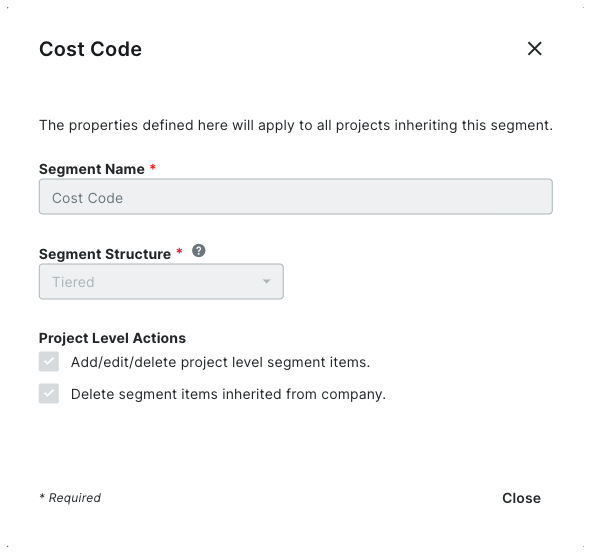
icon.In the 'Segment Settings' dialog box, you can view its settings. All settings are grayed out to indicate they cannot be edited.
 Note
NoteThe 'Cost Code' segment is a default segment. You cannot edit any of its settings

Click Close.