Configure Settings
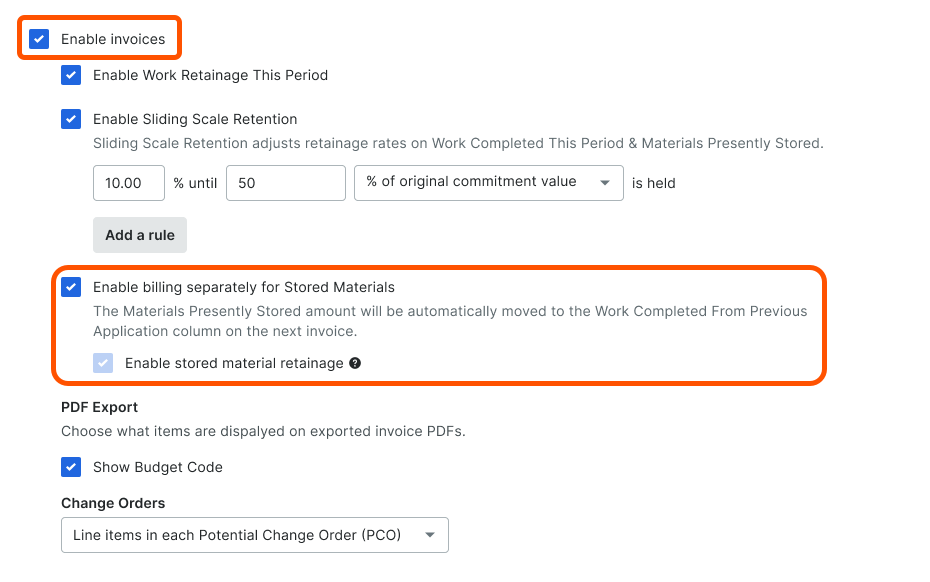
To bill for stored materials, configure these settings:
Choose the accounting method for the contract
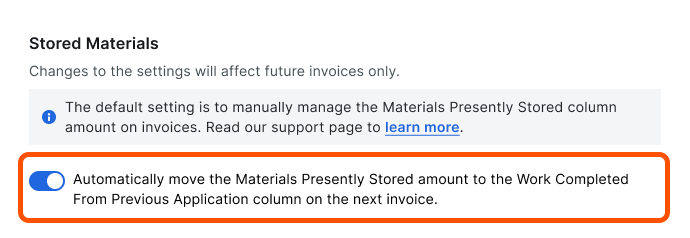
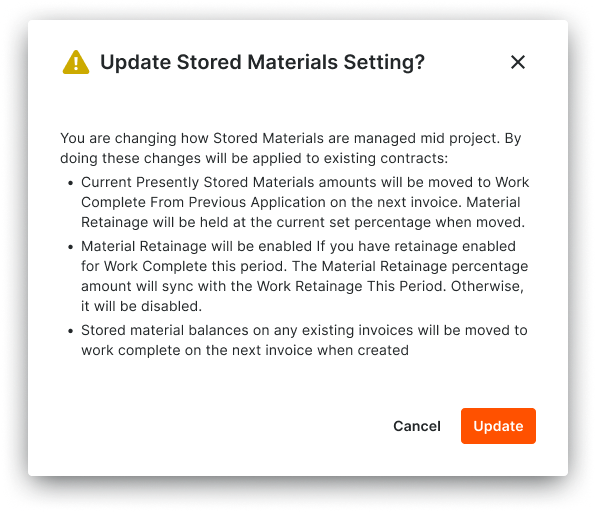
Configure the stored materials settings for a commitment
Configure the stored materials settings on the Payment Applications tool
Choose the accounting method for the contract
Configure the accounting method for a new main contract to bill for stored materials on a payment application. You can also configure the accounting method for purchase orders and subcontracts created with the Project level commitments tool. Procore applies the setting you choose to the contract and any payment applications related to the contract. Choices are:
Amount-based. Enter the lump sum amount for line items on the contract's Bill of Quantities and the contract's payment applications.
Unit quantity-based. Enter a quantity and unit price for line items on the contract's Bill of Quantities and the contract's payment applications.
Managing tenders in Procore? You can set the accounting method for the Project level Tendering tool. To learn more, see How do I set the accounting method for tenders?
These examples show you how to choose the accounting method for purchase orders and subcontracts in the project's Commitments tool and on a new main contract for a project. To learn more, see How do I set the accounting method for a contract?
Commitments
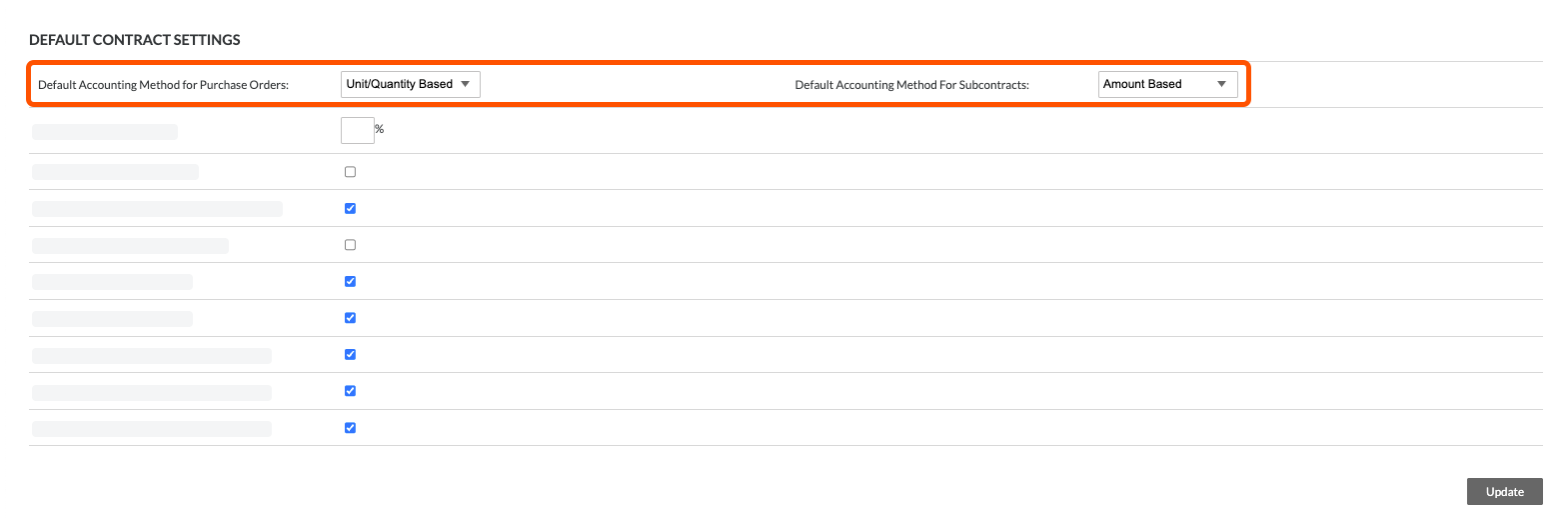
A user with 'Admin' level permissions on the Commitments tool configures the 'Default accounting method for purchase orders' and 'Default accounting method for subcontracts' settings under 'Default contract settings' on the 'Configure settings' page of the tool. Once set, all of the commitments on the project use the method configured. To learn more, see Configure advanced settings: Commitments.
Main Contracts
A user creating a main contract must configure its default accounting method before adding any line items to its Bill of Quantities. Once line items are added, you cannot change the accounting method. In Procore, the default accounting method is amount-based contracts. To change to the unit quantity-based method, click the button in the banner at the top of a main contract's Bill of Quantities. To learn more, see Create main contracts.