Supprimer des modèles de renonciation au privilège
Accédez à l’outil Paiements au niveau entreprise.
Cliquez sur l’icône
 Paramètres de paiement. La page Paramètres de paiement s’ouvre. L’onglet Traitement des paiements est actif par défaut.
Cliquez sur l’onglet Conditions de paiement. La page renonciations de privilèges est active par défaut.
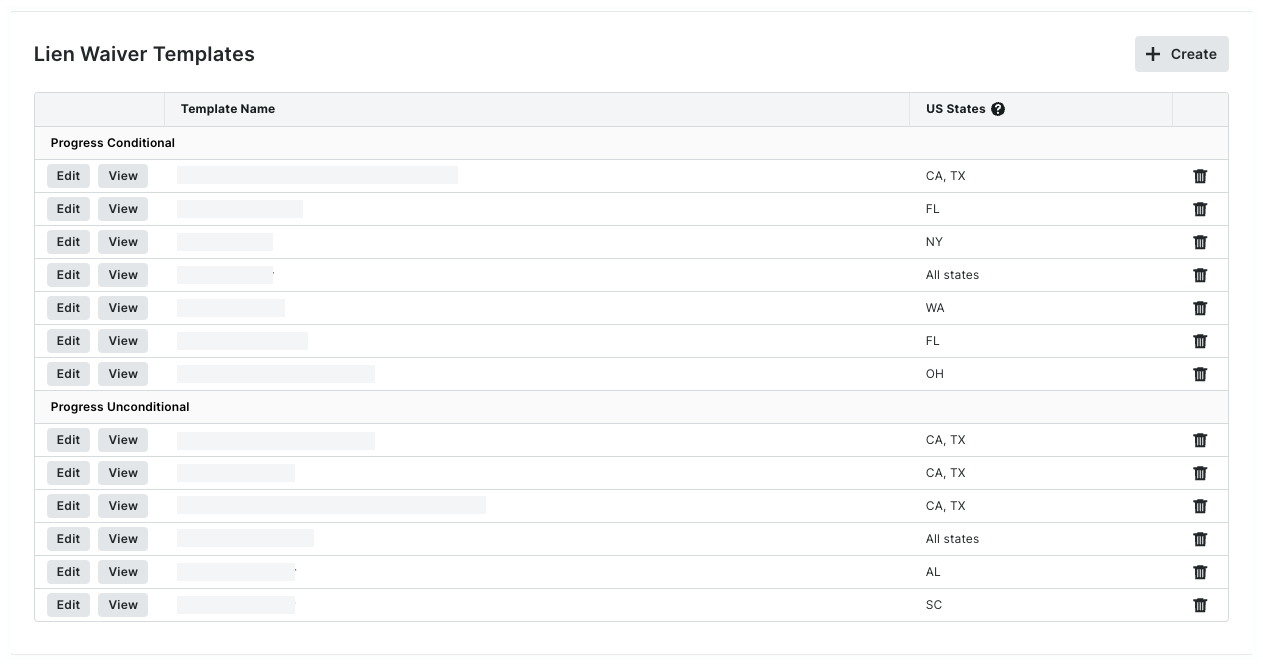
Recherchez le modèle à supprimer dans le tableau.
 Pointe
Comment les données sont-elles regroupées ? Par défaut, Procore regroupe les modèles de renonciation aux privilèges par type. Pour en savoir plus, consultez Quels types de modèles de renonciation aux privilèges pouvez-vous créer dans Procore ?
Cliquez sur l’icône Supprimer  pour supprimer le modèle.
Dans le modèle Supprimer renonciations de privilèges ? message, choisissez une option :
Pour conserver le modèle, cliquez sur Annuler.
Pour supprimer définitivement le modèle, cliquez sur Supprimer.
Une fois supprimé, le modèle n’apparaît plus en tant que sélection dans les paramètres de facture. Voir Activer les renonciations de privilège et définir les modèles par défaut sur les projets. Toutes les renonciations de privilège précédentes générées à partir du modèle sur les factures existantes du projet peuvent continuer à être prévisualisées, signées et affichées.