Désactiver les éléments de segment
Arrière-plan
Un segment est une catégorie discrète qu’une organisation utilise pour décomposer son travail en composants gérables. Un élément de segment est l’un des nombreux éléments distincts d’un segment. Dans les outils Gestion financière de Procore, les segments sont les éléments constitutifs Une structure des codes budgétaires est une séquence de segments utilisée pour créer des codes budgétaires significatifs conformément au modèle établi par votre organisation. Dans la structure de découpage du projet de Procore, la structure des codes budgétaires d'une entreprise ou d'un projet peut être composée de plusieurs segments.
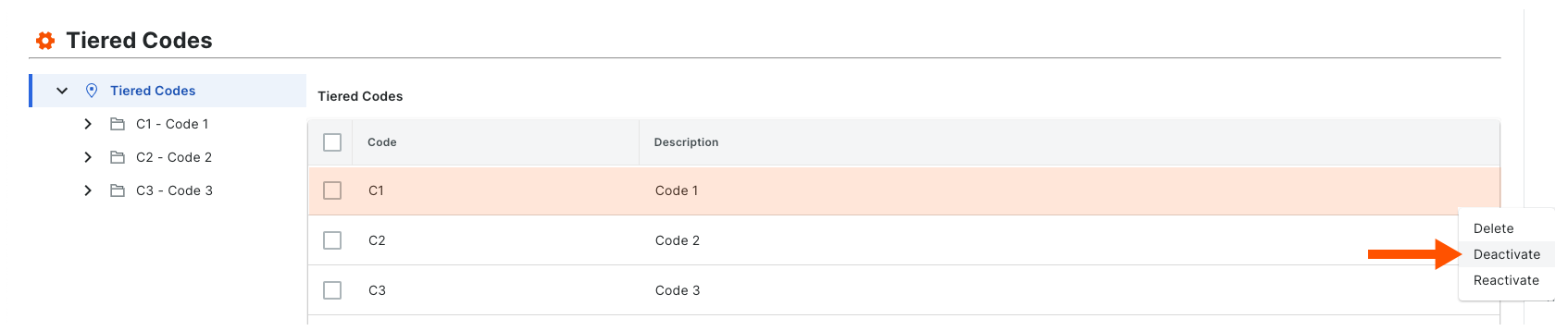
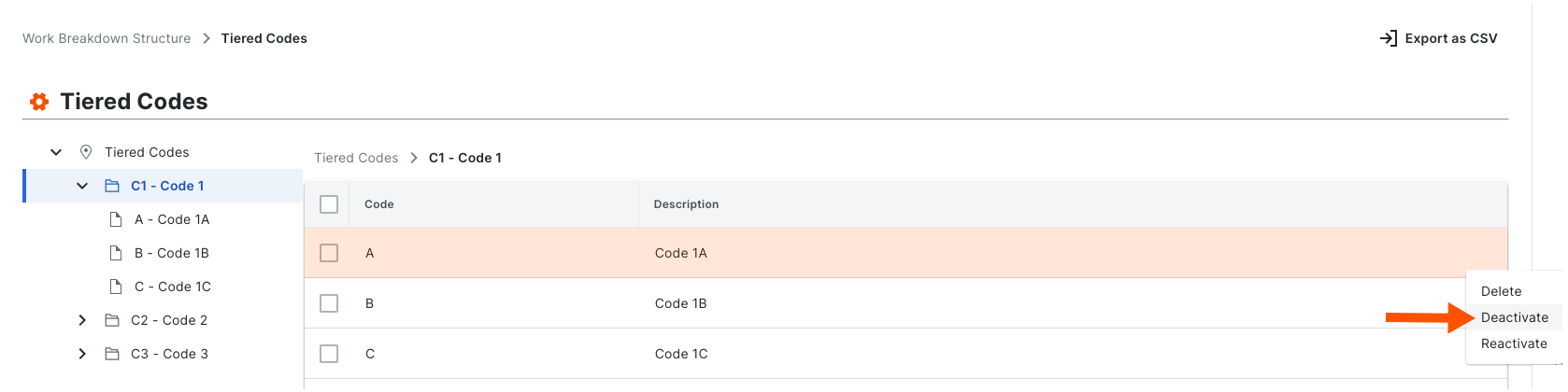
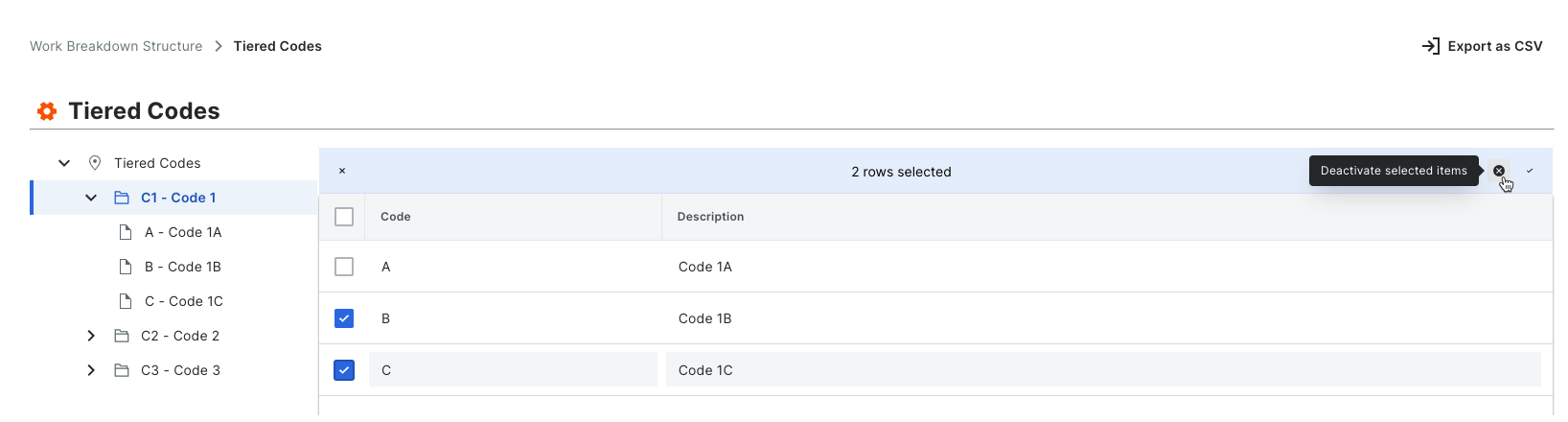
Lorsque vous créez un nouvel élément de segment, il est actif par défaut dans votre compte d’entreprise. Vous pouvez suivre la procédure ci-dessous pour le désactiver. Lorsqu’un segment est dans un état désactivé, il est grisé pour indiquer qu’il n’est pas disponible dans le tableau « Segments ».
Éléments à prendre en compte
Autorisations utilisateur requises :
Autorisations de niveau « Admin » dans l’outil Admin au niveau entreprise.
Informations complémentaires :
Les segments ne peuvent être désactivés qu’au niveau entreprise. Cette fonction n’est PAS disponible actuellement sur les projets.
Avant de désactiver un segment, tenez compte de ce qui suit :* Si vous désactivez un élément de segment utilisé dans un code budgétaire sur un projet existant, il restera disponible sur ce projet. Si vous ne souhaitez PAS que l’élément de segment soit utilisé dans un code budgétaire sur le projet existant à l’avenir, il est fortement recommandé de communiquer cette directive à votre équipe de projet.* Si vous désactivez un élément de segment qui n’est pas utilisé dans un code budgétaire sur un projet existant, il ne sera pas disponible pour une utilisation sur ce projet.* Si vous désactivez un élément de segment puis créez un nouveau projet, il ne sera PAS disponible pour une utilisation sur le nouveau projet.
Si vous souhaitez supprimer définitivement un élément de segment afin qu’il ne soit pas disponible sur tous les nouveaux projets, voir Supprimer des éléments de segment.
Limitations:
Pour les clients utilisant l’outil Niveau entreprise Intégrations ERP
Les segments par défaut dans SDP sont compatibles avec l’outil Intégrations ERP de Procore. Cependant, certaines intégrations ne prennent PAS encore en charge les segments personnalisés.Pour les clients qui ont développé ou acheté indépendamment une solution tiers à intégrer à Procore
Pour tirer parti des fonctionnalités de segment personnalisé associées à SDP, toutes les intégrations d’API existantes que vous avez développées ou achetées indépendamment pour interagir avec Procore doivent être mettre à jour pour prendre en charge la nouvelle API SDP de Procore.
Avant de désactiver un segment, tenez compte de ce qui suit :
Si vous désactivez un élément de segment utilisé dans un code budgétaire sur un projet existant, il apparaîtra toujours sur les projets où il est déjà utilisé. Cependant, cette option ne sera plus disponible lors de la création de nouveaux codes budgétaires.
Si vous désactivez un élément de segment qui n’est pas utilisé dans un code budgétaire sur un projet existant, il sera désactivé sur ce projet.
Si vous désactivez un élément de segment puis créez un nouveau projet, il ne sera PAS disponible pour une utilisation sur le nouveau projet.