Autoriser ou interdire aux utilisateurs de créer des emplacements dans un outil
Arrière-plan
Les lieux sont généralement créés dans le Gestionnaire des lieux de l’outil Admin du projet. Les administrateurs peuvent choisir de limiter la création de lieux au Gestionnaire des lieux ou d’autoriser les utilisateurs à ajouter de nouveaux lieux dans d’autres outils, en fonction d’un paramètre de l’outil Gestionnaire des lieux.
Éléments à prendre en compte
Autorisations utilisateur requises :
« Admin » dans l’outil Admin du projet.
Informations complémentaires :
Ces paramètres ne sont disponibles que si vos lieux d’origine ont été créés manuellement ou importés.
Si la hiérarchie des lieux a été générée à partir de plans, ils ne peuvent être ajoutés que dans les outils Plans ou Admin. Voir Ajouter des lieux à un projet.
La liste ci-dessous détaille les outils et les tâches Procore incluant une liste déroulante « Lieux » qui interagit avec le responsable des lieux du projet dans l’outil Admin du projet :
Outil Procore
Pour créer un lieu, consultez ce tutoriel.
Plans d’action
Engagements
Correspondance
Outils personnalisés
(personnalisé)
Rapport journalier
Financement
Incidents
Inspections
Remarques
Photos
Contrats principaux / Financement / Contrats clients
Liste de réserves
FQR (FQR)
Livrables
Feuilles horaires
Escalier
Accédez à l’outil Admin du projet.
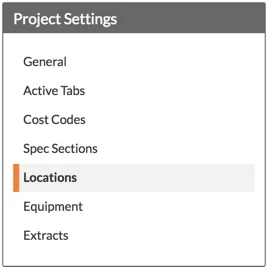
Dans le menu « Paramètres du projet », cliquez sur Lieux.
Sous « Paramètres Lieu », cochez ou décochez la case Autoriser uniquement la création de lieux dans le gestionnaire de Lieu ci-dessus :
Pour permettre aux utilisateurs de créer des lieux à partir d’autres outils Procore, décochez la case à cocher.
OUPour empêcher les utilisateurs de créer des lieux à partir d’autres outils Procore, cochez la case à cocher. Cela signifie que les utilisateurs disposant d’une autorisation de niveau Admin dans l’outil Admin du projet doivent utiliser le gestionnaire de lieux pour créer des lieux.
Remarque : Toute modification de ce paramètre est enregistrée automatiquement.
Prochaines étapes
Voir aussi
Chargement des articles connexes...